Home Inventory Management Software: What Actually Helps at Home
Home inventory management software should make stored items easier to find. Learn what features matter: photos, locations, search, simple numbers, and proof.
By Ben Stallsworth · Co-Founder, Totely
September 4, 2026 · Updated September 4, 2026 · 21 min read
Most people do not wake up excited to inventory their house.
They usually look for home inventory management software because something finally made the problem obvious.
Maybe they are trying to prepare for insurance.
Maybe they are moving.
Maybe they bought batteries, printer ink, or holiday lights again because they forgot they already had some.
Maybe they opened three totes in the garage and still could not find the one thing they needed.
That is the real test for home inventory software.
It is not whether the software has the most fields.
It is whether it helps you answer simple questions later:
- Do I already own this?
- Where is it?
- Which box, tote, shelf, drawer, or closet is it in?
- Can I prove what I had if something goes wrong?
- Can someone else in my household find it without asking me?
The best system is not the one that turns your home into a warehouse.
It is the one you will actually keep using.
Quick Links
- What Is Home Inventory Management Software?
- What Home Inventory Software Is Usually Built For
- What Actually Helps at Home
- Spreadsheets vs Apps vs Searchable Storage Systems
- Features That Matter Most
- Features That Can Become Overkill
- How to Start Without Inventorying the Whole House
- How Totely Fits Into Home Inventory
- Home Inventory Management Software FAQ
What Is Home Inventory Management Software?
Home inventory management software is a tool for recording what you own and where it is.
At its simplest, it can be:
- a spreadsheet
- a notes app
- a room-by-room checklist
- a photo folder
- a dedicated home inventory app
- a storage inventory app
- a QR or barcode-based tracking system
- a searchable system for boxes, bins, totes, and shelves
Most home inventory software helps you track details like:
- item name
- room
- category
- photo
- value
- purchase date
- receipt
- warranty
- serial number
- condition
- storage location
- notes
- export or backup
That is useful.
But at home, the software needs to do more than hold data.
It needs to fit the way people actually store things.
People do not always store belongings neatly by room.
They store things in:
- garage totes
- closet bins
- moving boxes
- under-bed containers
- attic shelves
- basement racks
- storage units
- drawers
- luggage
- cabinets
- craft bins
- office supply boxes
- seasonal decoration tubs
That is where basic home inventory systems often break down.
They tell you what you own.
They do not always tell you where it went after you put it away.
What Home Inventory Software Is Usually Built For
Most home inventory software falls into a few broad categories.
1. Insurance Documentation
This is the classic home inventory use case.
You document belongings so you have a record if you ever need to file a claim.
This kind of system usually cares about:
- photos
- item descriptions
- estimated value
- purchase date
- receipts
- serial numbers
- warranties
- reports or exports
- category or room grouping
This is important.
If you own valuable electronics, jewelry, instruments, tools, collectibles, furniture, appliances, or equipment, a home inventory can help you understand what you own and prepare better records.
But insurance documentation is not the same as everyday retrieval.
A record that helps with a claim may still not help you find the spare batteries before a storm.
2. Whole-Home Cataloging
Some software tries to help you catalog everything in your home.
That can be useful for:
- homeowners
- renters
- collectors
- estate planning
- maintenance planning
- moving
- resale preparation
- insurance review
The problem is scale.
A whole-home inventory can quickly become overwhelming.
If the first step is “catalog every room, item, receipt, warranty, and serial number,” many people never start.
A useful system should let you begin small.
One tote.
One closet.
One shelf.
One storage unit.
One drawer full of things you always lose.
3. Business-Style Inventory Management
Some tools are really built for businesses.
They may include:
- purchase orders
- suppliers
- stock levels
- barcodes
- check-in/check-out
- users and permissions
- asset assignments
- reports
- audits
- reorder alerts
- depreciation
- integrations
These features can be helpful for a small business, tool room, rental operation, or serious collector.
For normal home storage, they can be too much.
Most households do not need warehouse software.
They need a simple way to remember what is inside the box.
4. Storage and Moving Inventory
This is where home inventory gets very practical.
You are not trying to document every object in the house.
You are trying to find the things you put away.
This use case cares about:
- box number
- tote number
- shelf location
- photo proof
- key items
- room or storage zone
- access priority
- search
- updates when things move
This is the Totely sweet spot.
It is not only “what do I own?”
It is:
Where did I put it?
What Actually Helps at Home
The best home inventory management software helps with real household moments.
Not theoretical organization.
Real moments.
Like:
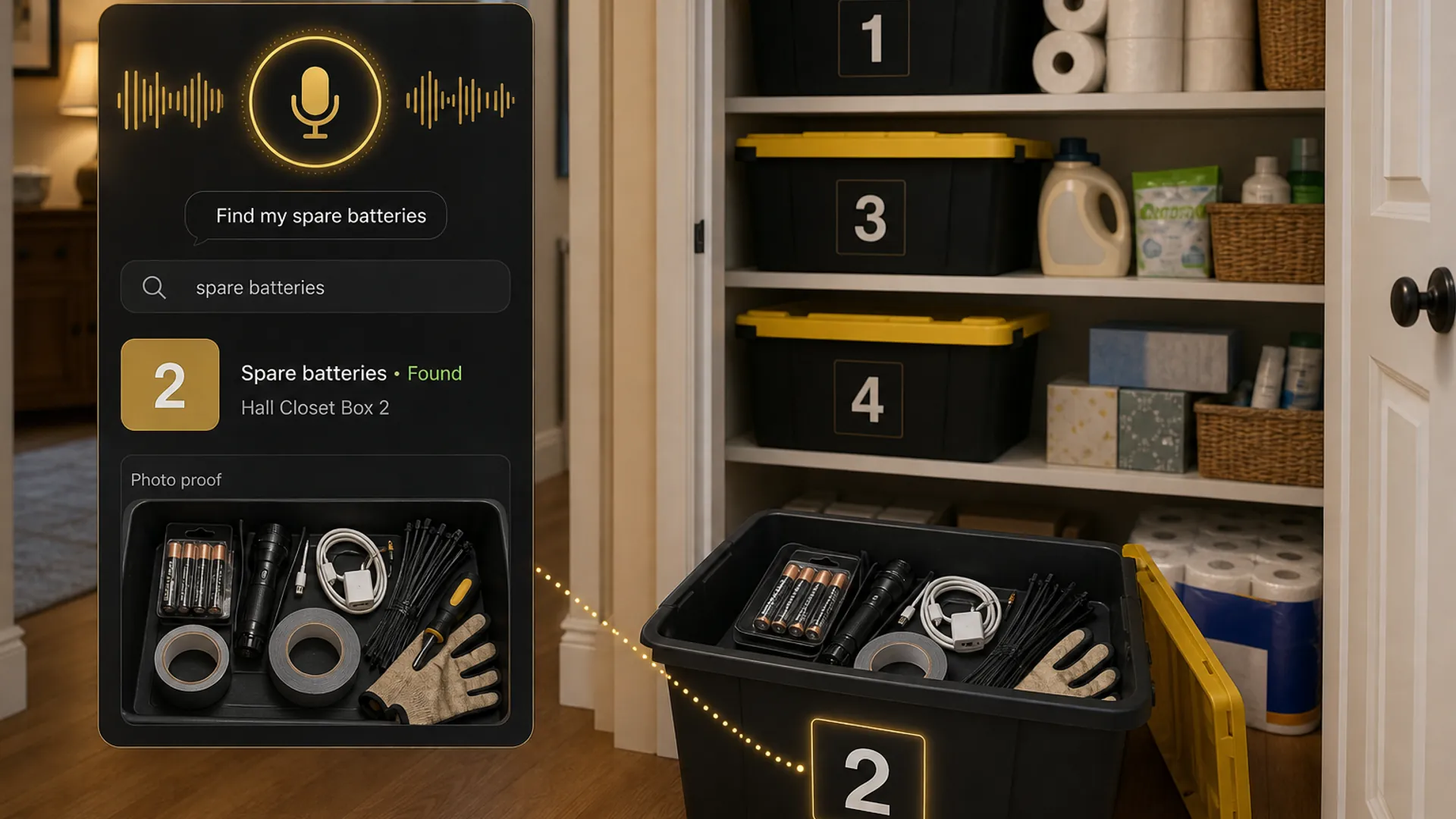
- “Where is the spare battery charger?”
- “Do we already have printer ink?”
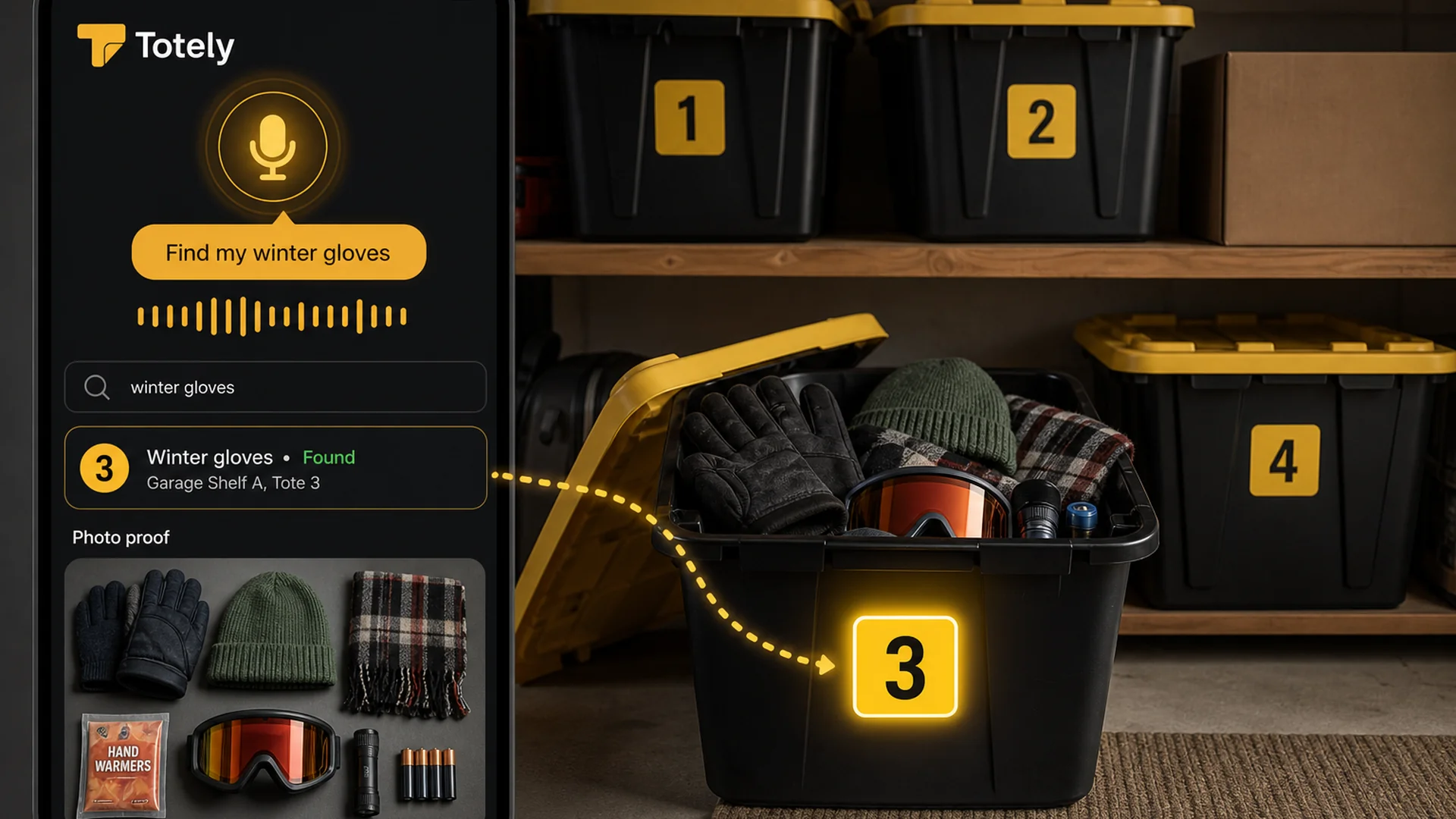
- “Which tote has the winter gloves?”
- “Where are the holiday lights?”
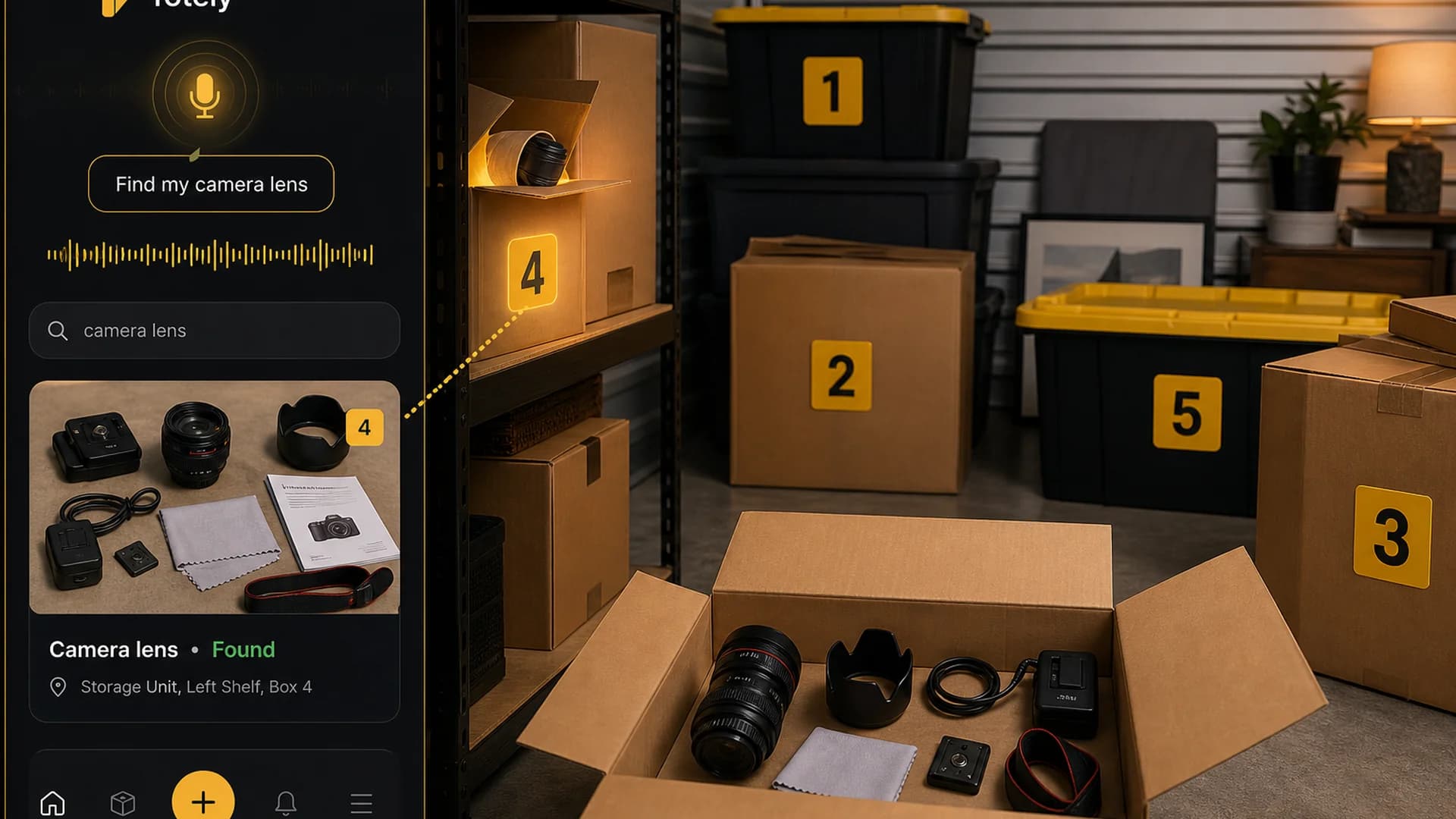
- “Did we keep the camera lens manual?”
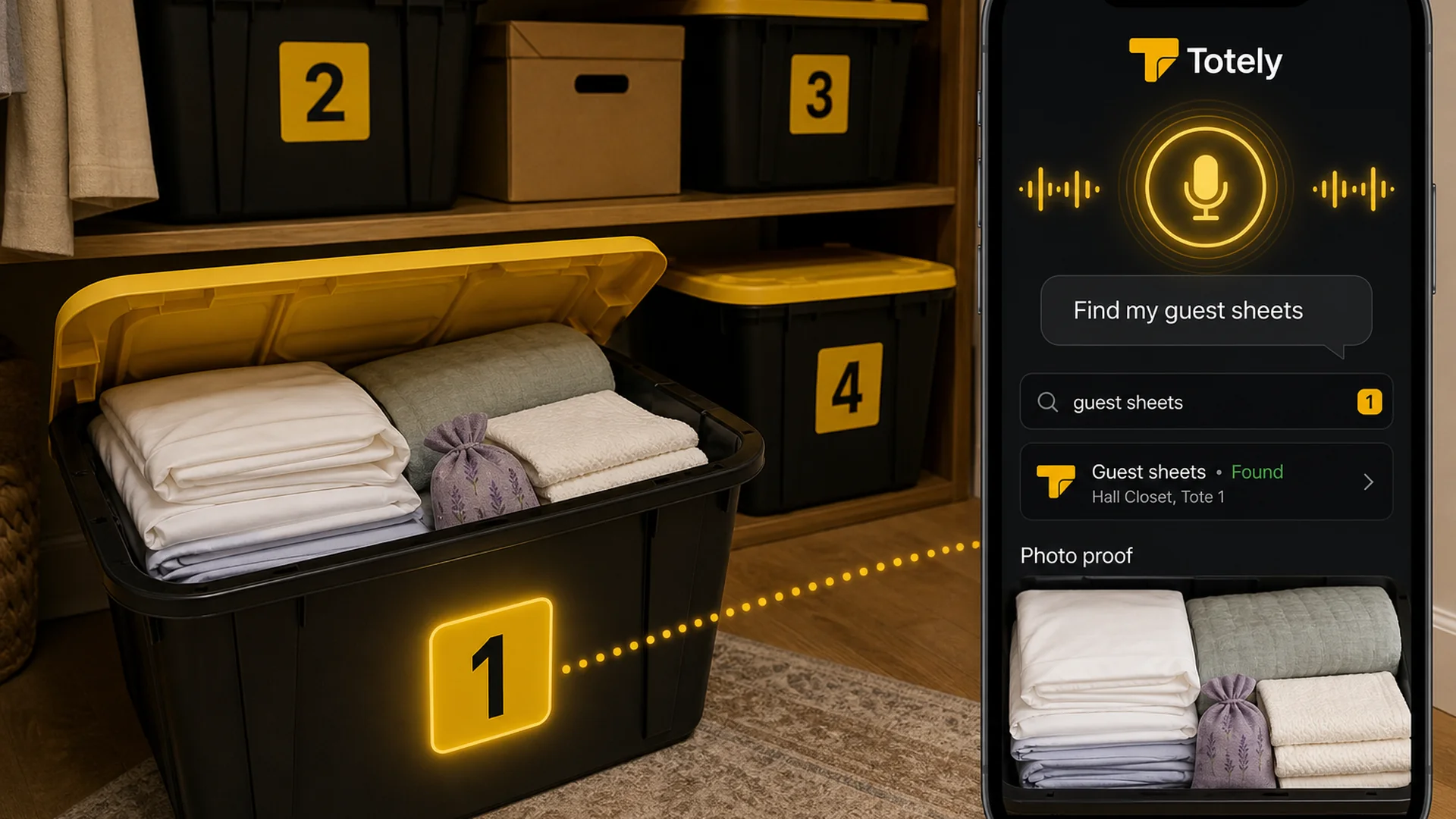
- “Which box has the guest sheets?”
- “Where did the camping lantern go?”
- “What is in the storage unit?”
- “Did we already pack the coffee maker?”
- “Can someone else find this without texting me?”
To answer those questions, software needs a few practical things.
1. Fast Photo Entry
Typing every item manually is where inventory systems go to die.
Photos make the system easier.
A useful home inventory tool should let you take a photo of:
- an item
- a box
- an open tote
- a shelf
- a drawer
- a room
- a storage unit
- a group of related items
The photo does not need to be perfect.
It needs to be good enough that future you can confirm what is inside.
For stored items, the photo is often more useful than a long label.
2. Simple Search
Search is the reason digital inventory beats a paper label.
You should be able to search naturally for:
- spare batteries
- guest sheets
- camera lens
- printer ink
- holiday lights
- camping tent
- winter gloves
- label rolls
- extension cord
- tax folders
The software should not require you to remember the exact category, room, or box name.
If you would say “find my camping lantern,” the system should be able to help.
3. Location That Matches Real Life
A lot of home inventory systems use rooms.
Rooms are helpful, but they are not enough.
A real household location might be:
- Garage Shelf B
- Hall Closet
- Basement Rack A
- Under Bed Bin 2
- Storage Unit, Front Right
- Office Cabinet
- Attic Shelf
- Kids’ Closet, Top Shelf
- Guest Room Dresser
- Moving Box 12
Good software should let you save exact locations in plain language.
Because “garage” is not a location.
“Garage Shelf B, Tote 5” is.
4. Containers, Not Just Rooms
Homes are full of containers.
Software that only thinks in rooms misses how people actually store things.
Look for a system that can handle:
- boxes
- bins
- totes
- shelves
- drawers
- bags
- suitcases
- moving boxes
- storage zones
- nested containers
This matters because the item you need is rarely sitting alone.
It is inside something else.
A good system should make the container easy to identify.
5. Proof, Not Just Memory
A useful home inventory should show evidence.
That might be:
- item photo
- open-box photo
- receipt photo
- warranty document
- serial number photo
- manual scan
- condition note
- exportable report
For insurance or high-value items, this matters more.
For everyday storage, photo proof helps you avoid opening the wrong box.
6. Low-Friction Updates
An inventory system is only as good as its last update.
If updating it feels annoying, it will get stale.
A good home system should make it easy to:
- add a new photo
- move an item
- change a location
- remove something
- rename a container
- share with a household member
- export or back up records
The easier the update, the longer the system lasts.
Spreadsheets vs Apps vs Searchable Storage Systems
There is no single best home inventory system for everyone.
The best choice depends on the job.
Option 1: Spreadsheet
A spreadsheet can work well if you like columns and do not mind manual entry.
Good for:
- insurance documentation
- valuables
- receipts
- serial numbers
- cost estimates
- exports
- simple backups
A spreadsheet can track:
| Field | Example |
|---|---|
| Item | Camera lens |
| Category | Electronics |
| Location | Garage Shelf B, Tote 5 |
| Value | Estimate or receipt note |
| Serial number | Photo saved |
| Photo link | Cloud folder |
| Notes | Fragile, front access |
| Updated | Sept 2026 |
Where spreadsheets break down:
- photos are awkward
- search depends on exact words
- locations can get vague
- household members may not update it
- mobile use can be clunky
- changing box contents can feel like admin work
A spreadsheet is better than memory.
But it can become another thing you stop maintaining.
Option 2: Traditional Home Inventory App
A home inventory app can be better for photos, values, receipts, rooms, categories, and insurance reports.
Good for:
- whole-home documentation
- insurance prep
- high-value items
- collections
- receipts and warranties
- room-by-room inventory
- exports
- app-based searching
Where traditional apps can struggle:
- setup can feel large
- some are too detailed for normal storage
- some focus on every item instead of every container
- some are built around insurance, not retrieval
- some rely heavily on barcode or QR workflows
- some become business-inventory software in disguise
A traditional app is useful when you want documentation.
But if your main problem is “what tote is this in?” you need stored-item search.
Option 3: Searchable Storage System
A searchable storage system focuses on the hidden stuff.
Good for:
- totes
- boxes
- bins
- shelves
- closets
- garages
- attics
- basements
- storage units
- moving boxes
- seasonal gear
- backstock
- supplies
The workflow is simpler:
- Put a visible number on the container.
- Take a photo of what is inside.
- Save the location.
- Add the key searchable items.
- Search later before opening everything.
This works because the physical system stays simple.
The details live digitally.
Features That Matter Most
When comparing home inventory management software, these are the features that matter most at home.
Photos
Photos reduce manual entry and help with proof.
Look for software that supports:
- item photos
- open-container photos
- receipt photos
- serial number photos
- condition photos
- multiple photos when needed
For stored items, a photo of the open tote may be more useful than ten typed fields.
Search
Search should work the way you think.
Good search helps you find:
- item names
- tags
- locations
- categories
- notes
- container numbers
If the search only works when everything is entered perfectly, the system will frustrate real households.
Locations
Locations should be flexible.
You need more than “kitchen” or “garage.”
Good location records include:
- room
- shelf
- closet
- drawer
- bin
- box
- tote
- storage unit
- floor/layer
- front/back/left/right
- exact plain-language location
Example:
Garage Shelf B, Tote 5
That is useful.
Containers
The system should understand that items live inside other things.
Examples:
- batteries inside Tote 5
- guest sheets inside Bin 2
- tax folders inside Box 4
- holiday lights inside Tote 7
- label rolls inside Office Box 3
If the software cannot make containers easy, it may not work for stored items.
Receipts and Documents
Receipts, manuals, warranties, appraisals, and policy notes can matter for valuable items.
Track these when useful, especially for:
- electronics
- appliances
- tools
- jewelry
- collectibles
- furniture
- instruments
- business equipment
- expensive outdoor gear
But do not force receipt tracking for every household item.
That is how the system becomes too heavy.
Export and Backup
A home inventory should not live in one fragile place.
Useful options include:
- PDF export
- CSV export
- spreadsheet export
- cloud backup
- family sharing
- printed backup
- app account backup
- local backup for privacy-focused users
The goal is simple:
If your phone dies, the inventory should not disappear with it.
Family Sharing
A home inventory is more useful when the whole household can find things.
Sharing matters when:
- one person usually organizes everything
- kids or partners need to find things
- roommates share storage
- a family is moving
- someone else may need records during an emergency
A system that only works in one person’s head is not a system yet.
Features That Can Become Overkill
Some features are useful.
Some are useful only when you really need them.
Barcodes and QR Codes
Barcode and QR scanning can be powerful.
They can help with:
- expensive items
- collections
- tools
- business inventory
- high-volume storage
- storage unit systems
- rental equipment
- moving boxes
But they are not always the best first step.
For a normal household, QR codes can add friction.
You have to print them, stick them, scan them, and keep the system clean.
A large visible number can be easier.
Use QR or barcode tools when they truly help.
Start with numbers when you need the system to be simple.
Too Many Required Fields
Some apps ask for:
- brand
- model
- serial number
- SKU
- purchase price
- quantity
- vendor
- warranty
- depreciation
- condition
- category
- location
- tags
- notes
That is useful for a laptop.
It is too much for a tote of winter gloves.
Good home inventory software should let you choose how much detail matters.
Business Inventory Workflows
Purchase orders, suppliers, stock levels, job assignments, audits, and reorder workflows can be helpful for small businesses.
For a home, they can be noise.
If you are just trying to find your label rolls, you do not need a procurement system.
You need search.
How to Start Without Inventorying the Whole House
The best way to start is not the whole house.
Start with the place that annoys you most.
Good starter areas:
- one garage shelf
- one closet
- one storage unit
- one moving box stack
- one tote of seasonal gear
- one office supply bin
- one under-bed storage bin
- one drawer of cables
- one box of receipts/manuals
- one shelf of kids’ clothes
Use this starter workflow.
Step 1: Pick One Storage Area
Choose a real area where things disappear.
Example:
Garage Shelf B
Do not start with every room in the house.
Step 2: Number the Containers
Use simple numbers:
- Tote 1
- Tote 2
- Box 3
- Bin 4
- Tote 5
Make the number easy to see.
Do not write a paragraph on the outside.
Step 3: Photograph What Is Inside
Open the container.
Take one clear photo.
If it has layers, take two.
The photo should show the important items.
Step 4: Add Only Searchable Items
Do not list every tiny thing.
Add the items you would actually search for later.
Example:
spare batteries, flashlight, charger cables, tape, cable ties, work gloves
That is enough.
Step 5: Save the Exact Location
Use plain language.
Examples:
- Garage Shelf B, Tote 5
- Hall Closet, Top Shelf, Bin 2
- Storage Unit, Front Right, Box 6
- Office Cabinet, Box 3
- Under Bed, Left Side, Bin 1
Specific beats perfect.
Step 6: Search Before You Open
Next time you need something, search first.
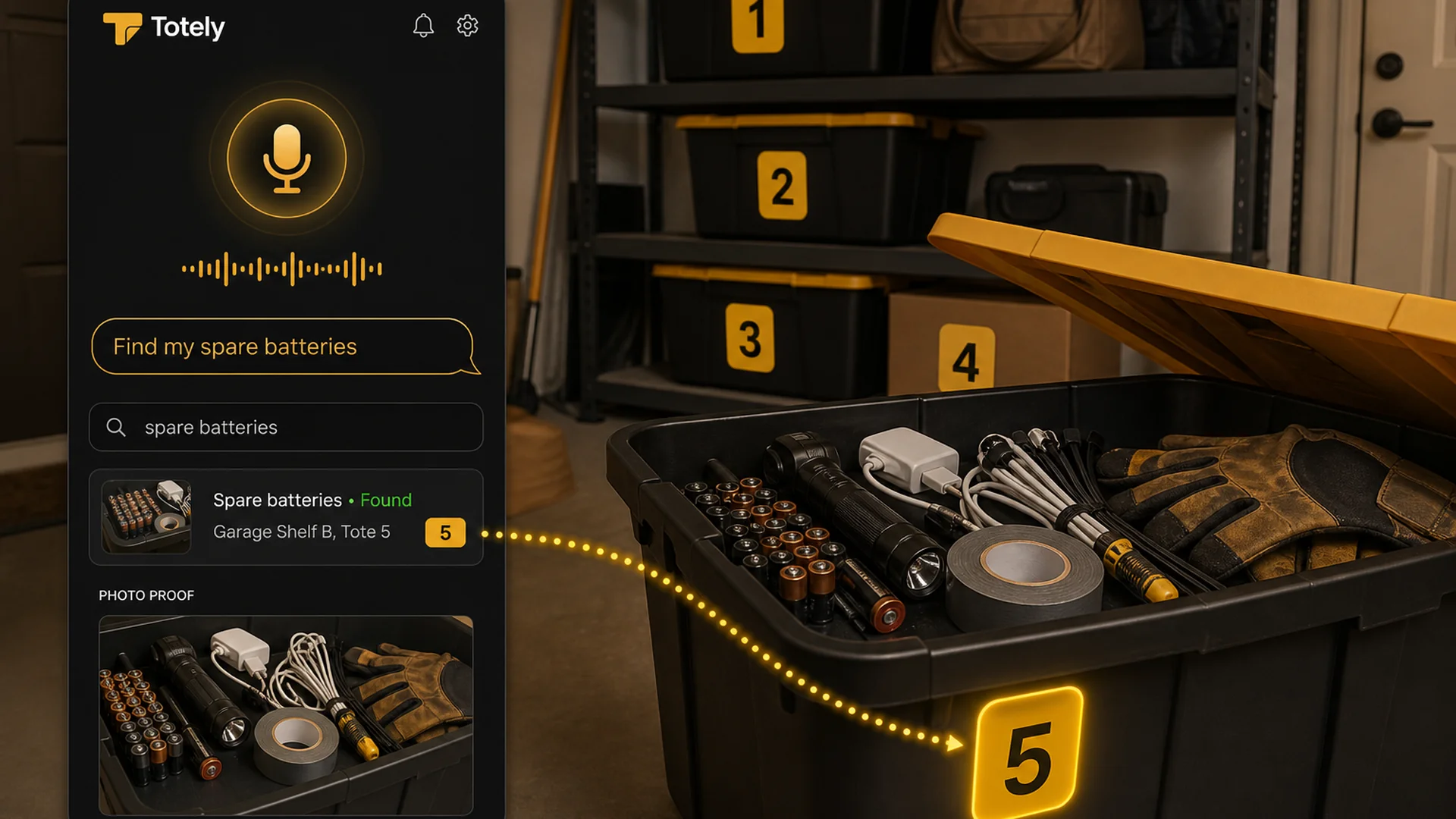
If the system tells you:
Spare batteries • Garage Shelf B, Tote 5
you just saved yourself from opening five containers.
How Totely Fits Into Home Inventory
Totely is home inventory management software for the stuff people put away and forget.
It is not trying to turn your home into a warehouse.
It is built around searchable storage.
That means:
- totes
- boxes
- bins
- shelves
- drawers
- closets
- garages
- attics
- basements
- moving boxes
- storage units
- hidden storage spots
Totely keeps the physical side simple:
simple visible number outside
And makes the inside searchable:
photo proof, saved location, natural search
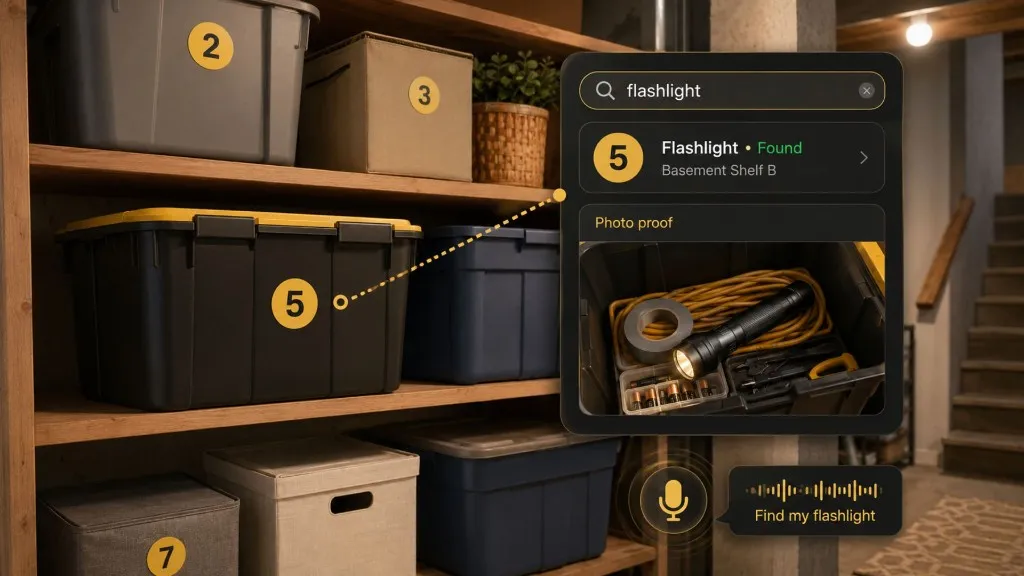
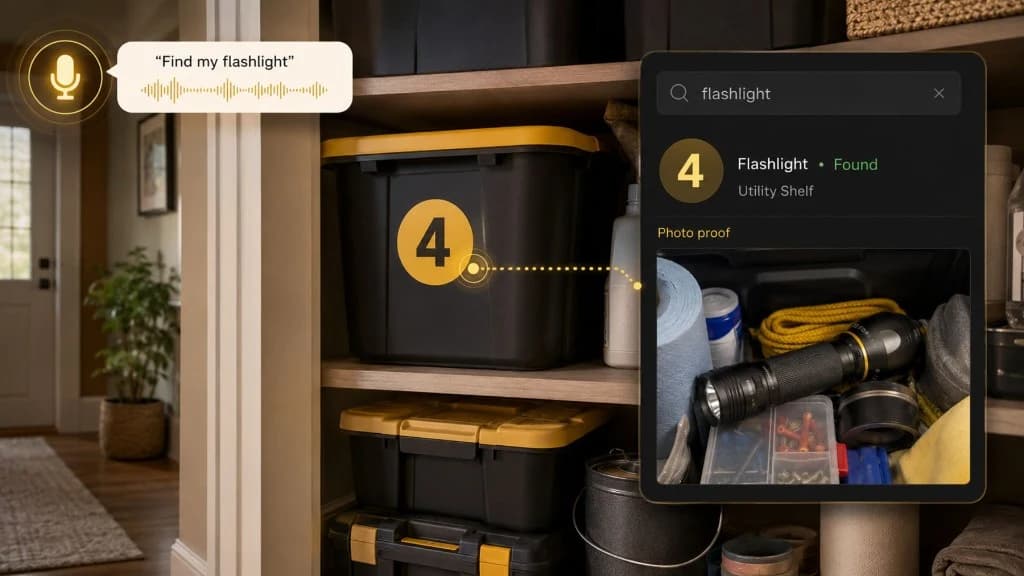
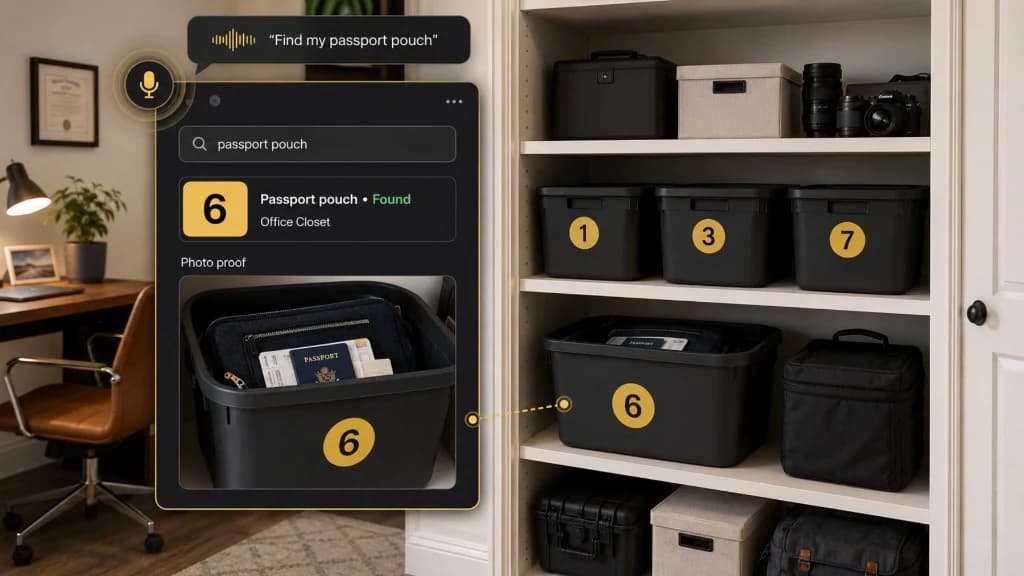
Here is the Totely workflow:
- Number the tote, box, bin, shelf, drawer, or storage zone.
- Snap a photo before closing or storing it.
- Let AI build the first item list from what it can see.
- Review or edit the record if needed.
- Save the exact location.
- Add notes for fragile, seasonal, sentimental, access, replacement, restock, or insurance context.
- Search naturally later.
- Use photo proof before opening everything.
Totely does not require QR codes, barcodes, or manual entry of every item to start.
You can begin with one tote.
That is often the difference between a system you imagine and a system you actually use.
When Home Inventory Software Is Worth It
Home inventory software is worth it when it saves more time, stress, or money than it costs to maintain.
It is worth considering if you:
- keep rebuying things you already own
- store seasonal items in many places
- have bins, boxes, or totes you rarely open
- are preparing for insurance documentation
- are moving
- share storage with family or roommates
- manage a storage unit
- have collections or valuable items
- want a backup record of receipts or warranties
- need someone else to find things without asking you
It may not be worth building a giant system if you only have a few items to track.
In that case, start small.
One shelf.
One tote.
One problem area.
Home Inventory Management Software Comparison
| System | Best for | Strength | Weak spot |
|---|---|---|---|
| Paper list | Very small inventories | Simple and cheap | Easy to lose or forget |
| Spreadsheet | Insurance records, values, serial numbers | Flexible and exportable | Manual and awkward for photos |
| Notes app | Quick household lists | Fast to start | Gets messy over time |
| Photo folder | Visual proof | Easy capture | Hard to search precisely |
| Traditional home inventory app | Whole-home documentation | Photos, receipts, values, reports | Can feel too big |
| Business inventory app | Tools, assets, teams, small business | Strong tracking features | Often overkill for home |
| QR/barcode inventory system | Collections, tools, high-volume storage | Scan-to-record workflow | More setup friction |
| Totely-style searchable storage | Totes, boxes, shelves, closets, storage units | Find stored items later | Not a substitute for insurance review |
What to Track for Insurance vs Everyday Search
These are related, but not identical.
For Insurance
Track more detail for:
- electronics
- jewelry
- tools
- appliances
- furniture
- musical instruments
- artwork
- collectibles
- cameras
- business equipment
- valuable outdoor gear
Useful fields:
- item description
- make/model
- serial number
- purchase date
- estimated value
- receipt
- photo
- condition
- warranty
- location
- policy or coverage note
A home inventory can support insurance documentation, but it does not replace your policy, receipts, appraisals, coverage review, or professional insurance guidance.
For Everyday Search
Track the things you actually lose.
Examples:
- spare batteries
- printer ink
- holiday lights
- camping tent
- guest sheets
- winter gloves
- extension cord
- label rolls
- camera lens
- charger cables
- tax folders
- bike pump
Useful fields:
- container number
- photo
- key contents
- saved location
- access note
- updated date
Everyday search does not need perfect documentation.
It needs enough memory to help you find the thing.
A Simple Home Inventory Setup You Can Copy
Start here.
| Container | Location | Key contents | Photo? | Notes |
|---|---|---|---|---|
| Tote 1 | Garage Shelf A | holiday lights, clips, spare bulbs | Yes | seasonal |
| Box 2 | Office Cabinet | printer ink, label rolls, envelopes | Yes | check before buying |
| Tote 3 | Hall Closet | guest sheets, pillowcases, towels | Yes | queen set |
| Box 4 | Storage Unit, Front Left | camera lens, lens hood, charger cable | Yes | fragile |
| Tote 5 | Garage Shelf B | spare batteries, flashlight, charger cables | Yes | front access |
| Bin 6 | Kids’ Closet | winter gloves, hats, snow pants | Yes | check sizes |
That is a home inventory system.
Not because it tracks everything.
Because it tracks what you will actually look for.
Home Inventory Management Software FAQ
What is home inventory management software?
Home inventory management software is a digital tool for tracking what you own, where it is, and useful details like photos, receipts, serial numbers, values, conditions, warranties, and storage locations.
What should I look for in home inventory software?
Look for easy photo entry, search, flexible locations, containers, notes, exports, backups, sharing, and the ability to update records quickly. For insurance-focused use, receipts, serial numbers, values, and reports matter more.
Is a home inventory app better than a spreadsheet?
A home inventory app is usually better for photos, search, locations, sharing, and mobile updates. A spreadsheet can still work well for simple insurance records, values, serial numbers, and exportable lists.
Do I need QR codes or barcodes for home inventory?
No. QR codes and barcodes can help with high-volume tracking, tools, collections, or business-style inventory, but many households can start with simple visible numbers, photos, saved locations, and search.
What is the easiest way to start a home inventory?
Start with one storage area instead of the whole house. Number the containers, take photos, add the key searchable items, save the location, and search later when you need something.
What should I track for insurance?
For insurance, track item descriptions, photos, purchase dates, values, receipts, serial numbers, warranties, and condition notes for important or valuable items. Review your actual policy and keep important documentation backed up.
Can home inventory software help with moving?
Yes. Home inventory software can help track moving boxes, destination rooms, box contents, photos, fragile notes, and unpacking priority. The key is to number boxes and save what is inside before the move gets chaotic.
How does Totely compare with other home inventory apps?
Totely focuses on searchable storage: boxes, totes, bins, shelves, drawers, closets, garages, storage units, and moving boxes. Instead of requiring a full home inventory on day one, Totely helps you start with simple visible numbers, photos, saved locations, and natural search.
Is Totely only for storage totes?
No. Totely can help with totes, boxes, bins, shelves, drawers, closets, garages, attics, basements, storage units, moving boxes, and hidden storage spots.
How often should I update my home inventory?
Update it whenever you add, remove, or move something important. For insurance records, review high-value items regularly. For stored items, update the record before you forget where the item went.
The Best Home Inventory Software Is the One You Keep Using
A perfect inventory that never gets updated is not very useful.
A simple system that helps you find the spare batteries, guest sheets, holiday lights, or camera lens is useful immediately.
That is what actually helps at home.
Start with one shelf.
Number the containers.
Take the photos.
Save the locations.
Search before you open everything.
With Totely, home inventory becomes less about cataloging every object you own and more about remembering where your stored life actually lives.
Simple outside.
Specific inside.
Stored, not lost.