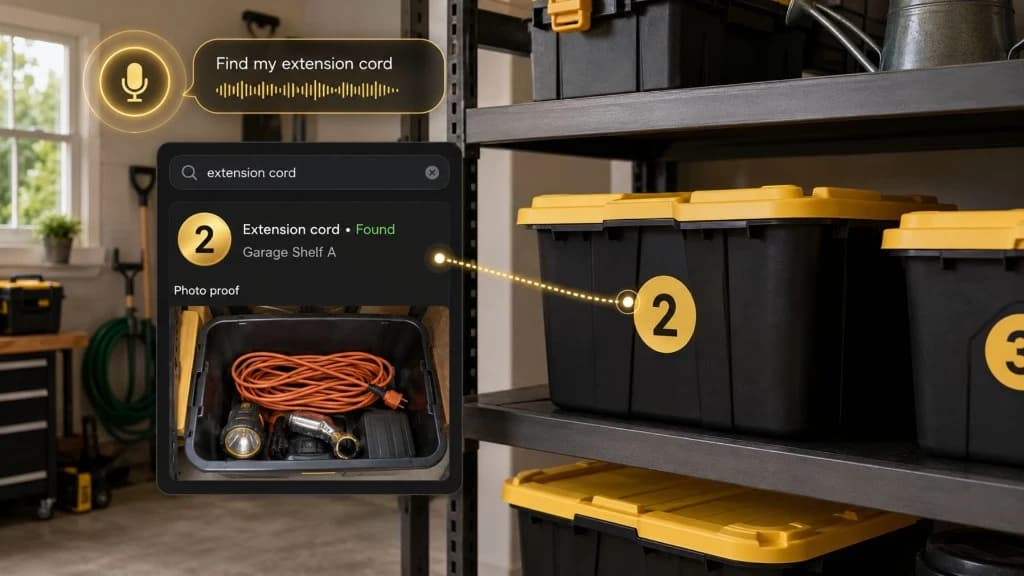
Storage Unit Inventory List: What to Track Before You Pack
Build a storage unit inventory list before you pack. Track box numbers, photos, locations, access notes, and what matters later.
By Ben Stallsworth · Co-Founder, Totely
September 4, 2026 · Updated September 4, 2026 · 17 min read
A storage unit inventory list sounds like something you will make later.
After the boxes are packed.
After the truck is loaded.
After the unit is full.
After the door rolls down.
That is exactly when it becomes hard.
Once everything is stacked inside the unit, the list turns into guesswork. You remember that the camera lens is “probably in a box near the left side.” You remember the holiday lights were packed with something else. You remember seeing the charger cable, but not which tote it went into.
A storage unit inventory list works best before the mystery starts.
Not after.
The goal is not to catalog every paperclip, sock, and spare screw.
The goal is to track enough detail that you can find what matters later without opening everything.
Simple outside.
Specific inside.
Quick Links
- What Is a Storage Unit Inventory List?
- Why Make the List Before You Pack?
- What to Track in a Storage Unit Inventory List
- What Not to Track
- Storage Unit Inventory Template You Can Copy
- Paper vs Spreadsheet vs App
- How to Inventory a Storage Unit Step by Step
- How to Keep the List Updated
- How Totely Makes the Inventory Searchable
- Storage Unit Inventory List FAQ
What Is a Storage Unit Inventory List?
A storage unit inventory list is a record of what you put into storage and where each thing lives.
It can be simple.
It can be a paper checklist, spreadsheet, notes app, photo album, or storage inventory app.
A useful list usually connects four things:
- The container
- The contents
- The location
- The proof
For example:
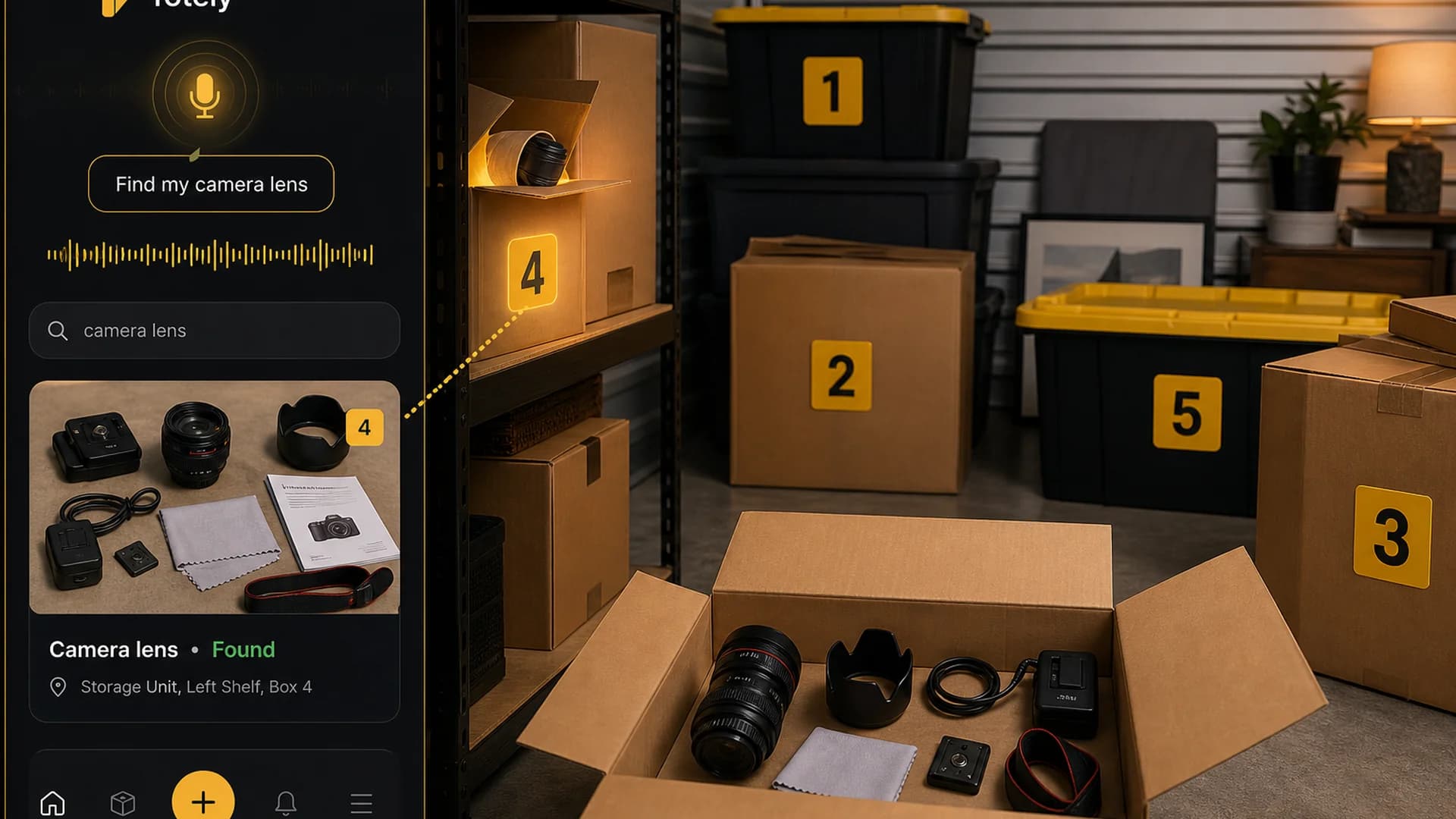
Box 4 • Camera lens, lens hood, charger cable • Left Shelf • Photo attached
That is much more useful than:
Photography stuff
The best inventory list does not just say what you own.
It tells you where to go when you need one item.
Why Make the List Before You Pack?
Because storage units get harder to read after they are full.
When the unit is empty, every box is still in your hands. You can see what is going in. You can number the outside. You can take a photo. You can choose where the container should land.
Once the unit is packed, everything gets harder:
- box labels face the wrong way
- contents are buried
- stacks feel too stable to disturb
- light is limited
- the unit may not have great phone signal
- you may be rushing
- someone else may need to find an item later
- months pass and memory fades
A good inventory list prevents the classic storage unit sentence:
“I know it’s in there somewhere.”
What to Track in a Storage Unit Inventory List
You do not need to track everything.
Track the details that help you find, protect, replace, or decide later.
1. Box, Bin, Tote, or Container Number
Start with a simple visible number.
Use:
- Box 1
- Box 2
- Tote 3
- Bin 4
- Bag 5
- Shelf 6
Avoid complicated names on the outside.
You do not need a long label that says:
Holiday / Office / Camera / Maybe Cables / Random
Use a number outside.
Save the details inside the list.
This keeps the container easy to identify from across the unit.
2. Basic Contents
Write the important items someone would search for later.
For example:
- camera lens
- holiday lights
- guest sheets
- printer ink
- label rolls
- camping lantern
- winter gloves
- extension cord
- tax folders
- bike pump
- kids’ rain jacket
- charger cables
Do not write every tiny thing.
Write the things you would be annoyed to lose, rebuy, or dig for.
3. Category
Categories help you filter the list later.
Useful categories include:
- seasonal
- documents
- tools
- kids
- office
- business supplies
- camping
- sports
- holiday
- sentimental
- fragile
- furniture
- electronics
- clothing
- linens
Keep categories broad.
Too many categories make the list harder to maintain.
4. Exact Storage Location
Do not only write storage unit.
That is not a location.
Use simple zones:
- Front Left
- Front Right
- Back Wall
- Left Shelf
- Right Stack
- Top Layer
- Floor Layer
- Behind Dresser
- Near Door
- Unit Shelf A
Example:
Storage Unit, Left Shelf, Box 4
That location is specific enough to help without turning your storage unit into a warehouse.
5. Photo Proof
A photo is faster than typing and easier to trust later.
Take a clear photo before the box closes.
The photo should show the main items inside, not just the lid.
For layered containers, take more than one photo or add a short note like:
Camera lens under microfiber cloth
Photos are especially useful for:
- fragile items
- valuable items
- electronics
- business inventory
- sentimental boxes
- tools
- seasonal decorations
- items you may need for insurance documentation
The photo does not replace receipts, appraisals, policies, or professional documentation.
It simply gives your inventory a visual memory.
6. Access Note
Some items should not be buried.
Add an access note when something needs to stay reachable.
Examples:
- front access
- seasonal
- needed by December
- check before buying
- fragile
- heavy
- keep upright
- do not stack
- business item
- document box
- sentimental
This is the difference between a list that tells you what exists and a list that helps you pack intelligently.
7. Condition Note
You do not need a condition note for every item.
Use it for items where condition matters.
Examples:
- working
- missing cable
- slight scratch
- boxed with manual
- needs cleaning
- fragile glass
- not tested
- packed dry
- battery removed
- disassembled
Condition notes are useful for electronics, furniture, tools, valuables, and anything you might need to verify later.
8. Value or Receipt Note
Do not turn the whole inventory into an appraisal project.
But do flag items where value or proof matters.
Examples:
- receipt saved
- serial number photographed
- warranty card inside
- high value
- business purchase
- insurance folder
- appraisal stored separately
- unknown value
If an item is financially, legally, or emotionally important, store the documentation somewhere safer than a mystery box in the back of the unit.
9. Last Updated Date
A storage unit inventory list gets stale when boxes change.
Add a simple updated date:
Updated: 2026-09-04
This helps you know whether the list reflects reality.
If the box changed a lot, refresh the photo.
If you only removed one minor item, a note may be enough.
What Not to Track
The fastest way to abandon an inventory list is to make it too detailed.
Do not track every tiny object.
You probably do not need to individually list:
- every ornament hook
- every pen
- every sock
- every loose screw
- every paperclip
- every cable tie
- every small craft scrap
- every duplicate plastic bag
- every old receipt unless it matters
Instead, track useful groups.
Good:
Box 7 • Holiday lights, ornament hooks, spare bulbs, ribbon
Too much:
Box 7 • 43 ornament hooks, 12 red hooks, 8 loose clips, 1 half roll ribbon, 3 pieces of tape...
Track what helps future you.
Skip what turns the list into homework.
Storage Unit Inventory Template You Can Copy
Use this as a starter.
| Container | Location | Category | Key contents | Photo? | Access note | Condition/value note | Updated |
|---|---|---|---|---|---|---|---|
| Box 1 | Back Wall, Floor Layer | Holiday | wreath hooks, ribbon, ornaments | Yes | Seasonal | fragile ornaments | Sept 2026 |
| Tote 2 | Right Stack, Bottom | Clothing | winter gloves, scarves, kids’ snow pants | Yes | Check before winter | check sizes | Sept 2026 |
| Box 3 | Front Left | Office | label rolls, printer ink, envelopes | Yes | Front access | check before buying | Sept 2026 |
| Box 4 | Left Shelf | Camera | camera lens, lens hood, charger cable | Yes | Fragile | receipt saved separately | Sept 2026 |
| Bin 5 | Back Wall, Top Layer | Linens | guest sheets, pillowcases, towels | Yes | Medium access | queen set | Sept 2026 |
| Box 6 | Front Right | Documents | tax folders, lease paperwork, manuals | Yes | Important | keep dry | Sept 2026 |
| Tote 7 | Left Stack | Camping | lantern, tent stakes, tarp, camp mugs | Yes | Seasonal/front | check batteries | Sept 2026 |
You can copy this into a spreadsheet, notes app, printed sheet, or Totely record.
The format matters less than the habit.
Paper vs Spreadsheet vs App
There is no perfect inventory format.
There is only the format you will actually use.
Paper Inventory List
Paper works when:
- the unit is simple
- one person manages it
- you like a clipboard
- you want a copy inside the unit
- you do not need search
Paper is weak when:
- the list changes often
- multiple people need access
- you need photos
- you want to search by item
- the paper gets lost, wet, or outdated
Paper is better than memory.
But paper is not great for ongoing storage.
Spreadsheet Inventory List
A spreadsheet works when:
- you like columns
- you want sorting and filtering
- you need a printable backup
- you are tracking business inventory
- you want to add values, dates, or notes
A spreadsheet can track:
- container number
- item
- category
- location
- condition
- value
- photo link
- updated date
The downside is friction.
If updating the spreadsheet feels like work, it will slowly become wrong.
Storage Unit Inventory App
An app works when:
- you want photos
- you want search
- you want exact locations
- you want multiple storage locations
- other people need to find things
- the unit contents change over time
- you do not want to manually type every item
The best app is not the one with the most fields.
It is the one that makes updating easy enough that you keep doing it.
How to Inventory a Storage Unit Step by Step
Use this before packing the unit.
Step 1: Group Before You Box
Do not start by making a list.
Start by grouping.
Create piles like:
- holiday
- office
- documents
- kids’ clothes
- camping
- tools
- business supplies
- linens
- sentimental
- electronics
- fragile
This makes the inventory easier because each container gets one main job.
Step 2: Number Each Container
Put a simple number on every box, tote, bin, or bag.
Use large numbers you can see from the doorway.
Examples:
- Box 1
- Box 2
- Tote 3
- Box 4
- Bin 5
Do not repeat numbers.
Do not use complicated numbering like 001-A-Front-Blue-Holiday.
Simple is better.
Step 3: Photograph Before Closing
Before the box closes, take a clear photo.
The photo should answer:
- what is inside?
- what item would someone search for?
- is anything fragile or valuable visible?
- is the box worth opening later?
If the box has layers, photograph each layer or add a note.
Step 4: Enter the Useful Items
Add the searchable items to your list.
For example:
camera lens, lens hood, charger cable, microfiber cloth, instruction manual
That is more useful than:
camera stuff
Use the words you would actually search later.
Step 5: Add Location After Placing the Box
Do not guess the location too early.
Once the box is inside the unit, update the location.
Examples:
- Front Left
- Left Shelf
- Back Wall
- Right Stack
- Top Layer
- Floor Layer
- Behind Dresser
- Near Door
This helps the inventory reflect where the item actually landed.
Step 6: Mark Front-Access Items
Some things should stay easy to reach.
Mark front-access items like:
- documents
- label rolls
- printer ink
- holiday lights
- camping lantern
- winter gloves
- camera lens
- tools
- business supplies
- moving paperwork
- luggage
- sports gear
If you may need it soon, do not bury it.
Step 7: Save a Backup
A storage unit inventory list should not exist in only one place.
Back it up.
Options:
- take a photo of the paper list
- save the spreadsheet in cloud storage
- export a CSV from your inventory app
- keep a printed copy in the unit
- share a copy with a trusted household member
- save photos in a dedicated folder
The backup matters most when you need the list quickly.
Step 8: Update It Before You Leave
The best time to update the list is while you are still at the unit.
If you remove an item, update the record.
If you add a box, take a photo.
If you move a container from the back wall to the front shelf, change the location.
Do it before you drive away.
Future you will not remember.
What to Track Before You Pack
Here is the shortest version.
Before packing, track:
- container number
- key contents
- category
- photo
- fragile/heavy note
- value or receipt note if needed
- access priority
- likely storage zone
After placing, add:
- exact unit location
- final photo if needed
- updated date
You do not need a perfect list before move-in.
You need a good enough system that gets better as you pack.
Storage Unit Inventory for Insurance and Important Items
A storage unit inventory can help you remember what you own and where it is.
It can also help if you ever need to document damaged, missing, or stolen items.
For important items, track more detail:
- item description
- photo
- condition
- approximate value
- serial number if relevant
- receipt or proof-of-purchase location
- warranty information
- storage location
- date stored
But be careful.
Totely, a spreadsheet, or any inventory list does not replace your insurance policy, receipts, appraisals, facility rules, or professional advice.
For valuable, legal, financial, or irreplaceable items, check your insurance coverage and storage facility rules before storing them.
Some things are better kept somewhere safer and easier to access.
What Not to Store Without Checking Rules
Every facility has its own rental agreement.
In general, storage facilities commonly restrict or prohibit things like:
- living things
- plants
- animals
- food or perishables
- hazardous materials
- flammable materials
- fuel
- propane
- ammunition
- illegal items
- leaking liquids
- unregistered or non-working vehicles
If you are not sure, ask the facility before moving the item in.
Your inventory list should not quietly normalize something that should not be stored.
Add a note like:
Check facility rules before storing
That small note can prevent bigger problems later.
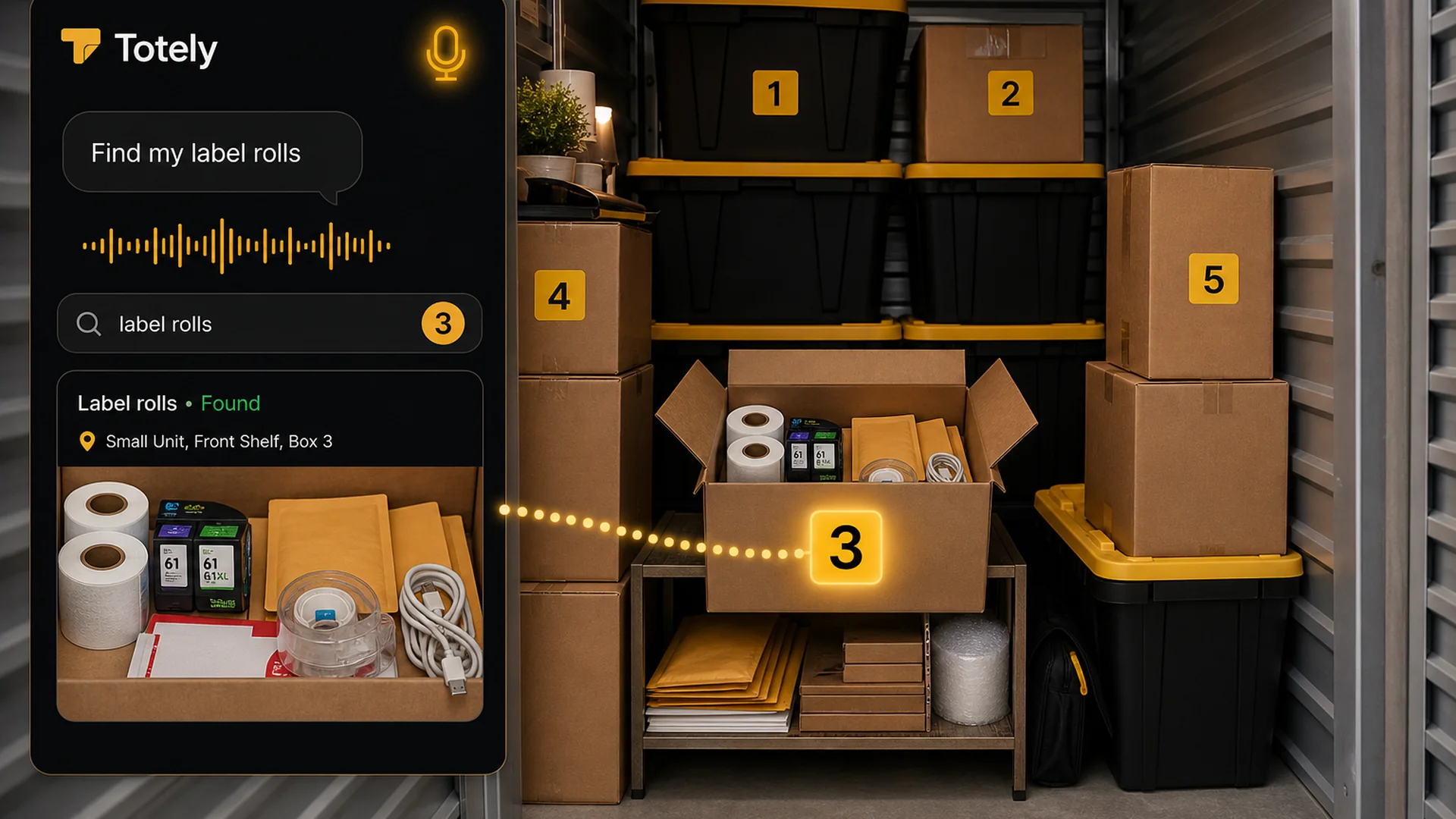
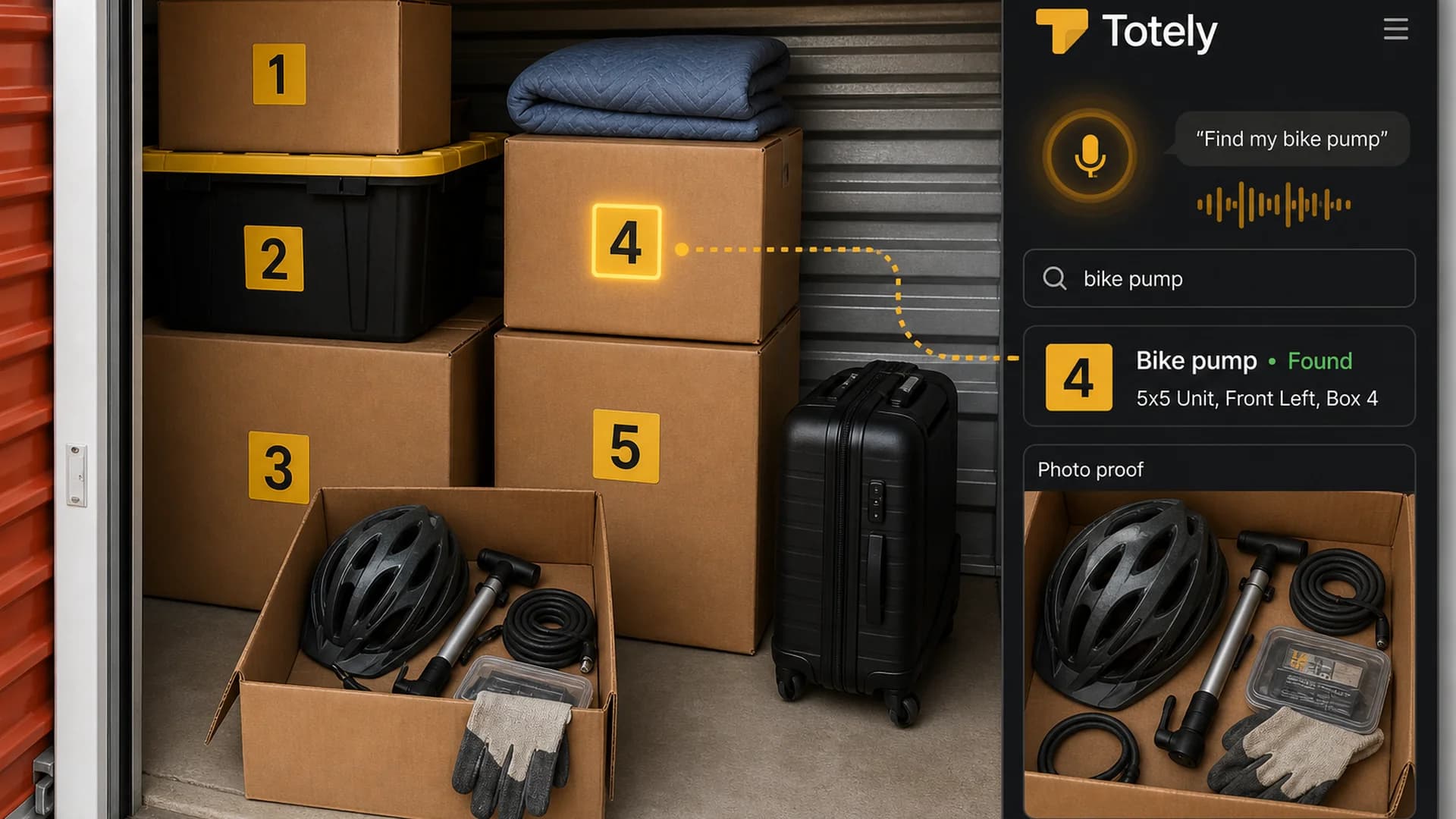
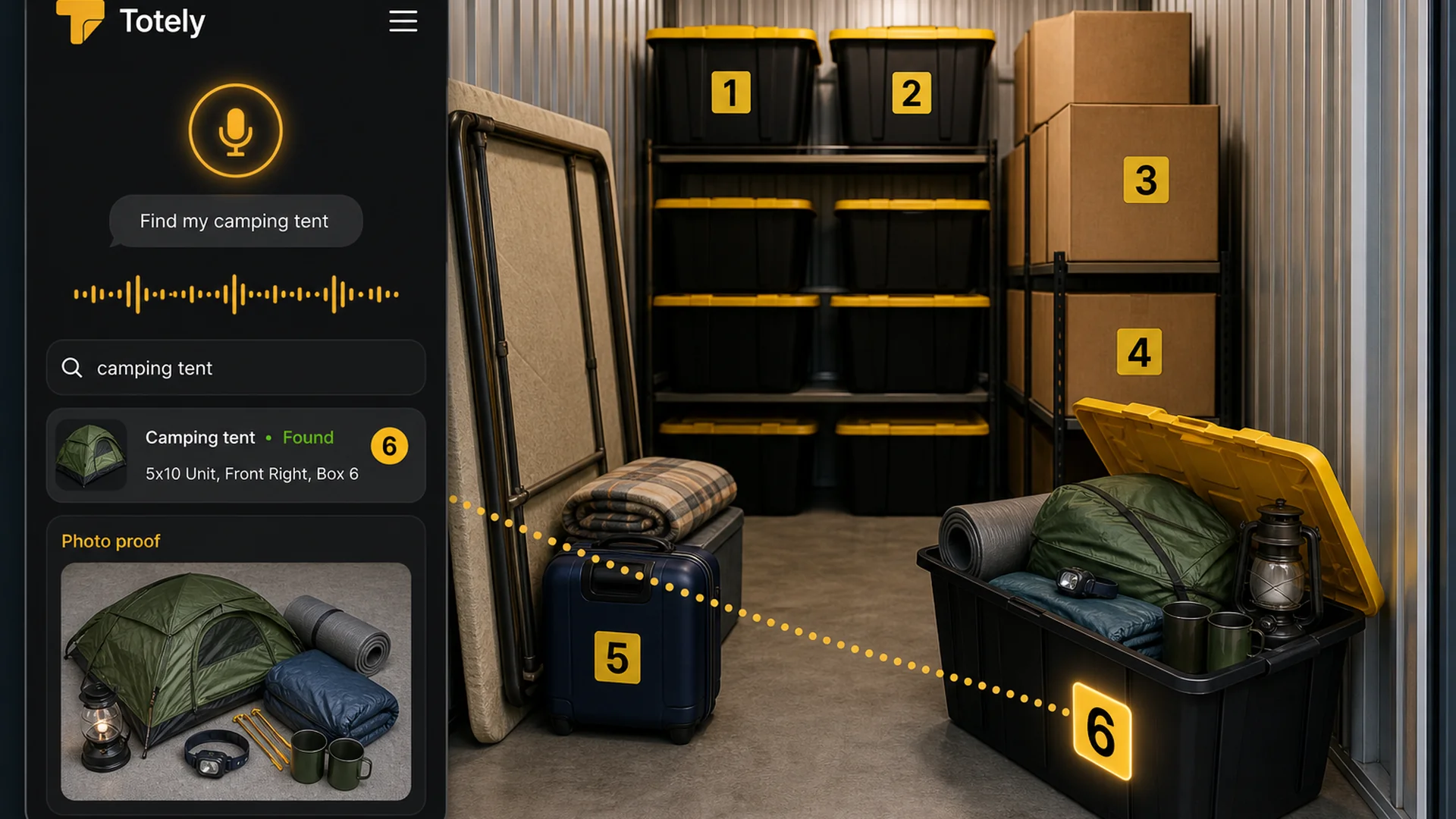
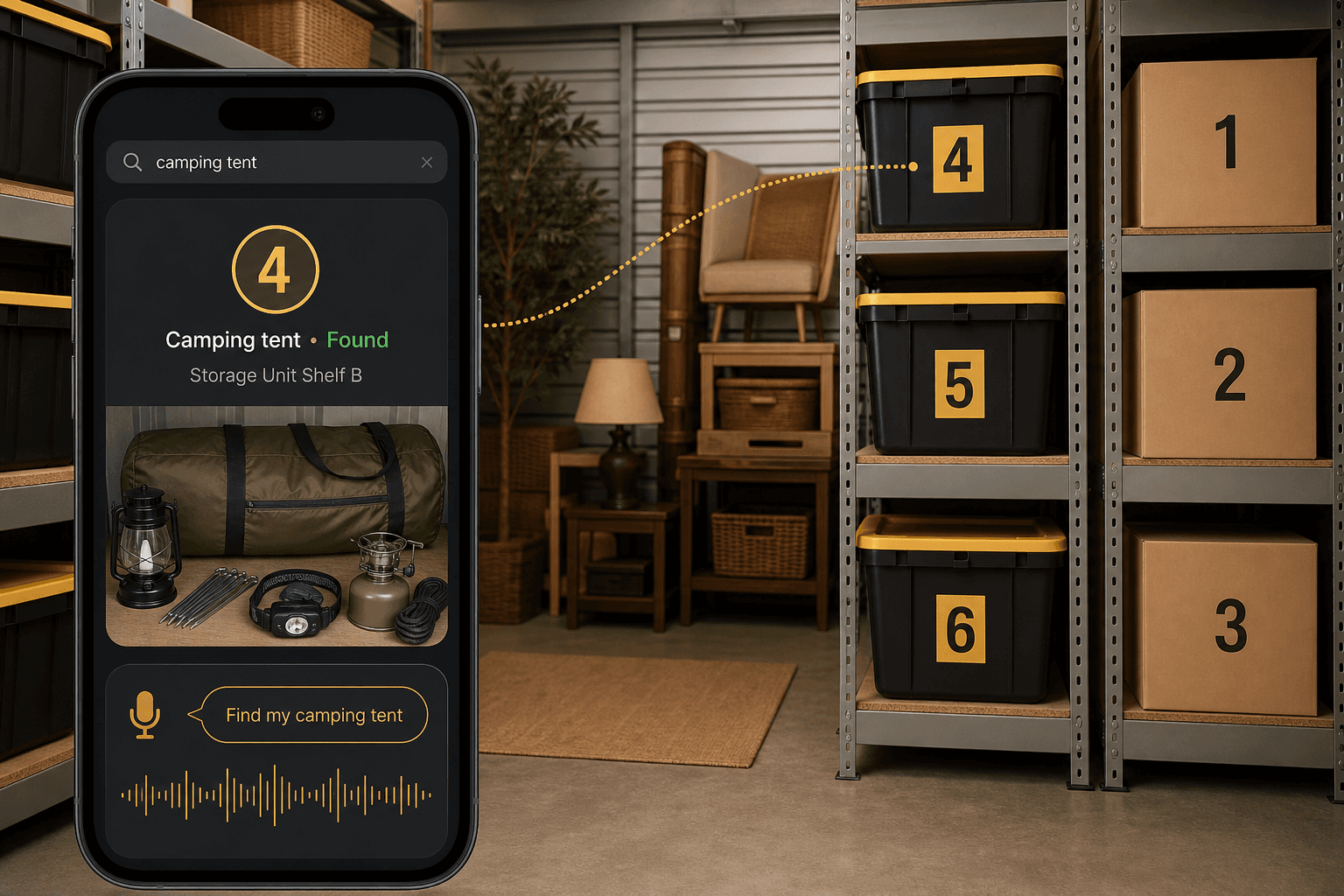
How Totely Makes the Inventory Searchable
Totely turns a storage unit inventory list into a digital memory layer.
The physical system stays simple.
The details become searchable.
Here is the workflow:
- Number every box, bin, tote, shelf, or zone.
- Snap a photo before closing the container.
- Let AI build the first item list from what it can see.
- Review or edit the record so it uses the words you would search later.
- Save the exact location, such as
Storage Unit, Left Shelf, Box 4. - Add notes for fragile, valuable, heavy, seasonal, front access, receipt saved, or check-before-buying.
- Search naturally later for
camera lens,holiday lights,printer ink,guest sheets, orcamping lantern. - Use photo proof before opening the wrong container.
Totely does not require QR codes or barcodes to start.
You can begin with simple visible numbers and photos.
That is often enough to make a storage unit usable.
A Simple Totely-Friendly Inventory System
Use this version when you do not want a spreadsheet chore.
Outside the container
Only add:
Box 4
That is it.
Large, simple, visible.
Inside the Totely record
Add:
- camera lens
- lens hood
- charger cable
- microfiber cloth
- instruction manual
- left shelf
- fragile
- receipt saved separately
- photo proof
The outside stays clean.
The digital record holds the changing details.
When the box changes, update the record.
You do not have to rewrite a label.
Storage Unit Inventory List FAQ
What should be on a storage unit inventory list?
A storage unit inventory list should include the container number, key contents, category, exact location, photo, access note, fragile or heavy note, condition, value or receipt note for important items, and last updated date.
Do I need to list every item in my storage unit?
No. You do not need to list every tiny item. Track the things you may need to find, protect, replace, verify, or decide about later. A photo can capture the smaller supporting items without turning the list into a chore.
What is the easiest way to inventory a storage unit?
The easiest way is to number every box or bin, photograph the contents before closing it, write down the important searchable items, and save the exact location once the container is placed in the unit.
Is a spreadsheet good for storage unit inventory?
A spreadsheet can work well if you like columns and will update it consistently. Use columns for container number, contents, category, location, photo link, condition, value note, and updated date.
Should I keep a paper copy in the storage unit?
A paper copy can be helpful as a backup, especially if the unit has poor phone signal. Keep it protected and make sure it matches the digital version if you use both.
Should I use an app for storage unit inventory?
An app is helpful when you want photos, search, locations, multiple storage areas, or family sharing. The best app is the one you will actually update when boxes change.
How do I track where things are inside the unit?
Use simple zones like Front Left, Back Wall, Left Shelf, Right Stack, Top Layer, and Floor Layer. Combine the zone with the container number, such as Storage Unit, Left Shelf, Box 4.
What should I track for insurance?
For important items, track the item description, photo, condition, approximate value, receipt or proof-of-ownership location, serial number if relevant, and storage location. Review your actual policy and facility rules because an inventory list does not replace insurance documentation.
How often should I update my storage unit inventory?
Update it every time you add, remove, or move something important. The best time is before you leave the storage facility, while you still remember what changed.
How does Totely help with a storage unit inventory list?
Totely lets you number containers, snap photos, create searchable item records, save exact storage locations, and use photo proof later. Instead of opening boxes, you search for the item and see the right box number and location.
Make the List While the Box Is Still Open
A storage unit inventory list is not supposed to be perfect.
It is supposed to be useful.
Make it while the box is still open. Number the container. Photograph the contents. Save the location. Track the items that future you will actually search for.
Do not wait until the unit is full.
That is when the list becomes a memory test.
With Totely, your storage unit can stay simple on the outside and specific on the inside.
Stored, not lost.