Home Inventory App vs Spreadsheet: Which Is Easier?
Decide between a home inventory app and a spreadsheet for setup speed, photos, search, updates, hidden storage, and insurance prep.
By Nick Stephan · Co-Founder, Totely
June 4, 2026 · Updated July 24, 2026 · 15 min read
This is a decision article—app vs spreadsheet—not a checklist and not a full how-to. After you choose, use create a home inventory without a spreadsheet or the home inventory checklist.
A home inventory sounds simple until you try to keep it updated.
You start with good intentions. Maybe you open a spreadsheet and type in your laptop, TV, camera, gaming console, bike, winter coats, tools, small appliances, craft supplies, and furniture. Maybe you add columns for room, value, receipt, serial number, and notes.
For a little while, it works.
Then real life starts moving faster than the spreadsheet. A moving box gets shoved into a closet. Seasonal clothes go under the bed. Holiday decor moves to the garage. Craft supplies end up in a tote. A family member borrows a tool. A storage bin changes contents. And suddenly, the inventory only shows what was true on the day you made it.
That is the real question behind home inventory app vs spreadsheet:
Which one is easier to start, update, search, and actually use later?
The honest answer is that both can work. Spreadsheets are great for structured lists and manual control. A home inventory app is usually easier when photos, storage locations, containers, quick updates, and search matter.
The best choice depends on how your home actually stores things.
This article is practical organization guidance, not legal or insurance advice. Insurance documentation needs can vary by policy, provider, item type, and situation. Check your own insurer or policy for what they recommend around receipts, photos, serial numbers, appraisals, and official claim records.
Quick Links
- The Real Difference Is Friction
- What Spreadsheets Are Good For
- Where Spreadsheets Struggle
- What Home Inventory Apps Do Better
- Photos Change the Whole System
- Hidden Storage Is the Deciding Factor
- Updates Over Time: The Real Test
- Moving, Insurance, and Family Use
- How Totely Makes Inventory Easier to Maintain
- Home Inventory App vs Spreadsheet FAQs
The Real Difference Is Friction
Most people do not abandon a home inventory because they do not care.
They abandon it because the system asks too much of them.
A spreadsheet works beautifully when you are sitting at a desk with time, focus, and a clear list of items. But home inventory usually happens in less perfect places: standing in a garage, kneeling beside an under-bed bin, looking inside a closet, unpacking moving boxes, or trying to remember what is inside a tote on the top shelf.
The easier the system is in those real moments, the more likely it is to survive.
That is why friction matters.
Every extra step adds weight: typing item names, attaching photos separately, remembering the right row, updating locations, adding receipts, recording serial numbers, and reopening the file later when something changes.
That does not mean spreadsheets are bad. It means they work best when the inventory is simple, structured, and easy to keep current.
A home inventory app can be easier when the inventory is visual, mobile, searchable, and tied to real storage locations.
What Spreadsheets Are Good For
Spreadsheets are still useful.
They are familiar, flexible, and easy to customize. If you like rows, columns, filters, and manual control, a spreadsheet can be a perfectly reasonable way to start a home inventory.
A spreadsheet works well for:
- Item names
- Categories
- Purchase prices
- Serial numbers
- Receipts or receipt links
- Replacement values
- Room names
- Notes
- Exportable records
For insurance prep, a spreadsheet can be helpful because it gives you a clean, organized record. You can sort by room, category, value, or date. You can add columns for make, model, serial number, purchase location, and estimated replacement cost.
Spreadsheets are also good for people who want full control over the structure. Maybe you want one tab for electronics, one for furniture, one for tools, one for hobby gear, and one for stored items. Maybe you want a simple starter inventory that only tracks your most valuable belongings.
That is a valid approach.
A spreadsheet is especially useful if your belongings are mostly visible, your storage is simple, and you are comfortable maintaining records manually.
The key word is manually.
A spreadsheet only stays accurate if someone keeps updating it.
See the home inventory checklist for fields worth tracking, or read how to create a home inventory without a spreadsheet if you want to skip rows entirely.
Where Spreadsheets Struggle
Spreadsheets become harder when your home inventory includes photos, storage locations, and changing containers.
Most home inventories are not just lists of items sitting in rooms. They include hidden storage: totes in the garage, moving boxes in the closet, under-bed bins, seasonal containers, basement shelves, attic boxes, craft carts, storage units, and furniture with storage inside.
That is where spreadsheets can start to feel clunky.
Manual Entry Adds Up
Typing one item is easy.
Typing every item inside a tote is not.
A garage bin might hold extension cords, batteries, work gloves, tape, bungee cords, flashlights, small tools, and hardware. A holiday tote might hold outdoor lights, ornament hooks, gift tags, ribbon, candles, a wreath hanger, and a tree skirt. A moving box might hold small appliances, chargers, documents, and kitchen extras.
If you have to manually type every item, the system becomes easier to avoid.
Photos Are Harder to Keep Connected
A good home inventory should include photos, especially for valuable items, room views, storage containers, and hard-to-describe belongings.
But in a spreadsheet, photos can be awkward.
You might paste images into cells, link to folders, add file names, or store pictures somewhere else. That can work, but it creates another system to maintain.
The problem is not the spreadsheet itself. It is the separation between the item record and the visual proof.
If the photo lives in one place and the item list lives in another, the inventory becomes harder to trust later.
Location Details Can Get Messy
A spreadsheet might say:
Garage
But that may not be enough.
If you have six shelves, twelve totes, three moving boxes, and two cabinets in the garage, "garage" is only a clue. A useful inventory should tell you:
Garage shelf, second row, Tote 4
Location-aware records matter because finding an item later depends on physical detail.
A spreadsheet can track that, but only if you keep the location field updated every time something moves.
Mobile Use Can Be Awkward
Spreadsheets are easiest at a desk.
Home inventory often happens somewhere else.
You may be standing in a storage unit, pulling down a tote in the garage, looking under a bed, or checking a closet shelf. In that moment, opening a spreadsheet, finding the right row, typing on a phone, and adding photo links can feel like too much.
That friction is why many home inventories start strong and quietly stop.
What Home Inventory Apps Do Better
A home inventory app is usually easier when your inventory needs to be visual, searchable, mobile, and connected to real storage.
The best apps reduce the number of steps between seeing an item and saving it.
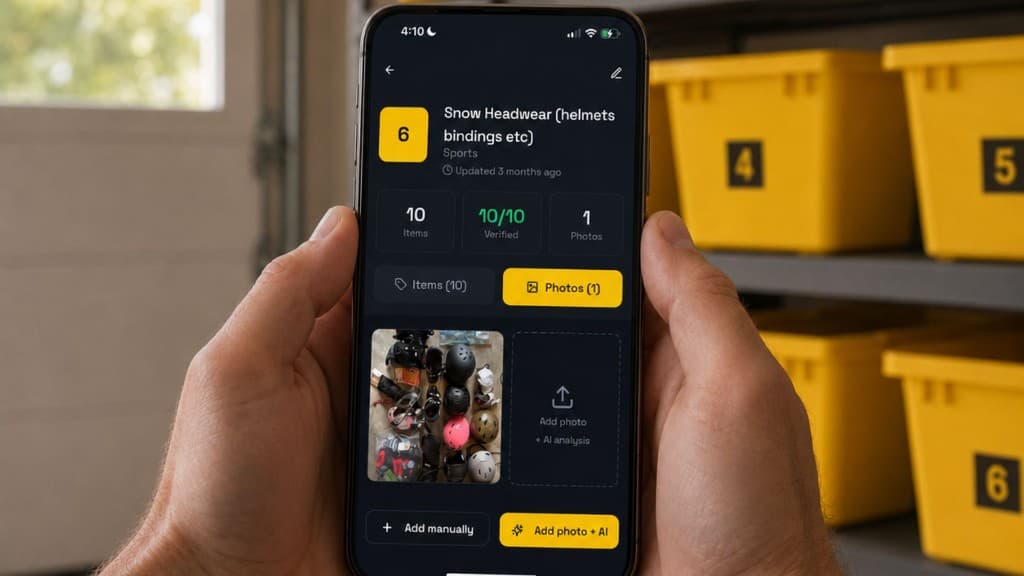
Instead of building a record from scratch, you can often start with a photo, add a few details, save the location, and search later.
A home inventory app can help with:
- Photo documentation
- Item details
- Room or location tracking
- Container-based storage
- Faster search
- Easier updates
- Household sharing
- Moving or insurance prep
- Hidden storage visibility
That does not mean every app is better than every spreadsheet. A poorly designed app can be just as frustrating as a messy spreadsheet.
But when the app is built around the way people actually store things, it can remove a lot of friction.
The difference is especially clear for totes, bins, boxes, and seasonal storage.
Learn more on the home inventory app page.
Photos Change the Whole System
Photos make a home inventory easier to create and easier to trust.
A typed record says:
Holiday lights
A photo shows whether they are white lights, colored lights, outdoor lights, tangled lights, net lights, or a small box of replacement bulbs.
A typed record says:
Camera
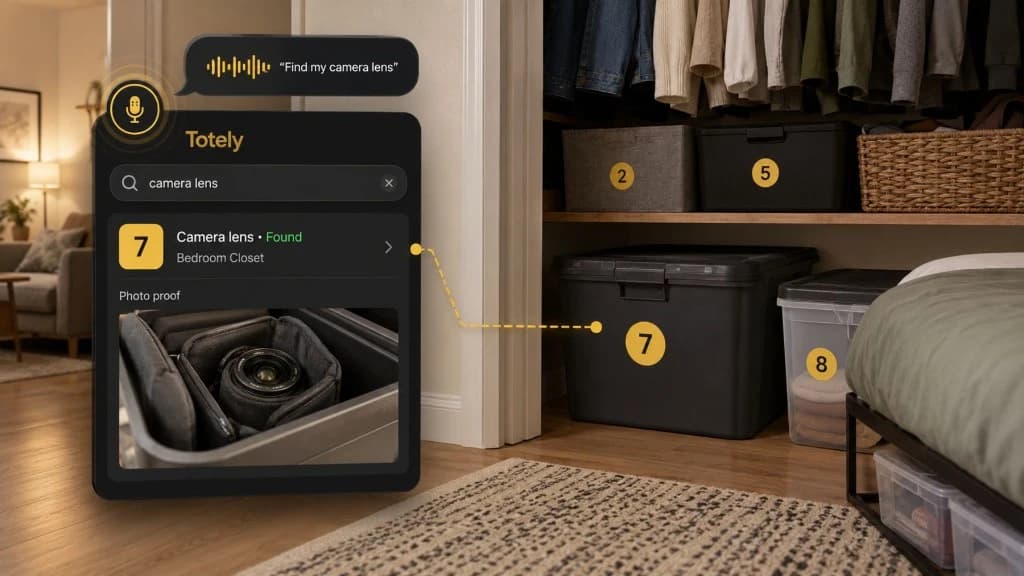
A photo can show the camera body, lens, bag, charger, strap, and accessories.
A typed record says:
Winter gear
A photo can show the coats, gloves, hats, boots, scarves, and snow pants inside the tote.
This matters because household items are visual. You may not remember the exact name of an item later, but you will recognize it when you see it.
Photos are also helpful for insurance preparation, moving records, and family organization. They show proof of condition, help identify what belongs together, and make it easier for another person in the household to find the right item.
Consumer guidance from sources like Ready.gov recommends photos or videos as part of documenting belongings, while also noting that descriptions, year, make, and model numbers can be useful where appropriate.
A spreadsheet can include photos, but an app usually handles photo-based records more naturally.
That is one of the biggest differences.
Hidden Storage Is the Deciding Factor
If your inventory only covers visible rooms, either a spreadsheet or an app can work.
But if your home has hidden storage, an app becomes much more useful.
Hidden storage includes:
- Storage totes
- Moving boxes
- Under-bed bins
- Garage shelves
- Basement bins
- Attic boxes
- Storage units
- Closet organizers
- Storage ottomans
- Craft carts
- Seasonal containers
- Kids' clothing totes
- Tool bins
This is where many home inventories fail.
You know you own the thing. You just do not know where it is.
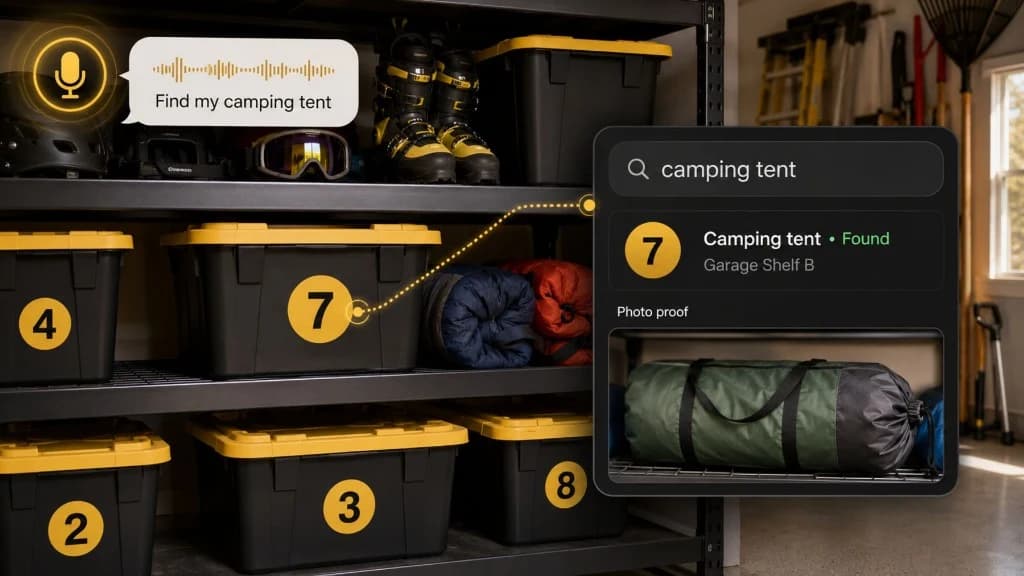
A spreadsheet might tell you that you have "camping gear," but it may not show which tote holds the tent stakes, lantern, rain ponchos, camp mugs, or air mattress pump. It might say "kids clothes," but not whether the 4T snow pants are in Tote 2, Tote 5, or the hallway closet.
A home inventory app built for storage can connect the item to the container and the container to the location.
That is the difference between a list and a findable system.
A list says what exists.
A searchable storage system tells you where to look.
Updates Over Time: The Real Test
The best home inventory system is not the one that looks perfect on day one.
It is the one you will update six months later.
This is where the comparison becomes practical.
A spreadsheet update might require opening the file, finding the right row, editing a location, adding a new item, linking a new photo, and making sure the formatting still works.
An app update can be simpler if it lets you open the container record, snap a new photo, review the item list, and save the updated location.
This matters because storage changes constantly.
Holiday decor moves. Kids outgrow clothes. Moving boxes become long-term storage. Tools get borrowed. Craft supplies get used up. A tote that used to hold camping gear starts holding beach gear. A closet bin becomes a catchall for extra chargers, manuals, and small electronics.
If updating the system feels too hard, the system stops matching reality.
Once that happens, people stop trusting it.
And once people stop trusting the inventory, they go back to opening every box.
Moving, Insurance, and Family Use
Both spreadsheets and apps can help with moving and insurance preparation.
A spreadsheet can be useful for exportable records, item values, serial numbers, and organized lists. If you already have a clean inventory, it can make moving or insurance documentation easier to review.
A home inventory app can be easier during the actual capture process.
For moving, photos and locations matter because boxes move quickly. A box may start in the kitchen, land in the garage, and sit unopened for two months. If you know Box 7 has the coffee maker, mugs, filters, scissors, and dish towels, you can find essentials faster.
For insurance prep, a home inventory should help document what you own. Sources like the NAIC, Ready.gov, and the Insurance Information Institute recommend home inventories because they can help provide useful information if you ever need to document belongings. The exact format, details, and requirements can vary, so check your own insurer or policy for what they recommend.
See What to Put in a Home Inventory for Renters Insurance for renter-specific guidance.
Family use is another major difference.
Spreadsheets can be shared, and for some households that works well. A shared spreadsheet can let partners, roommates, adult children, or family members update the same inventory.
But shared spreadsheets can also get messy. Someone may use different item names. Someone may forget to update the location. Someone may move a tote without changing the record. Someone may add photos in a different folder or skip photos entirely.
A home inventory app can help if it gives everyone a simpler, more consistent way to add, search, and update items.
For families and shared homes, consistency matters more than perfection.
If one person builds a beautiful spreadsheet that nobody else uses, the system still depends on one person's memory.
How Totely Makes Inventory Easier to Maintain
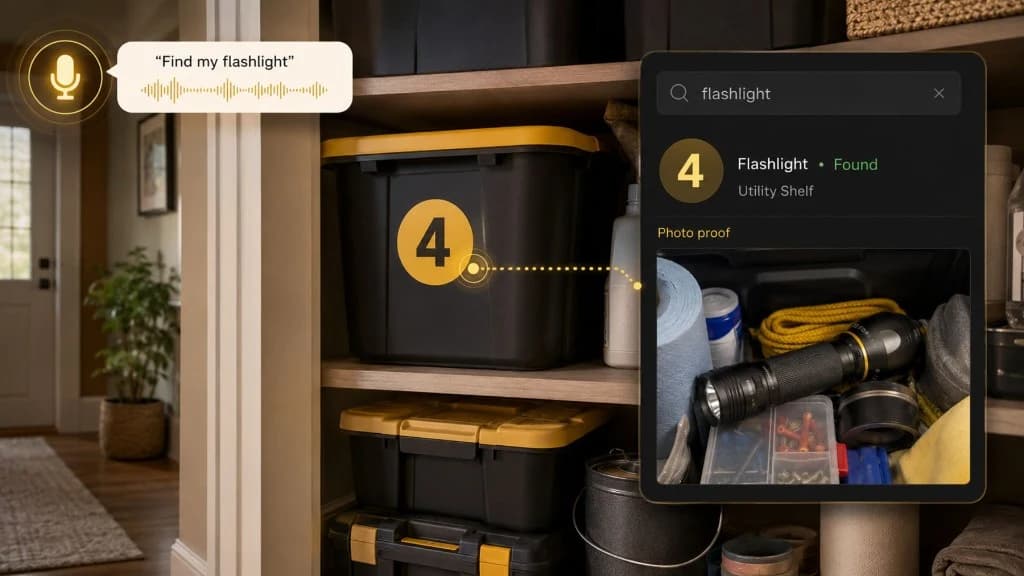
Totely is built for the part of home inventory that spreadsheets often struggle with most: hidden storage.
The problem is not just knowing that you own something. It is knowing which tote, bin, box, closet, shelf, or storage zone holds it.
With Totely, you can make stored belongings searchable without manually typing every item into a long spreadsheet.
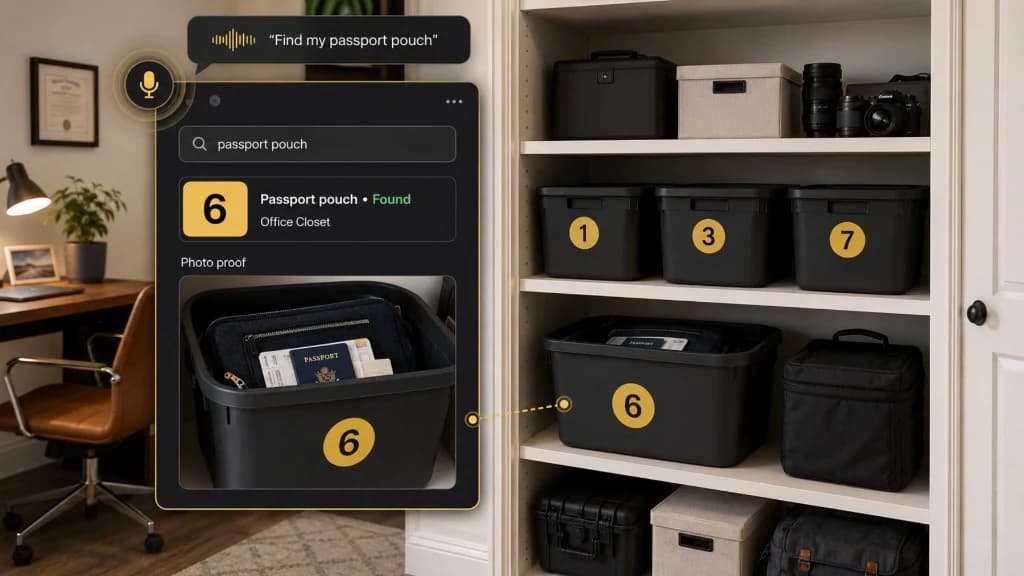
Here is the simple flow:
Number the tote, bin, box, or storage zone
so it has a clear identity.
Snap a photo
of what is inside.
Let AI build the first item list
from what it can see.
Review or edit if needed
so the words match how you would search later.
Save the location
so you know where the container lives.
Search naturally later
for things like "winter coats," "camera," "gaming console," "craft supplies," "small appliances," "holiday lights," or "tools."
Use photo proof
to confirm what is inside before opening the container.
That changes the setup burden.
Instead of starting with a blank spreadsheet, you start with the real contents in front of you. The photo creates the visual record. AI helps create the first item list. The location tells you where to go later.
Totely can support home inventory and searchable storage, but it does not replace insurance documentation requirements, receipts, appraisals, serial numbers, or your insurer's specific guidance.
Think of Totely as the digital memory layer for the belongings that would otherwise disappear into storage.
See Privacy and Household Inventory for how Totely handles your data.
So Which Is Easier?
A spreadsheet is easier if you want a simple, structured list and you are comfortable typing, organizing, and updating it yourself.
A home inventory app is usually easier if you want to capture photos, track storage locations, search quickly, update items on your phone, and find things later without opening every tote or box.
Here is the simplest way to decide:
Choose a spreadsheet if your inventory is mostly visible, simple, and value-based.
Choose a home inventory app if your inventory is visual, stored, shared, changing, or spread across containers and locations.
For many households, the best answer may even be both.
Use an app to capture and maintain the real-world inventory, especially hidden storage. Use exports or summaries when you need a structured record.
The winning system is not the one with the most features.
It is the one you will actually keep using.
Home Inventory App vs Spreadsheet FAQs
Is a home inventory app better than a spreadsheet?
A home inventory app is often better when you need photos, locations, natural search, mobile updates, and container-based storage. A spreadsheet can still be better for people who want manual control, simple rows and columns, and exportable value tracking.
Can I use a spreadsheet for a home inventory?
Yes. A spreadsheet can work well for a home inventory if you are comfortable entering and updating information manually. It is especially useful for structured records like item names, values, serial numbers, receipts, and notes.
Why do home inventory spreadsheets become outdated?
Spreadsheets become outdated when items move, bins change contents, photos are stored separately, or updates feel too time-consuming. If the system is hard to update in the moment, people are less likely to maintain it.
What should a home inventory app track?
A useful home inventory app should help track item names, photos, details, locations, rooms, containers, notes, and updates over time. For stored belongings, it should help connect the item to the tote, box, bin, shelf, closet, garage, basement, or storage unit where it lives.
Is a home inventory app useful for insurance?
A home inventory app can help organize photos, item details, and storage locations, which may support insurance preparation. It does not replace your policy, receipts, appraisals, serial numbers, or insurer requirements. Always check your own policy or ask your insurer what documentation they recommend.
How does Totely compare with a spreadsheet?
A spreadsheet starts with manual entry. Totely starts with a photo. You number the tote, bin, box, or storage zone, snap a photo, let AI build the first item list, review or edit it, save the location, and search naturally later. That makes Totely especially useful for hidden storage that changes over time.
Start With the Inventory System You Will Actually Use
The best home inventory system is not the most complicated one.
It is the one you can start today and still trust later.
If a spreadsheet feels natural to you, start there. Make a simple list of your most important belongings and keep it updated.
If your biggest problem is hidden storage, changing totes, moving boxes, seasonal bins, closets, garages, or storage units, a home inventory app may be easier to maintain.
With Totely, you can start with one container. Number it. Snap a photo. Let AI create the first item list. Save the location. Search naturally later.
Try the One-Tote Test to see how photo-based inventory works with a single bin before you expand.
That is how home inventory becomes less like data entry and more like remembering where your real life is stored.