Storage Box Organizer App Free: The Simple Way to Track What’s Inside
Track storage boxes without a spreadsheet. Number one box, photograph contents, save the location, and search later with Totely.
By Steve Watts · Co-Founder, Totely
July 27, 2026 · Updated July 27, 2026 · 16 min read
You know the thing is in a box.
That is the frustrating part.
The spare batteries. The printer ink. The guest sheets. The holiday lights. The coffee maker you packed during the move. The charger cable that somehow ended up with office supplies.
It is not gone. It is just hidden behind a lid, a shelf, a closet door, or a stack of boxes that all look the same.
That is why people search for a storage box organizer app free. They are not always looking for a complicated inventory system. Most people want a simple answer:
Which box is it in, and where is that box now?
The best place to start is not with the whole house.
Start with one box.
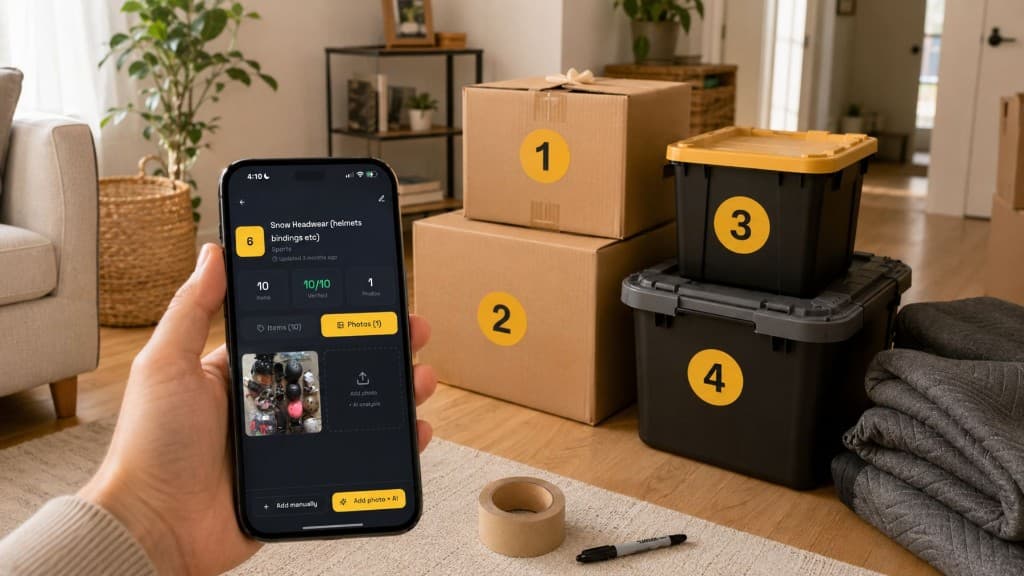
Number it. Photograph it. Save where it lives. Add the few items you would actually search for later. Then test whether you can find one thing without opening three boxes.
That is the simple way to track what is inside.
Quick Links
The Simple Version
A storage box organizer app should help you do four things quickly:
- Identify the box with a simple visible number.
- Capture what is inside with a photo and a short item list.
- Save where the box lives so you know where to go.
- Search later for the item you need.
That is it.
You do not need to type every paperclip, toy piece, charger, or ornament. You do not need to inventory the entire garage in one afternoon. You do not need to print a perfect label system before you begin.
A useful system starts smaller:
Box 1 — Hall Closet Top Shelf — spare batteries, flashlight, charger cables, tape
That one line is already better than opening every box labeled “misc.”
Why Box Tracking Gets Complicated
Boxes are easy to pack and hard to remember.
A label feels obvious on the day you write it. Then the box moves. Someone adds three extra items. You take one thing out and forget to update the label. A moving box becomes long-term closet storage. A holiday bin gets repacked after December.
A few months later, the label is only partly true.
That is the real problem with storage boxes: the outside stays the same while the inside changes.
This happens everywhere:
- moving boxes left unopened after a move
- garage boxes with tools, cords, tape, gloves, and hardware
- office boxes with printer ink, labels, envelopes, and cables
- holiday bins with lights, hooks, ribbons, and broken pieces
- kids’ clothes bins by size and season
- under-bed boxes with shoes, linens, or keepsakes
- storage-unit boxes that seemed organized on move-in day
- closet boxes that slowly become household catchalls
The storage problem is not just “what should I label this?”
The better question is:
How will I find one specific item later when the box is closed?
That is where a storage box organizer app can help.
What a Storage Box Organizer App Should Track
For home storage, the best system is usually simpler than a business inventory tool.
You are not managing warehouse stock. You are trying to find the thing you put away.
A good storage box organizer app should track these basics.
Box number
Every box needs a simple identity.
Use:
Box 1Box 2Bin 3Tote 4Shelf 5
The number should be visible from the outside.
That number is not trying to describe the whole box. It is just the bridge between the physical box and the digital record.
Photo proof
A photo is faster than typing a perfect list.
Open the box and take one useful photo before you close it. Make sure the important items are visible.
If the box has layers, take a second photo or add a short note.
Photo proof matters because a box can contain things you forgot to list. Later, you can look at the photo before opening the box.
Location
A box number is helpful, but only if you know where the box is.
Use exact household locations:
- Hall Closet Top Shelf
- Garage Shelf B
- Bedroom Closet Floor
- Under Bed Left Side
- Storage Unit Front Right
- Office Cabinet Lower Drawer
- Basement Shelf A
- Attic Back Wall
Avoid vague locations like “closet,” “garage,” or “storage.”
The goal is to know where to walk.
Key items
You do not need to list every object.
List the things someone would search for later:
- spare batteries
- printer ink
- guest sheets
- coffee maker
- holiday lights
- extension cord
- winter gloves
- label rolls
- tax folder
- camping lantern
- baby clothes 12–18 months
- extra phone charger
- wrapping paper
- sewing kit
Use normal words, not perfect categories.
If you would search “coffee maker,” write “coffee maker.” Do not hide it under “kitchen appliance.”
Notes
Notes are for context the photo may not show.
Useful notes include:
- fragile
- open first
- front access
- keep dry
- check sizes before winter
- missing one bulb
- opened printer ink
- donate after next season
- tax records by year
- holiday items for outside lights
The note should make the box easier to retrieve later.
It should not become a second spreadsheet.
Free Ways to Track a Box
A free box-tracking setup can start with tools you already have.
The question is not “What is the most advanced system?”
The question is “What will I actually maintain?”
Option 1: Phone photos
Take a photo of the box contents and save it in an album called “Storage Boxes.”
This is fast and free.
The weakness is search and location. Unless you add captions or organize carefully, you may still scroll through too many photos later.
Best for: a few boxes, quick moving-day proof, or visual backup.
Option 2: Notes app
Create one note per box:
Box 1 — Hall Closet Top Shelf
Then add the key items and a photo.
This is simple and flexible.
The weakness is consistency. Notes can get messy when you have many boxes, multiple locations, or changing contents.
Best for: small homes, one closet, or a starter system.
Option 3: Spreadsheet
A spreadsheet can work well if you like rows and columns.
Useful columns include:
| Box | Location | Photo taken | Key items | Notes | Priority |
|---|---|---|---|---|---|
| Box 1 | Hall Closet Top Shelf | Yes | guest sheets, pillowcases | front access | medium |
| Box 2 | Garage Shelf B | Yes | spare batteries, flashlight, tape | check batteries | high |
| Box 3 | Storage Unit Front Left | Yes | holiday lights, extension cords | use in November | seasonal |
| Box 4 | Office Cabinet | Yes | printer ink, label rolls | check before reordering | high |
The weakness is friction. Spreadsheets are useful, but they can feel heavy when you are standing in the garage with an open box.
Best for: moving lists, export needs, storage-unit planning, and people who enjoy structured tracking.
Option 4: Storage organizer app
A storage app can be easier because it keeps box number, photo, location, notes, and search together.
The best app for a normal home should feel lighter than a spreadsheet.
It should help you add one box quickly, then search later.
Best for: closets, garages, moving boxes, storage units, family storage, and boxes that change over time.
Spreadsheet vs App vs QR Labels vs Numbered Boxes
There is no single perfect system for every household.
The right choice depends on how many boxes you have, how often the contents change, and how much setup you will actually do.
Use a spreadsheet when you want structure
A spreadsheet is useful when you want a printable or exportable list.
It is especially helpful for:
- moving
- storage-unit planning
- insurance notes
- high-value item lists
- shared household planning
- one-time packing projects
The drawback is upkeep. If updating the sheet feels annoying, the system gets stale.
Use QR labels when scanning is the main workflow
QR labels can be helpful when you have many similar boxes and want to scan a label to open the record.
They can work well for:
- storage units
- moving boxes
- office backstock
- shared family storage
- small-business supplies
- many bins on shelves
The drawback is setup. You may need to print labels, keep them attached, scan the right box, and maintain the records.
QR codes can be useful.
They just do not need to be the first step.
Use visible numbers when you want the simplest start
A large visible number is easier to read from a shelf, closet, garage, or storage unit.
You can see it without scanning anything.
That makes numbered boxes a strong starter system:
Box 1, Box 2, Box 3, Box 4, Box 5
The box number stays simple.
The app record holds the details.
Use an app when you want search
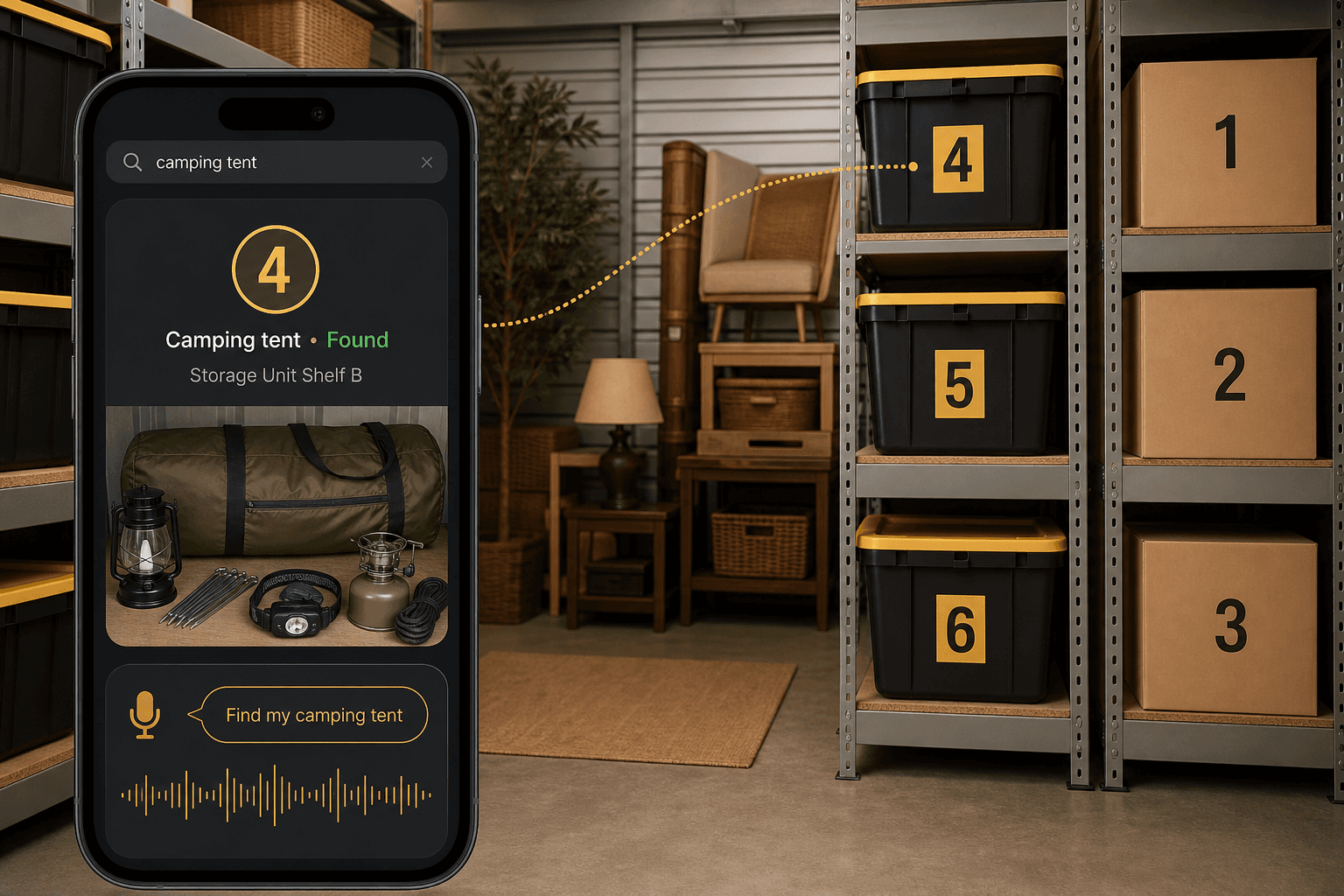
The biggest advantage of an app is search.
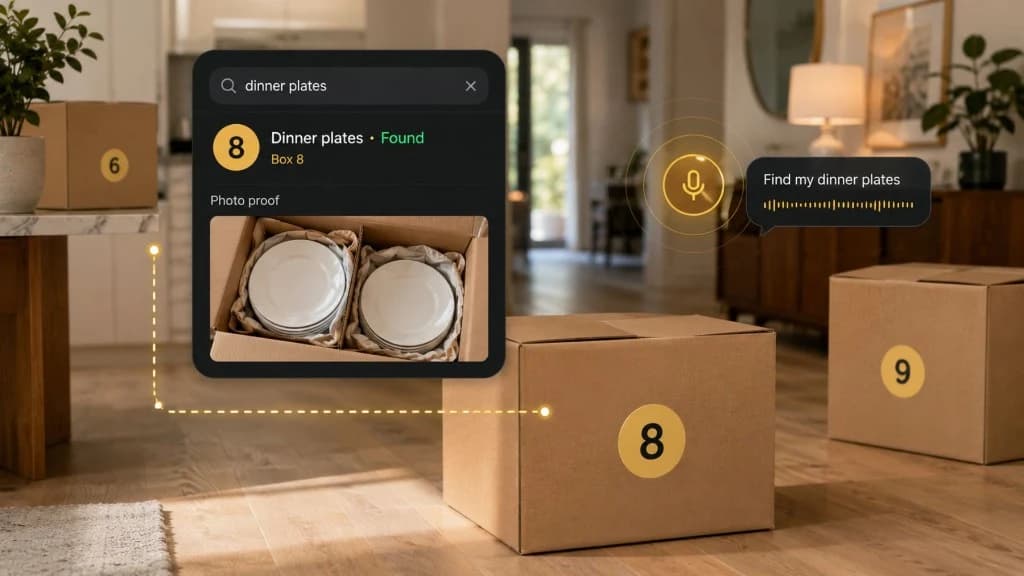
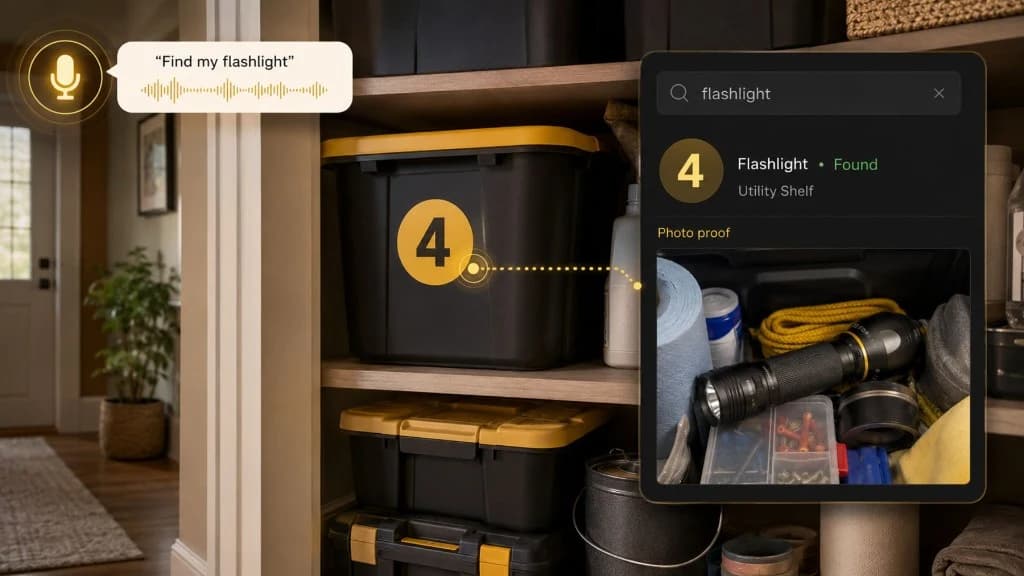
You should be able to search for “printer ink” and see the right box, location, and photo proof.
Not just “office supplies.”
Not just “Box 4.”
The specific item.
The One-Box Setup
This is the easiest way to start.
Pick one box that already annoys you.
Maybe it is the box you keep opening in the garage. Maybe it is the closet bin with batteries and cables. Maybe it is the moving box that somehow still has useful kitchen items inside.
Do this:
- Put a simple number on the outside:
Box 1. - Open the box.
- Take a clear photo.
- Save the exact location.
- Add five to ten key items.
- Add one note if needed.
- Close the box.
- Search for one item later.
That is the whole test.
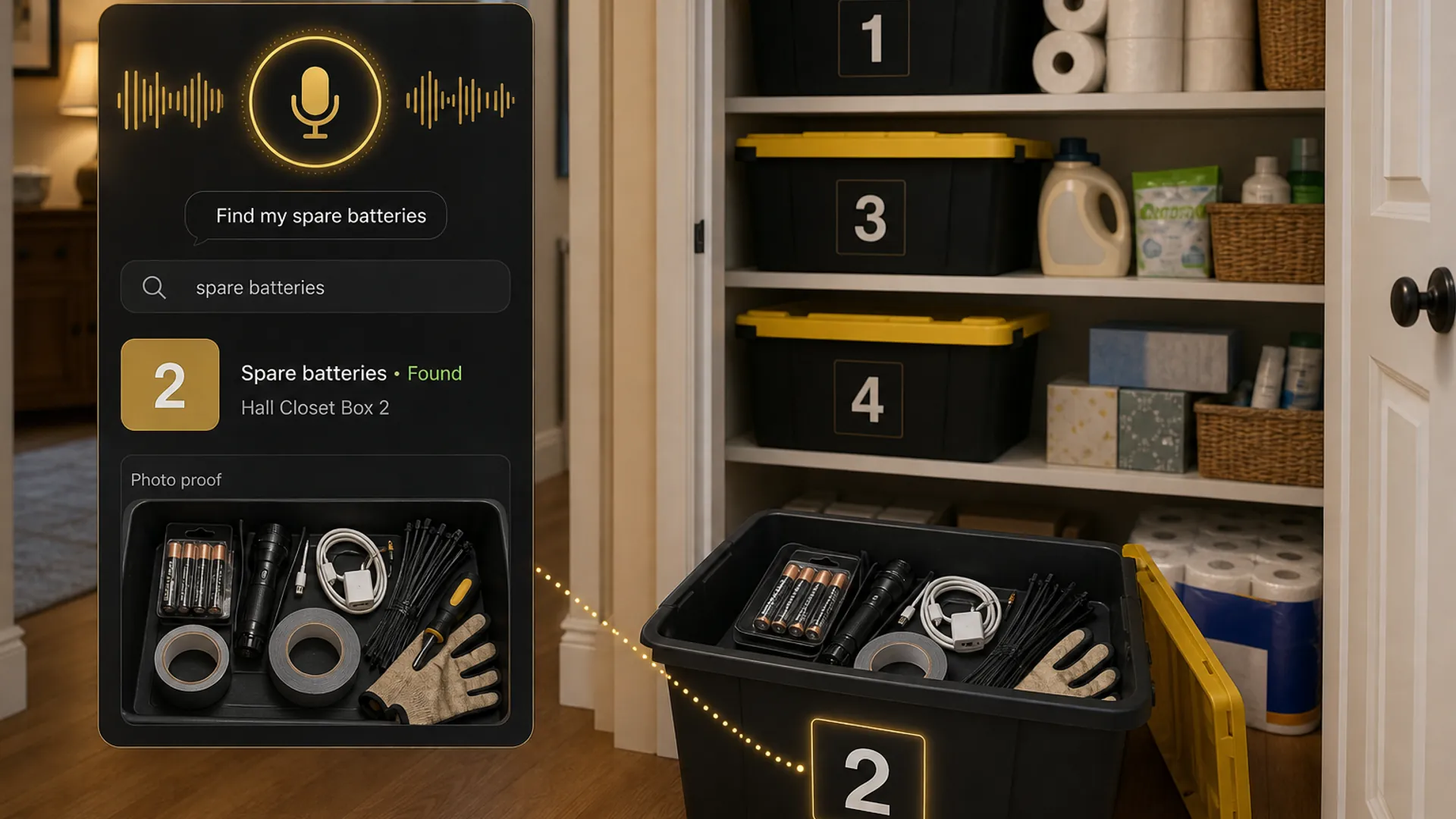
If you can search “spare batteries” and know to open Box 1 on Hall Closet Top Shelf, the system works.
Then do another box.
Do not start by organizing everything.
Start by proving the system works on one real storage problem.
What to Put in the First Box Record
Your first box record should not be perfect.
It should be useful.
Use this format:
| Field | Example |
|---|---|
| Box number | Box 2 |
| Location | Hall Closet Top Shelf |
| Photo | One clear photo of the open box |
| Key items | spare batteries, flashlight, charger cables, tape, zip ties |
| Notes | check batteries before storm season |
| Access priority | front access |
| Last updated | today’s date if you want to track it |
That is enough.
The mistake is trying to catalog every tiny item.
The goal is to capture the things you will search for later.
Real Examples of Boxes Worth Tracking
Some boxes are worth tracking because they are opened often.
Others are worth tracking because they are opened rarely and forgotten.
Moving boxes
Track:
- coffee maker
- mugs
- sheets
- towels
- chargers
- important kitchen tools
- first-week items
- cleaning supplies
- kids’ favorite items
Useful notes:
- open first
- fragile
- kitchen
- storage unit
- unpack after office
Garage boxes
Track:
- batteries
- flashlight
- extension cord
- duct tape
- work gloves
- zip ties
- sprinkler parts
- bike pump
- camping lantern
Useful notes:
- front access
- storm prep
- camping shelf
- check batteries
Holiday boxes
Track:
- holiday lights
- spare bulbs
- ornament hooks
- tree skirt
- outdoor clips
- stockings
- wrapping paper
- ribbon
- wreath hanger
Useful notes:
- use in November
- outside lights
- fragile ornaments
- missing clips
Office boxes
Track:
- printer ink
- label rolls
- envelopes
- tax folders
- shipping mailers
- tape
- thank-you cards
- spare cables
- backup mouse
Useful notes:
- check before reordering
- current year
- shipping shelf
- opened cartridge
Kids’ storage boxes
Track:
- winter gloves
- rain jacket
- size 6 clothes
- baby clothes 12–18 months
- puzzle pieces
- train set
- school keepsakes
- birthday decorations
Useful notes:
- check sizes
- donate review
- sentimental
- sibling hand-me-downs
When QR Codes Are Worth It
QR codes are useful when scanning is the natural behavior.
They make sense if:
- you have many similar boxes
- multiple people need access
- boxes move often
- the labels stay visible
- you want a scan-to-open workflow
- you are managing a storage unit
- you are packing for a move
- you like printing labels
But QR codes are not required to make boxes searchable.
For many homes, a number-first system is easier:
- Read the box number.
- Search the app.
- Check the photo.
- Open the right box.
That is less setup, less printing, and less friction.
You can always add QR codes later if the system grows.
When a Storage Box Organizer App Is Better Than a Label
A label helps when you are standing in front of the box.
An app helps when you are not.
A label might say:
Office
But the app can say:
Box 4 — Office Cabinet Lower Drawer — printer ink, label rolls, envelopes, USB-C cable, thank-you cards
That difference matters when you are at the store wondering whether you already bought printer ink.
It matters when you are upstairs and the box is in the garage.
It matters when the holiday lights could be in one of six bins.
It matters when a moving box is still closed three months later.
A label names the box.
A storage organizer app remembers the box.
How Totely Makes Storage Boxes Searchable
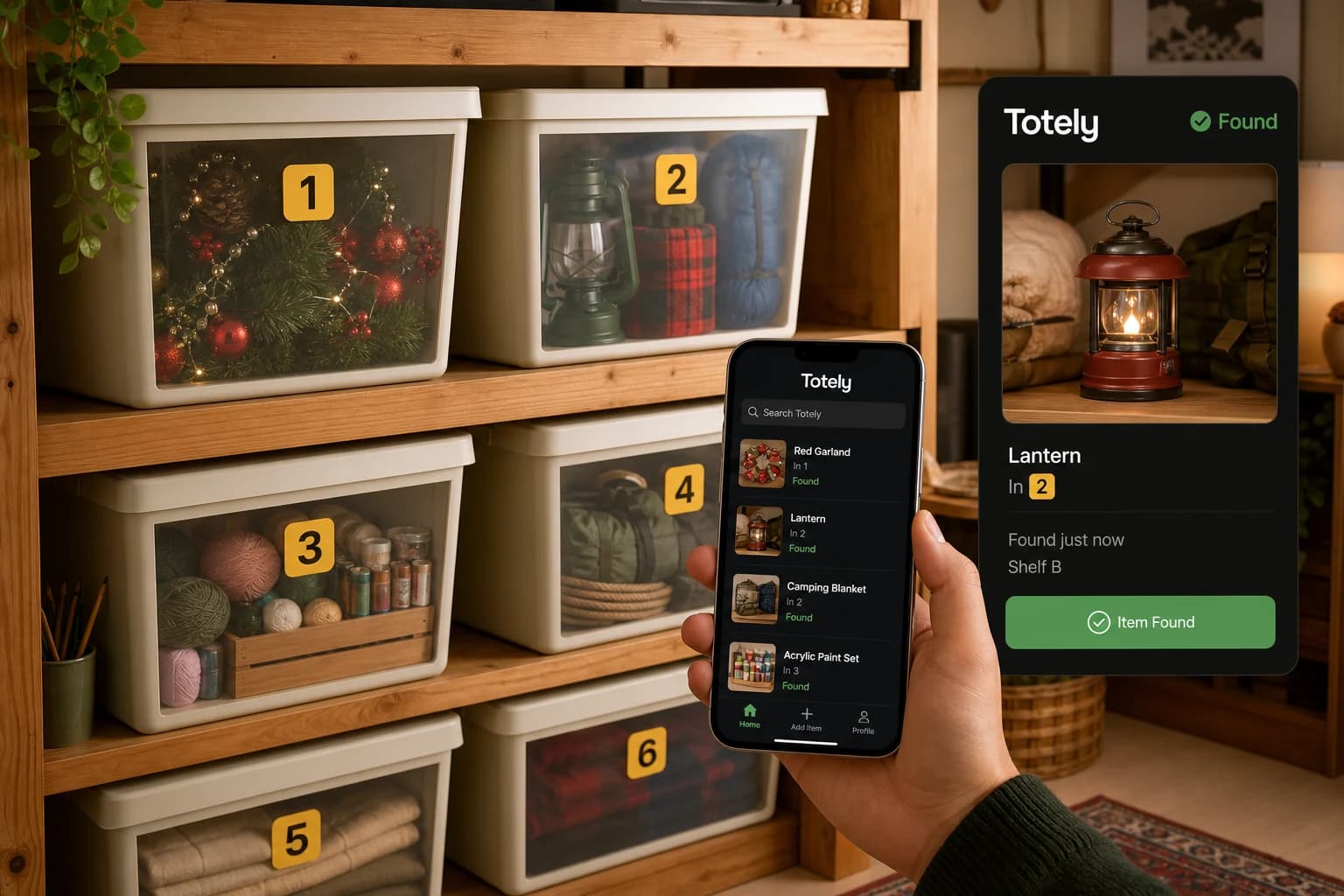
Totely is built for the stuff you put away and forget.
It gives physical storage a digital memory layer.
The outside can stay simple: a visible number.
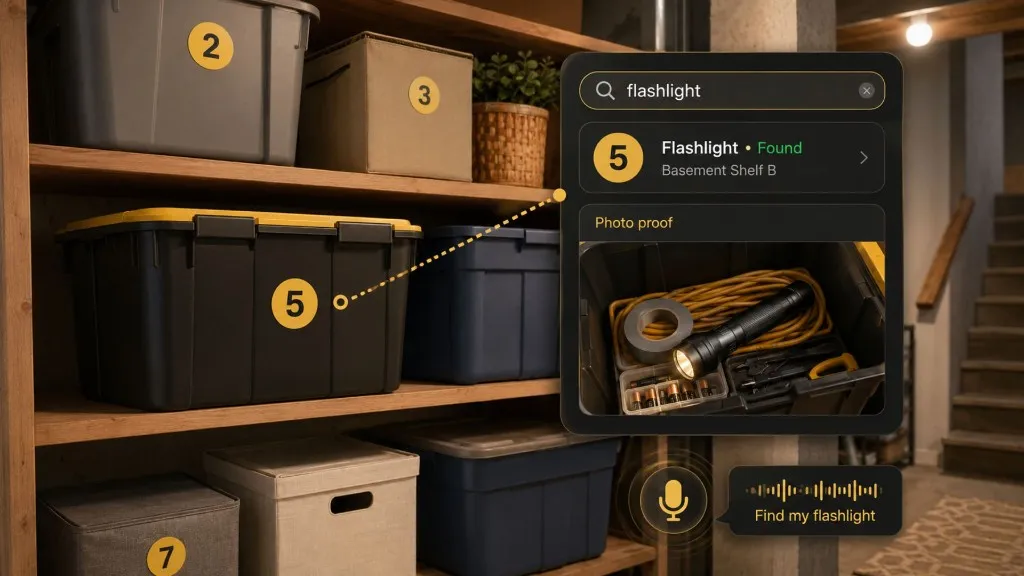
The inside can be specific: photos, contents, location, notes, and search.
Here is the Totely workflow:
- Number the box, bin, tote, shelf, drawer, or storage zone with a simple visible number.
- Snap a photo before closing it.
- Let AI build the first item list from what it can see.
- Review or edit the record so it uses the words you would search later.
- Save the exact location, such as “Hall Closet Top Shelf” or “Garage Shelf B.”
- Add notes for fragile, seasonal, sentimental, restock, open-first, or front-access context.
- Search naturally later for “spare batteries,” “printer ink,” “holiday lights,” “guest sheets,” “coffee maker,” or “winter gloves.”
- Use photo proof before opening everything.
Totely does not need to begin with a full-house inventory project.
It can start with one box.
If that helps, do the next one.
A Simple Box Organizer System You Can Copy
Here is a starter setup for five boxes.
| Box | Location | Key items | Note |
|---|---|---|---|
| Box 1 | Hall Closet Top Shelf | guest sheets, pillowcases, towels | front access |
| Box 2 | Garage Shelf B | spare batteries, flashlight, tape, zip ties | check batteries |
| Box 3 | Storage Unit Front Left | holiday lights, extension cords, spare bulbs | use in November |
| Box 4 | Office Cabinet Lower Drawer | printer ink, label rolls, envelopes | check before reordering |
| Box 5 | Bedroom Closet Floor | winter gloves, hats, snow pants | check sizes |
This is simple enough to start today.
The box number stays visible.
The details stay searchable.
Storage Box Organizer App FAQs
What is a storage box organizer app?
A storage box organizer app helps you track what is inside boxes, bins, totes, drawers, shelves, or storage zones. A useful app should let you save a box number, photo, location, key contents, and notes so you can search for stored items later.
Is there a free storage box organizer app?
Some storage and box organizer apps offer free versions, free trials, limited free records, or free-to-start options. Pricing and features can change, so check the current app details before choosing one. You can also start with a free method like phone photos, notes, or a spreadsheet before moving to an app.
What is the easiest way to track storage boxes?
The easiest way is to start with one box. Give it a simple visible number, take a photo of what is inside, save the exact location, and list the key items you would search for later.
Do I need QR codes to organize storage boxes?
No. QR codes can be helpful, but they are not required. A visible number, photo record, saved location, and natural search can be easier for everyday home storage, especially when boxes sit on shelves, in closets, in garages, or in storage units.
What should I write on storage box labels?
Keep the outside label simple. A large number like Box 1 or Bin 2 is often enough if the details live in your app or inventory record. If you add words, use short, practical labels like “open first,” “fragile,” or “front access.”
Should I track every item inside a box?
No. Track the items you are likely to search for later. For most boxes, that means five to ten important items, one useful photo, the exact location, and a short note if needed.
Is a storage box organizer app useful for moving?
Yes. Moving boxes are one of the best use cases because boxes often stay packed longer than expected. Number each box, photograph the contents, save the destination room or storage location, and add priority notes like “open first” or “fragile.”
Can I use a spreadsheet instead of an app?
Yes. A spreadsheet can work well for a small number of boxes or a one-time move. An app is usually easier when you want photos, natural search, quick updates, and location-based storage records.
Start With the Box You Keep Opening
A storage system should not feel like homework.
It should help you find the thing you already put away.
Start with the box that keeps wasting your time. Number it. Photograph it. Save where it lives. Add the few items you actually search for.
That is enough.
With Totely, the outside stays simple and the inside becomes searchable.
Simple outside. Specific inside.
That is the practical way to track what is inside.