Free Home Inventory App: Start With One Tote
Looking for a free home inventory app? Start with one tote, one shelf, or one box before trying to inventory the whole house.
By Ben Stallsworth · Co-Founder, Totely
September 4, 2026 · Updated September 4, 2026 · 18 min read
Searching for a free home inventory app usually means one thing:
You want to get organized without turning your whole house into a project.
That is smart.
Because the biggest mistake with home inventory is trying to inventory everything at once.
Every room.
Every drawer.
Every receipt.
Every serial number.
Every box in the garage.
Every tote in the closet.
That sounds responsible for about ten minutes.
Then it becomes another overwhelming thing you avoid.
A better way is to start with one tote.
One real storage problem.
One place where things disappear.
One small test that tells you whether the app is actually useful.
If the app can help you find the guest sheets, spare batteries, label rolls, holiday lights, or winter gloves later, then it is worth expanding.
If it cannot help with one tote, it probably will not help with the whole house.
Quick Links
What Should a Free Home Inventory App Actually Do?
A free home inventory app should help you remember what you own and where it is.
At a minimum, it should help you track:
- item names
- photos
- locations
- categories
- notes
- receipts or proof when needed
- values for important items
- export or backup options
- search
For insurance-focused home inventory, the app may also need:
- serial numbers
- purchase dates
- model numbers
- receipt photos
- warranty documents
- condition notes
- reports or exports
For everyday home storage, the app needs something simpler:
Can I find the thing I put away?
That question matters more often than people think.
You may not need a full insurance-ready inventory to find:
- guest sheets
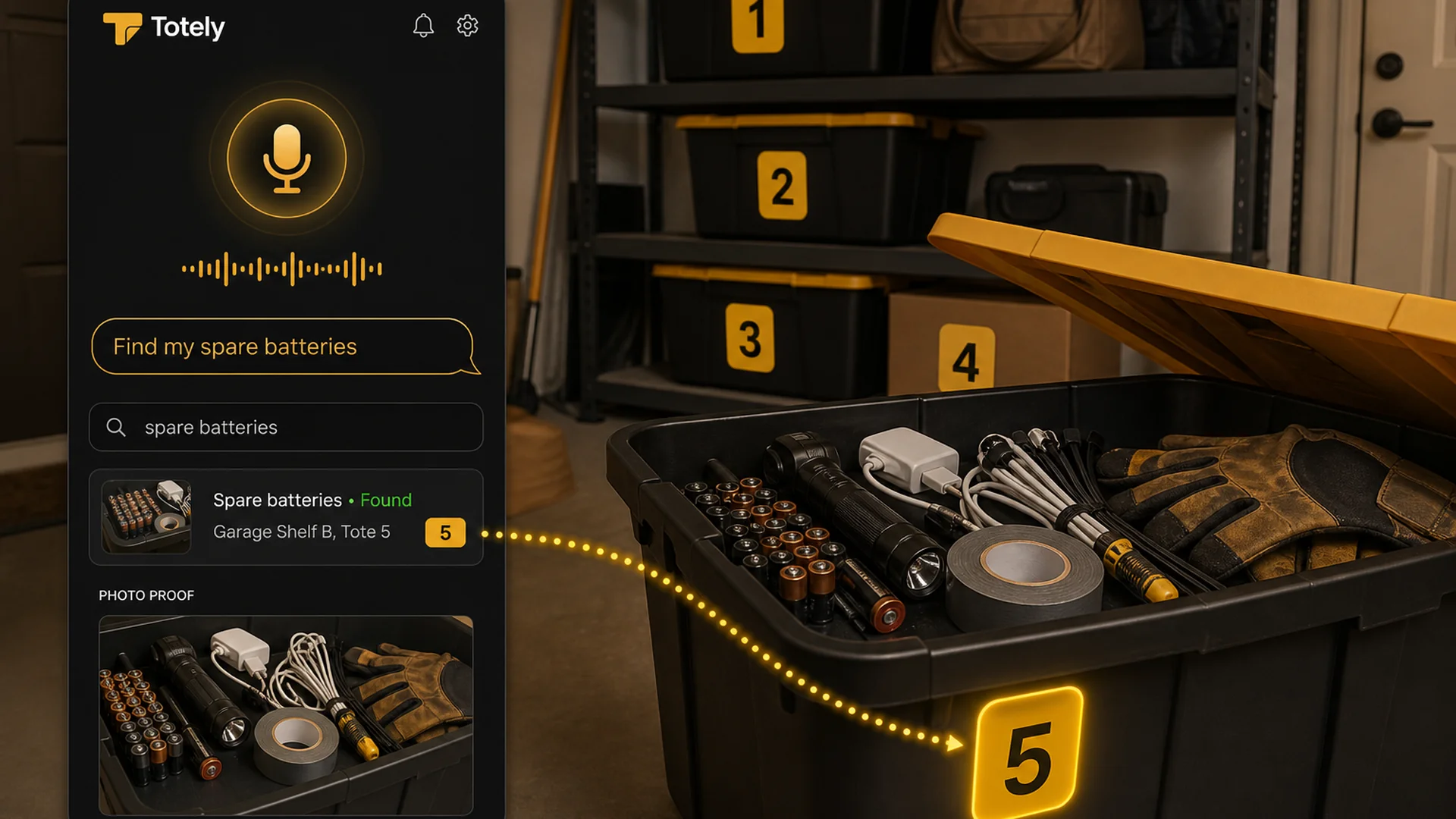
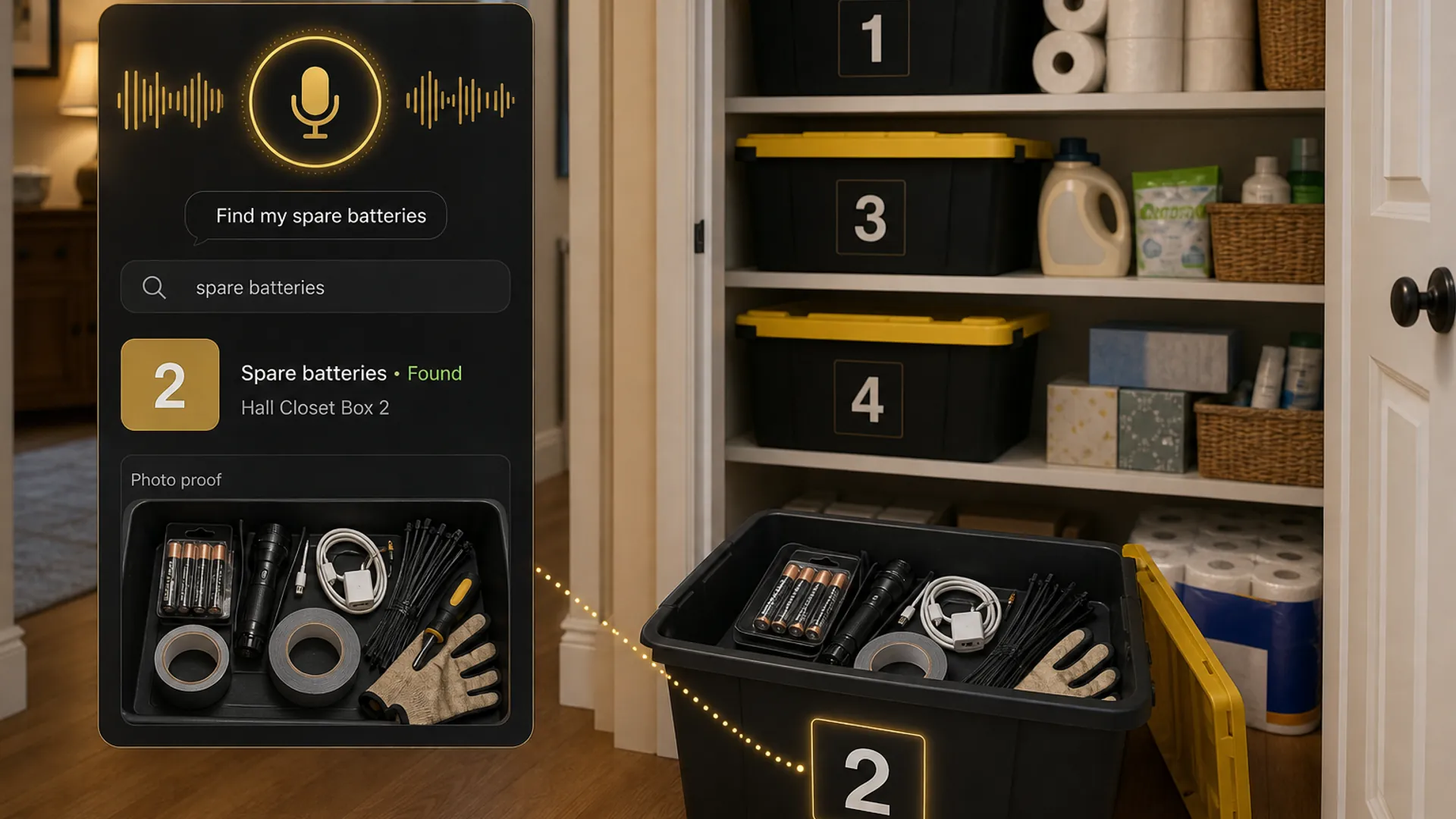
- spare batteries
- printer ink
- camping lantern
- holiday lights
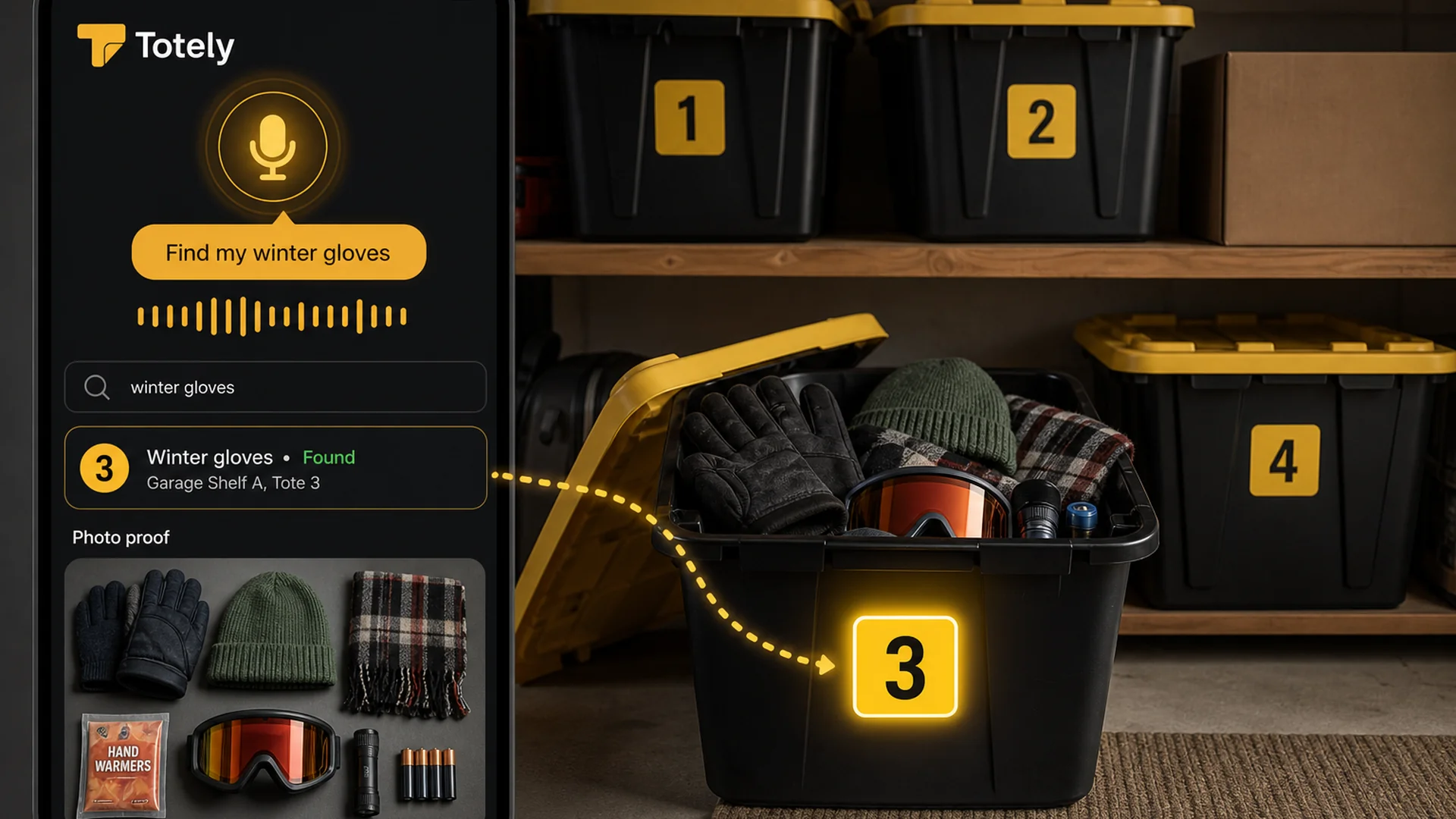
- winter gloves
- bike pump
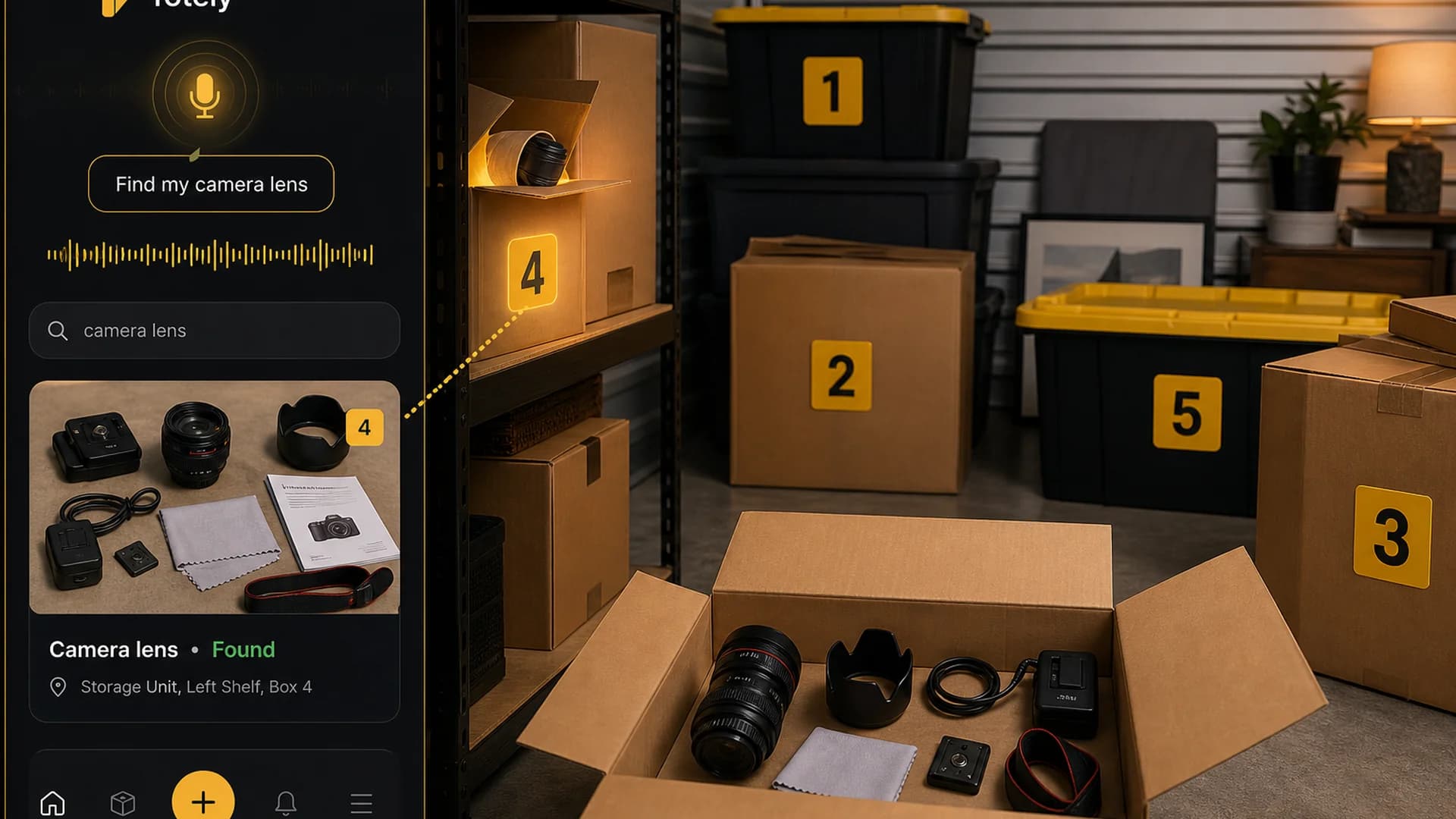
- camera lens
- label rolls
- extension cord
- tax folders
Those items are not usually lost.
They are stored.
The problem is that stored things become invisible.
A good home inventory app should make them searchable again.
Why Starting With the Whole House Fails
A full home inventory sounds useful.
It is useful.
But it is also a lot.
A whole-home inventory can include:
- furniture
- appliances
- clothing
- electronics
- tools
- jewelry
- documents
- receipts
- warranties
- collectibles
- books
- kitchen items
- garage gear
- sports gear
- holiday decorations
- storage bins
- moving boxes
- sentimental items
That is a serious project.
If you start there, you may spend more time setting up the system than actually using it.
You may also run into the common free-app limits quickly.
Some free apps limit the number of items. Some offer a free trial. Some have a free plan with paid upgrades. Some are free but more manual. Some are great for insurance documentation but not for day-to-day retrieval.
That does not mean a free home inventory app is a bad idea.
It means you need a smaller first test.
Start where the pain is obvious.
Not everywhere.
The One-Tote Test
The best first step is simple:
Pick one tote, box, bin, shelf, closet, or storage area and make only that searchable.
That is the One-Tote Test.
It works because it is small enough to finish.
Use it for a container that already causes frustration.
Good starter examples:
- a hall closet tote
- a garage shelf bin
- a box of guest linens
- a tote of holiday decorations
- a storage bin of winter gear
- a drawer of batteries and cables
- an office supply box
- an under-bed storage bin
- a moving box that never got unpacked
- a storage unit box near the front
Do not pick the most complicated area in the house.
Pick one where a quick win would feel useful.
Example:
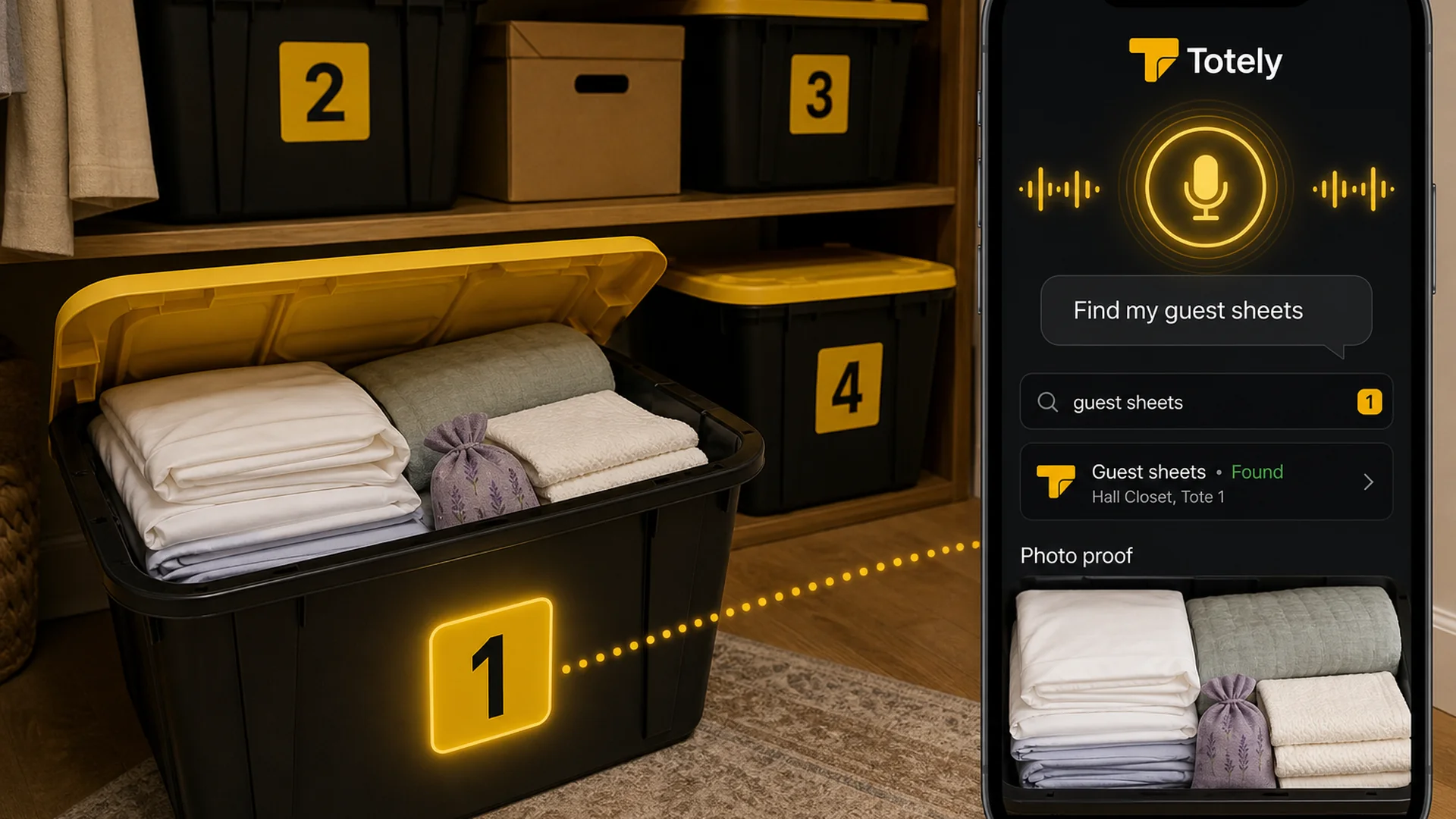
Hall Closet, Tote 1
Inside:
- guest sheets
- pillowcases
- light blanket
- towel set
- spare pillow cover
Now the test is clear.
Later, if someone searches for guest sheets, the app should tell them:
Hall Closet, Tote 1
If the app can do that, you have proof the system works.
What to Track First
For the first tote, keep it light.
Track only the details that help you find things later.
1. Container Number
Use a simple visible number.
Examples:
- Tote 1
- Box 2
- Bin 3
- Shelf 4
Do not start with long labels.
Do not write every item on the outside.
A number is easier to see and easier to update around.
The outside stays simple.
The app holds the details.
2. Photo of the Open Container
Take one clear photo before closing the tote.
The photo should show the important items inside.
If the tote has layers, take two photos.
A photo is faster than typing and easier to trust later.
It gives you photo proof before you open the wrong container.
3. Exact Location
Do not only write closet.
Use a real location.
Examples:
- Hall Closet, Tote 1
- Garage Shelf B, Box 3
- Guest Room Closet, Top Shelf
- Under Bed, Left Side, Bin 2
- Storage Unit, Front Right, Box 6
- Office Cabinet, Supply Box 4
The more exact the location, the less guessing later.
4. Searchable Item Names
Add the words you would actually search.
Good examples:
- guest sheets
- pillowcases
- towel set
- winter gloves
- holiday lights
- printer ink
- label rolls
- spare batteries
- camping lantern
- bike pump
Do not use vague labels like:
- misc
- closet stuff
- storage
- random
- garage
- household
Those words do not help future you.
5. Notes That Matter
Only add notes if they are useful.
Good notes include:
- front access
- fragile
- seasonal
- check before buying
- guest-ready
- receipt saved
- warranty inside
- size may be outdated
- batteries removed
- sentimental
- do not stack
A note should help you make a decision later.
If it does not help, skip it.
What Not to Track Yet
Do not try to track everything on day one.
For the first tote, skip details that slow you down unless they truly matter.
You probably do not need:
- every tiny item
- exact quantities of low-value things
- purchase dates for ordinary items
- serial numbers for items that do not have them
- values for basic household goods
- long category trees
- complicated tag systems
- QR codes before you know the app works
- barcode scanning for items without useful barcodes
- room-by-room perfection
This matters because inventory fatigue is real.
If your first session feels like data entry, you will stop.
A free home inventory app should reduce friction.
It should not create a second job.
Free App, Free Trial, or Free Plan?
“Free home inventory app” can mean several different things.
Before committing, check the current terms carefully.
Truly Free App
Some apps are free because they are provided by an organization, public resource, or simple tool.
These can be great for basic inventory, especially if your main goal is insurance readiness.
Check whether the app includes:
- photos
- categories
- locations
- exports
- backup
- search
- enough entries for your needs
Free Plan
Some apps have a free plan with limits.
Common limits might include:
- number of items
- number of photos
- number of users
- number of locations
- export options
- advanced fields
- QR/barcode labels
- sharing
- AI features
A limited free plan can still be useful.
Use it strategically.
Do not try to inventory the whole house.
Use the free plan to test one tote, one shelf, or one storage zone first.
Free Trial
A free trial can help you test a paid product before committing.
That is useful if you want:
- more photos
- family sharing
- reports
- exports
- insurance features
- AI photo recognition
- barcode or QR workflows
- multiple properties
- storage unit tracking
Just make sure you know what happens when the trial ends.
Can you export your data?
Can you still view your inventory?
Will photos remain accessible?
Will you lose search or sharing?
Those questions matter more than a fancy feature list.
Features That Matter Most
When you test a free home inventory app, do not judge it by how many features it has.
Judge it by whether it helps with the job.
Photo Capture
Photos are the easiest way to start.
A good app should make it easy to:
- take a photo of an item
- take a photo of an open tote
- add more than one photo if needed
- attach receipt photos for important items
- visually confirm what is inside
For stored items, one open-tote photo can be more useful than a long manual list.
Search
Search is the main reason to use an app instead of a label.
You should be able to search for the thing you need:
- guest sheets
- spare batteries
- holiday lights
- label rolls
- winter gloves
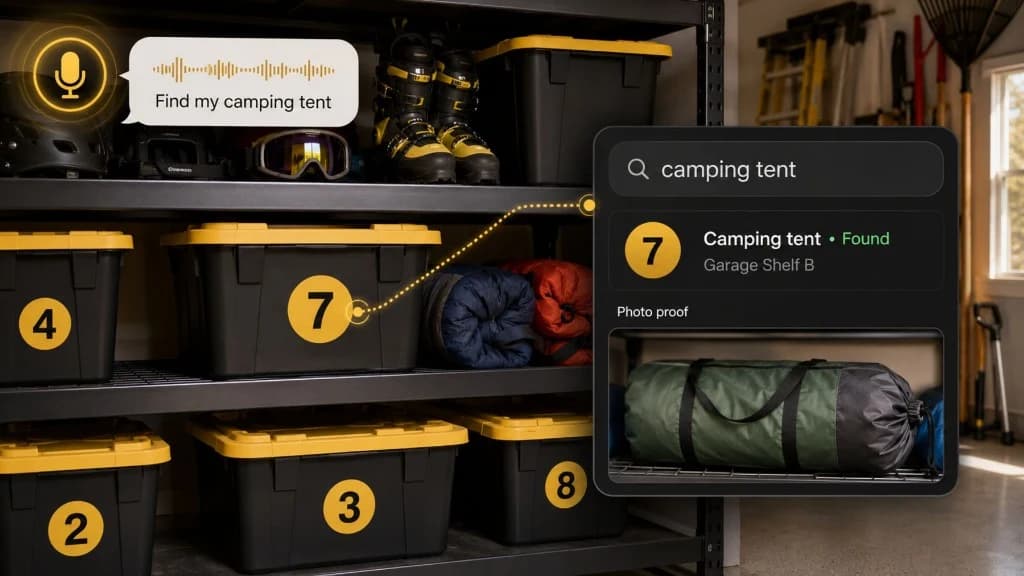
- camping tent
The app should help even if you do not remember the category.
Nobody wants to remember whether guest sheets were under “linens,” “closet,” “guest room,” or “household.”
They want to search guest sheets.
Location
Location should match real life.
A useful location is not just a room.
It is a place someone can walk to.
Examples:
- Hall Closet, Tote 1
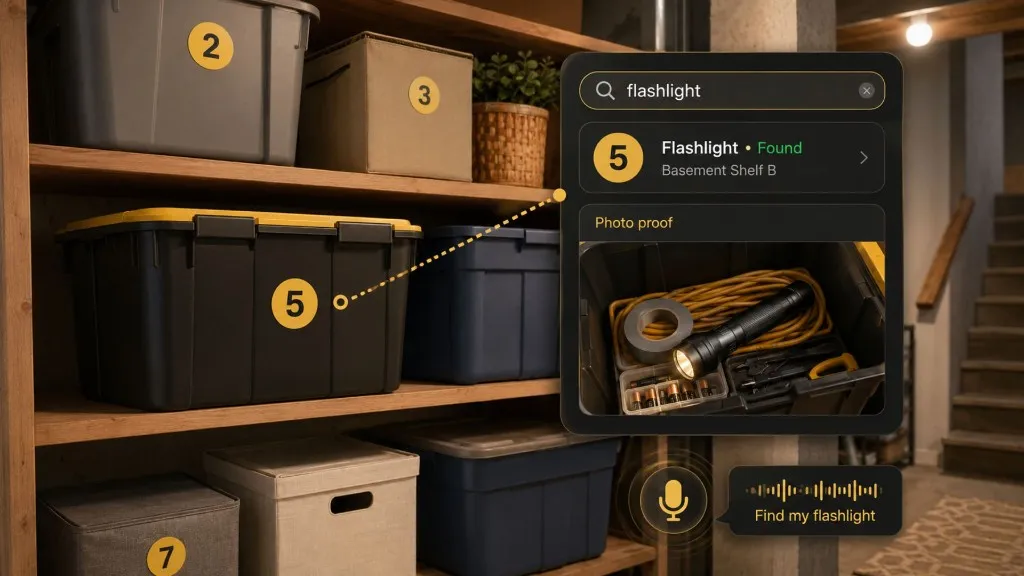
- Garage Shelf B, Tote 5
- Basement Rack A, Bin 3
- Office Cabinet, Box 2
- Storage Unit, Front Left, Box 4
- Under Bed, Left Side, Bin 1
If the app only supports broad rooms, you may need to use notes or custom fields to make locations more exact.
Export or Backup
Your inventory should not be trapped.
Look for export or backup options such as:
- CSV
- Excel
- cloud backup
- shared access
- email export
- printable report
This matters for insurance, moving, and peace of mind.
It also matters if you test an app and decide to switch later.
Sharing
A home inventory is more helpful when someone else can use it.
Sharing matters if:
- one person usually organizes everything
- a partner needs to find things
- roommates share supplies
- kids need access to seasonal gear
- a family is moving
- someone may need records during an emergency
If a free plan only supports one user, that may still be fine for the One-Tote Test.
Just know the limitation before you build the whole system.
Insurance Notes
For insurance-focused items, track more detail.
Examples:
- item description
- photo
- estimated value
- receipt
- serial number
- warranty
- purchase date
- condition
- model number
But do not treat every towel, pillowcase, and holiday hook like a high-value appliance.
Match the detail to the item.
Barcode and QR Options
Barcode and QR scanning can be useful.
They can help with:
- high-volume inventories
- tools
- collections
- storage units
- moving boxes
- expensive items
- household supplies
- business crossover
But they are not required to start.
A simple visible number can be easier than a QR code.
Especially for the first tote.
If you later want QR codes, add them after the system has proven useful.
When a Spreadsheet Is Enough
Sometimes the best free home inventory app is not an app.
A spreadsheet can work if your goal is simple documentation.
Use a spreadsheet when:
- you only need a basic list
- you like columns
- photos are not central
- you want easy export
- you are tracking valuables
- you do not need mobile search
- one person manages the list
A simple spreadsheet might include:
| Container | Location | Key contents | Photo? | Notes | Updated |
|---|---|---|---|---|---|
| Tote 1 | Hall Closet | guest sheets, pillowcases, light blanket | Yes | guest-ready | Sept 2026 |
| Box 2 | Office Cabinet | printer ink, label rolls, envelopes | Yes | check before buying | Sept 2026 |
| Bin 3 | Garage Shelf A | holiday lights, hooks, spare bulbs | Yes | seasonal | Sept 2026 |
| Tote 4 | Under Bed | winter gloves, hats, scarves | Yes | check sizes | Sept 2026 |
That works.
The weakness is maintenance.
Spreadsheets are easy to start and easy to forget.
If your stored items change often, a photo-first searchable app is usually easier.
How to Test a Free Home Inventory App
Use this simple test.
Step 1: Pick One Tote
Choose a real container.
Not a perfect one.
A real one.
Good options:
- guest linen tote
- holiday lights bin
- office supply box
- winter gear tote
- camping gear bin
- cable drawer
- under-bed storage bin
Step 2: Add a Large Number
Put a simple number on the outside.
Example:
1
Make it visible.
Do not overthink the label.
Step 3: Take One Open-Tote Photo
Open the tote and take a clear photo.
Make sure the important items are visible.
For guest linens, the photo might show:
- guest sheets
- pillowcases
- towel set
- light blanket
- spare pillow cover
Step 4: Add Only Useful Search Terms
Add the items you would search later.
Example:
guest sheets, pillowcases, towel set, light blanket
Do not list every thread count, color, and brand unless that helps.
Step 5: Save the Exact Location
Use plain language:
Hall Closet, Tote 1
That is enough.
Step 6: Search for the Item
Test the app.
Search:
guest sheets
The app should return:
Tote 1
with the saved location and photo proof.
If it does, you have a useful system.
Step 7: Wait a Week and Try Again
This is the real test.
A home inventory app is not useful because it felt good during setup.
It is useful if it helps later.
After a week, search again.
If you can find the item without opening everything, expand to the next tote.
How Totely Fits the One-Tote Workflow
Totely is built for the part of home inventory that often gets ignored:
The things you put away and forget.
That includes:
- totes
- boxes
- bins
- drawers
- shelves
- closets
- garages
- attics
- basements
- under-bed storage
- storage units
- moving boxes
- hidden storage spots
Totely keeps the physical system simple.
You put a visible number on the container.
Then Totely remembers the details.
The workflow is:
- Number the tote, box, bin, shelf, drawer, or storage zone.
- Snap a photo before closing it.
- Let AI build the first item list from what it can see.
- Review or edit the record if needed.
- Save the exact location.
- Add notes for fragile, seasonal, sentimental, access, replacement, restock, or insurance context.
- Search naturally later.
- Use photo proof before opening everything.
Totely does not need to be a giant whole-home inventory project on day one.
Start with one tote.
If that works, do another.
Then a shelf.
Then a closet.
Then the garage bins.
That is how a home inventory becomes something you actually use.
A One-Tote Example
Here is what the first Totely-style record could look like.
| Field | Example |
|---|---|
| Container | Tote 1 |
| Location | Hall Closet |
| Key contents | guest sheets, pillowcases, light blanket, towel set |
| Photo proof | open tote photo |
| Access note | guest-ready |
| Updated | Sept 2026 |
Outside the tote:
1
Inside the digital record:
- guest sheets
- pillowcases
- light blanket
- towel set
- spare pillow cover
- Hall Closet
- guest-ready
- photo proof
Later, you search:
guest sheets
The result should tell you exactly where to go.
That is the whole point.
What to Track for Insurance vs Everyday Finding
A free home inventory app can serve two different jobs.
Do not confuse them.
Insurance Documentation
For insurance, track more detail.
Useful fields include:
- item name
- description
- photo or video
- estimated value
- purchase date
- receipt
- serial number
- model number
- warranty
- condition
- room or location
- export/report
This is especially important for:
- electronics
- appliances
- furniture
- jewelry
- tools
- instruments
- collectibles
- cameras
- business equipment
A home inventory can help document belongings, but it does not replace your insurance policy, receipts, appraisals, professional advice, or claim requirements.
Everyday Finding
For everyday storage, track what helps you retrieve things.
Useful fields include:
- container number
- photo
- key searchable items
- exact location
- access note
- updated date
This is enough for things like:
- guest sheets
- spare batteries
- holiday lights
- printer ink
- winter gloves
- camping lantern
- moving box supplies
- label rolls
- bike pump
Everyday finding is not about proving value.
It is about not opening six boxes.
Free Home Inventory App Checklist
Before choosing a free app, ask:
- Can I add photos easily?
- Can I search by item name?
- Can I save exact locations?
- Can I track containers, not just rooms?
- Can I export or back up my data?
- Can I use it on my phone where the storage is?
- Can I share it if needed?
- What are the free plan limits?
- What happens if I exceed the free limit?
- Does it require QR codes or barcodes to be useful?
- Can I start with one tote?
- Will I actually update this?
The last question matters most.
The best free home inventory app is the one you will keep using.
Free Home Inventory App FAQ
Is there a free home inventory app?
Yes, there are free home inventory apps, free plans, free trials, and free spreadsheet-style options. The details vary by app, so check current plan limits, export options, item limits, photo limits, and whether important features require a paid upgrade.
What is the best free home inventory app?
The best free home inventory app is the one that fits your first real use case. If you need insurance documentation, look for photos, receipts, values, serial numbers, and export options. If you need to find stored items, look for search, photos, exact locations, and container tracking.
What should I inventory first?
Start with one tote, box, shelf, closet, or storage area that already causes frustration. Do not start with the whole house. A small first win is more useful than a giant unfinished inventory.
Do I need photos in a home inventory app?
Photos are one of the most useful features. They help document condition, support insurance records, and confirm what is inside a tote, box, or bin before you open it.
Do I need receipts and serial numbers?
Use receipts and serial numbers for important or valuable items, especially electronics, appliances, tools, jewelry, instruments, and collectibles. You do not need that level of detail for every ordinary household item.
Are QR codes or barcodes required?
No. QR codes and barcodes can be helpful for some systems, but they are not required to start. A simple visible number plus a photo and saved location can be enough for many household storage problems.
Can I use a spreadsheet instead of an app?
Yes. A spreadsheet can work for a simple inventory, especially if you want a free and exportable format. Apps are usually better when you want mobile photos, search, sharing, and easier updates.
How do I keep a home inventory from becoming outdated?
Update it whenever something important changes. If you add, remove, or move an item, update the record before you forget. Start small so the habit is easy to maintain.
Is Totely only for storage totes?
No. Totely can help with totes, boxes, bins, shelves, drawers, closets, garages, attics, basements, under-bed storage, storage units, moving boxes, and hidden storage spots.
Can Totely replace insurance documentation?
No. Totely can help you remember what is stored and provide photo proof for everyday retrieval, but it does not replace insurance policies, receipts, appraisals, professional advice, or specific claim documentation requirements.
Start With the Tote You Actually Need
A free home inventory app should not make your life harder.
It should help you find the thing you already own.
Start with one tote.
Give it a number.
Take a photo.
Add the few items you would actually search for.
Save the location.
Then test it later.
If it helps you find the guest sheets, holiday lights, spare batteries, or printer ink without opening everything, you have something worth building on.
That is how a home inventory becomes useful.
Not all at once.
One tote at a time.
Simple outside.
Specific inside.
Stored, not lost.