Home Office Storage Solutions: Stop Losing Supplies in Boxes
Organize home office supplies, records, cables, printer ink, shipping supplies, and backstock so everything stays easy to find.
By Ben Stallsworth · Co-Founder, Totely
July 23, 2026 · Updated July 23, 2026 · 16 min read
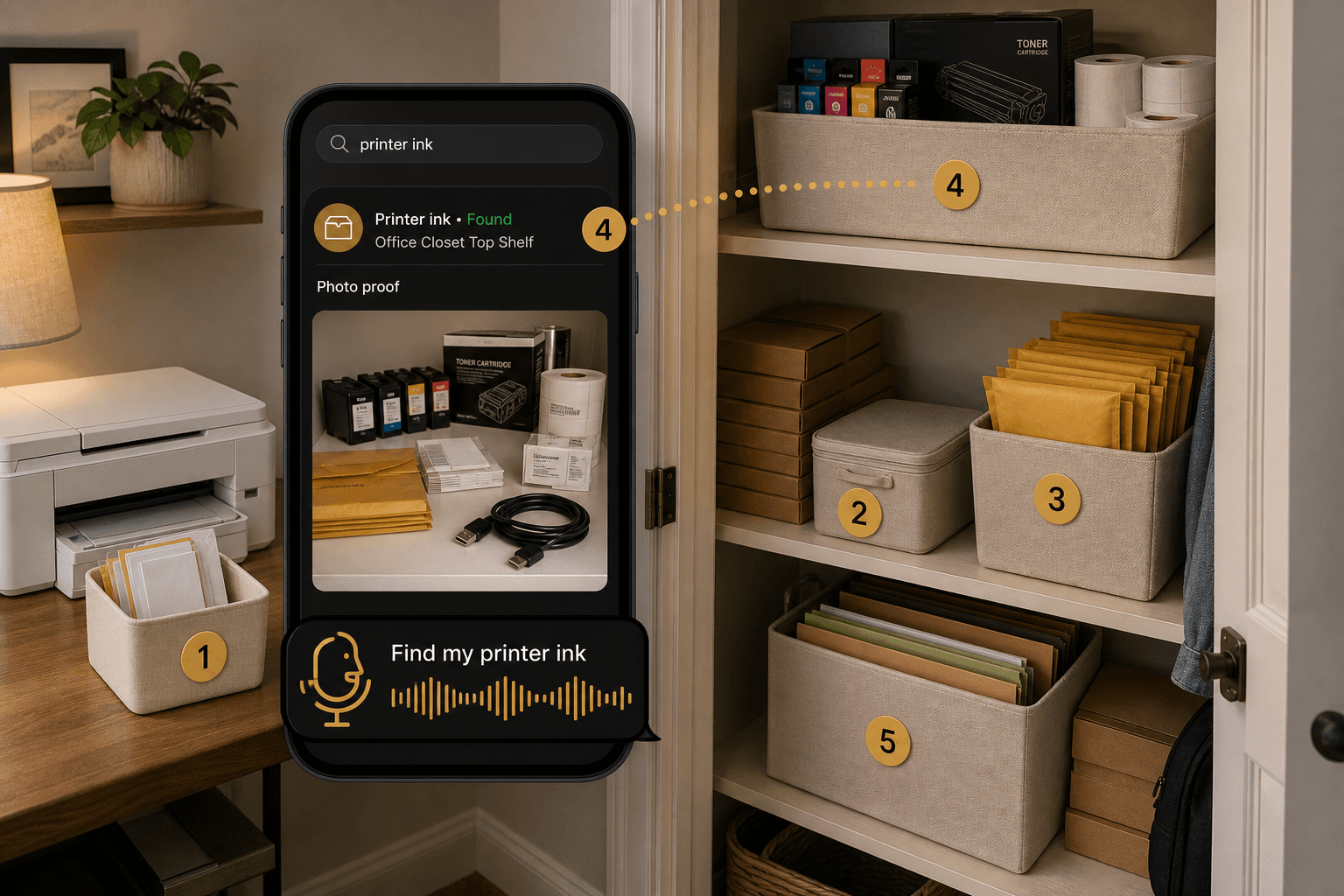
Home office storage sounds simple until the office starts spreading into the closet, the hallway cabinet, the garage shelf, and the one mystery box under the desk.
At first, it is just a few supplies.
Printer ink. Label rolls. Envelopes. Shipping mailers. Extra cables. Tax documents. Receipts. Product samples. Backup notebooks. A spare webcam. A box of pens. A stack of folders. A second keyboard. Then one day, you need the thing you know you already bought.
And you cannot find it.
That is the real home office problem.
It is not only clutter on the desk. It is the hidden backstock, paperwork, tech accessories, mailing supplies, and records that slowly leave the desk and become impossible to remember.
Good home office storage solutions should do more than make your workspace look clean.
They should help you know where your supplies, documents, and backstock live when you need them later.
Quick Links
- Why Home Offices Turn Into Supply Mazes
- Start With Office Zones, Not Random Boxes
- What to Store Near the Desk
- What to Move Into Boxes, Bins, or Shelves
- How to Organize Records Without Overcomplicating It
- Home Office Storage for Small Sellers
- How Totely Makes Home Office Storage Searchable
- Home Office Storage FAQs
Why Home Offices Turn Into Supply Mazes
A home office has a strange job.
It has to be a workspace, a filing area, a tech hub, a charging station, a shipping counter, a supply closet, and sometimes a small business stockroom.
That is a lot for one room.
The most common mistake is treating all office items the same.
A pen you use every day should not be stored like last year’s tax records. A spare HDMI cable should not live with printer paper. Shipping labels should not end up in the same drawer as notebooks, batteries, receipts, and broken chargers.
The second mistake is hiding things too well.
A clear desk feels good, but if everything gets swept into boxes without a record, the clutter has not been solved. It has only moved.
A better system separates the home office into zones:
- daily desk tools
- printer and paper supplies
- shipping supplies
- cables and tech accessories
- records and documents
- backstock and extra inventory
- rarely used equipment
- returns, repairs, or donation items
That way, each item has a real home.
Start With Office Zones, Not Random Boxes
Before buying another bin, cart, shelf, or drawer organizer, decide what your home office actually needs to store.
Start with five simple zones.
Daily work zone
This is what you touch almost every day.
Keep this close to your desk:
- laptop or computer
- keyboard and mouse
- notebook
- pen
- charger
- headphones
- current project folder
- planner
- sticky notes
- desk lamp
- most-used cables
This zone should be small. If everything is “daily,” nothing is.
Printer and paper zone
This is for anything connected to printing, scanning, labeling, or mailing paperwork.
Include:
- printer paper
- photo paper
- envelopes
- printer ink
- toner
- label rolls
- shipping labels
- return labels
- stamps
- tape
- document sleeves
Printer supplies are easy to overbuy because they are usually needed at the exact wrong moment. Keep them grouped and visible enough that you do not buy the same cartridge twice.
Tech and cable zone
This is the zone most home offices get wrong.
Cables multiply. Adapters lose their purpose. Old chargers look useful enough to keep, but not useful enough to label.
Use small pouches, cable wraps, or numbered bins for:
- USB-C cables
- HDMI cables
- power adapters
- charging blocks
- ethernet cables
- camera cables
- backup mouse
- webcam
- microphone accessories
- external drives
- card readers
- dongles
Do not create one giant “cords” box unless you enjoy testing mystery cables later.
Records and tax zone
This is for records you may need later.
Depending on your home office, this may include:
- receipts
- invoices
- bank statements
- insurance documents
- home office expense records
- tax documents
- client paperwork
- warranty documents
- equipment receipts
- mileage notes
- business licenses
- vendor documents
Keep sensitive documents in a safer location if needed. Use secure storage for anything private, legal, financial, or irreplaceable.
Totely can help you remember where records are stored, but it does not replace tax advice, legal advice, accounting systems, secure document storage, or retention rules.
Backstock and shipping zone
This is for people who ship from home, sell online, make products, run a side business, manage samples, or keep office supplies in bulk.
Include:
- bubble mailers
- boxes
- padded envelopes
- thank-you cards
- label rolls
- packing tape
- sticker sheets
- tissue paper
- poly mailers
- product inserts
- small product samples
- branded packaging
- return supplies
This zone often grows fast.
A few mailers become three box sizes, two label types, and a drawer full of packaging odds and ends.
What to Store Near the Desk
Near-desk storage should be reserved for items you use constantly.
That might mean one drawer, one tray, one desktop organizer, one rolling cart, or one small shelf.
Good near-desk items include:
- pens
- notebook
- current receipts
- active project folder
- laptop charger
- headphones
- current label roll
- one pack of sticky notes
- one spare printer cartridge if you print often
- one roll of tape if you ship often
Do not keep every supply near the desk just because it is office-related.
The desk is for work in progress.
Backstock belongs somewhere else.
Use this rule: if you do not touch it weekly, it probably does not need desk-level access.
What to Move Into Boxes, Bins, or Shelves
Boxes, bins, shelves, and cabinets are better for items you need to keep but do not need constantly.
That includes:
- extra printer paper
- backup ink or toner
- spare notebooks
- archived records
- older tax folders
- envelopes
- extra labels
- shipping mailers
- product samples
- rarely used cables
- seasonal office supplies
- backup tech
- old project materials
- returns to process
The key is to make closed storage searchable.
A box labeled “office” is not enough.
A better setup looks like this:
| Container | Location | Key contents | Notes |
|---|---|---|---|
| Box 1 | Office closet top shelf | printer ink, toner, label rolls | check before reordering |
| Bin 2 | Desk cabinet lower drawer | envelopes, stamps, return labels | mailing supplies |
| Pouch 3 | Office closet middle shelf | USB-C cables, HDMI cable, adapters | tech accessories |
| Box 4 | Filing shelf | receipts, invoices, tax folders | records by year |
| Bin 5 | Garage shelf A | shipping mailers, bubble wrap, packing paper | small seller backstock |
This works because the outside stays simple.
Use Box 1, Bin 2, Pouch 3, Box 4, Bin 5.
The details live in the inventory.
How to Organize Records Without Overcomplicating It
Records can make a home office feel heavier than it needs to.
The temptation is to build a perfect filing system.
But perfect systems are hard to maintain. A practical system is better.
Start with broad groups:
- current year tax documents
- older tax documents
- home office expenses
- invoices and receipts
- equipment purchases
- warranties and manuals
- insurance and household records
- client or project documents
- business formation or licensing documents, if relevant
Then decide where each group lives.
For example:
Folder 1: current year receipts and invoicesFolder 2: printer, desk, chair, and equipment receiptsFolder 3: past tax documentsFolder 4: home office expense notesBox 5: archived records by year
Keep active records closer to the desk. Move archived records to a shelf, file box, or secure storage location.
For sensitive documents, use appropriate privacy and security. Some records may need a locked cabinet, encrypted digital storage, an accountant, or another secure system.
Totely’s role is not to decide what you must keep.
Totely’s role is to help you find the physical folder, box, or record location later.
Home Office Storage for Small Sellers
If your home office also supports a small shop, marketplace store, freelance business, consulting work, or shipping workflow, storage matters even more.
You may not need warehouse software.
But you do need to know where your supplies are.
Small-seller home office storage often includes:
- product samples
- label rolls
- mailers
- box sizes
- packing tape
- thank-you cards
- tissue paper
- branded stickers
- printer ink
- shipping scale
- spare cords
- returns
- damaged items
- seasonal stock
- product inserts
- photography props
The problem is that many of these items look similar.
A stack of label rolls. A bin of mailers. A drawer of stickers. A box of inserts. A shelf of product samples.
Use zones by workflow:
Packing zone
Keep daily packing tools close:
- tape
- scissors
- label printer
- scale
- current mailers
- current labels
- thank-you cards
Backstock zone
Move extra supplies away from the desk:
- extra mailers
- bulk boxes
- label rolls
- bubble wrap
- printer ink
- refill tape
- product inserts
Returns zone
Create one visible place for:
- returns to inspect
- items to restock
- items to photograph
- items to repair
- items to donate or discard
Sample zone
Keep product samples separate from shipping supplies.
Use numbered boxes or bins so you can search later for a specific item.
Examples:
Bin 1: 6x9 bubble mailersBin 2: label rolls and printer inkBox 3: thank-you cards and insertsBin 4: product samplesBox 5: returns to inspect
If you sell from home, the goal is not to make your office look like a warehouse.
The goal is to avoid wasting time searching before every shipment.
The Supplies Worth Tracking
Not every paperclip needs an inventory record.
Track the things you lose, reorder, forget, or need at inconvenient times.
Printer supplies
Track:
- printer ink
- toner
- label rolls
- photo paper
- printer paper
- specialty labels
- return labels
Useful notes:
- printer model
- cartridge number
- where extras live
- opened or unopened
- reorder threshold
- expiration or use-by note, if shown on packaging
Cables and tech
Track:
- charger blocks
- USB-C cables
- HDMI cables
- ethernet cables
- webcam
- microphone
- card reader
- external drive
- adapters
- spare keyboard
- backup mouse
Useful notes:
- device compatibility
- cable length
- known issue
- where it belongs
- whether it still works
Shipping supplies
Track:
- mailers
- boxes
- bubble wrap
- tissue paper
- tape
- stickers
- thank-you cards
- packing slips
- label rolls
- product inserts
Useful notes:
- size
- quantity range
- reorder threshold
- platform or product use
Records and folders
Track:
- tax folders
- receipts
- invoices
- warranty folders
- home office expenses
- equipment receipts
- client folders
- household records
- insurance papers
Useful notes:
- year
- category
- secure location
- whether originals are stored elsewhere
Backstock
Track:
- extra notebooks
- pens
- envelopes
- file folders
- batteries
- camera batteries
- packaging materials
- office cleaning supplies
- product samples
Useful notes:
- quantity range
- shelf location
- restock note
- use case
A Simple Home Office Storage System You Can Copy
Use this setup for a closet, cabinet, office shelf, garage shelf, or spare-room storage area.
Step 1: Pull together the office overflow
Gather the supplies that have drifted around the house.
Look for:
- closet boxes
- desk drawers
- kitchen junk drawers
- garage shelves
- entryway cabinets
- under-bed bins
- printer cabinet
- file boxes
- shipping corner
- spare-room shelves
Do not organize yet. Just bring the office-related items into view.
Step 2: Sort by job
Use simple groups:
- daily desk tools
- printer and label supplies
- paper and envelopes
- cables and tech
- records and tax documents
- shipping supplies
- backstock
- returns or repair items
This is where duplicate purchases usually show up.
Three rolls of tape. Two unopened ink cartridges. Five USB-C cables. Label rolls in two places. Receipts in four folders.
Step 3: Give each container one job
Use one clear job per bin or box.
Examples:
Box 1: printer ink, toner, label rollsBin 2: shipping mailers and packing suppliesPouch 3: USB-C cables, HDMI cable, adaptersFolder 4: current year receipts and invoicesBox 5: archived tax foldersBin 6: product samples and small seller backstock
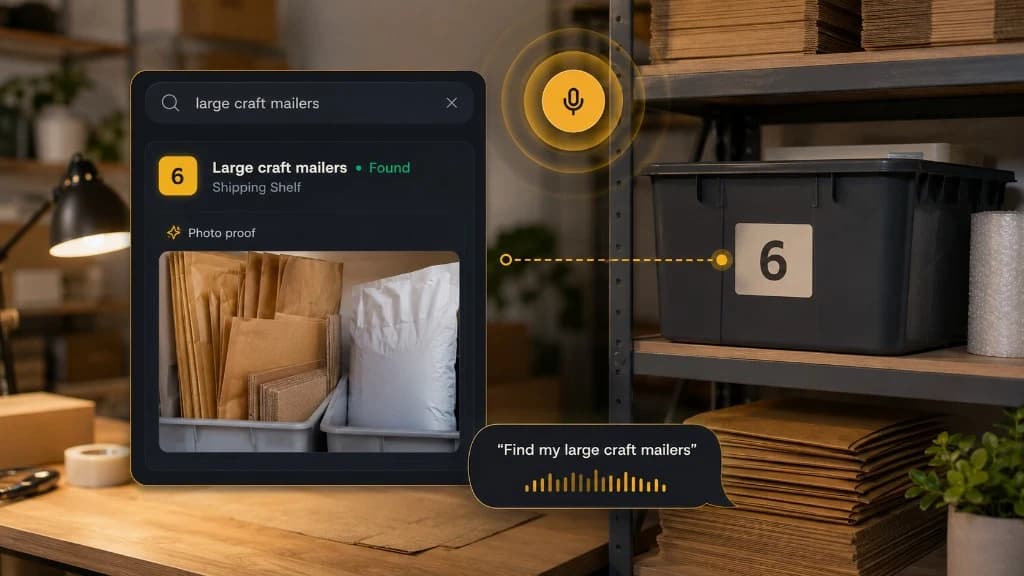
Step 4: Photograph the contents
Take a photo before closing each box, bin, pouch, drawer, or file container.
Make sure the important item is visible.
If you know you search for “printer ink,” make sure the printer ink is visible. If you search for “label rolls,” photograph the label rolls before closing the lid.
Step 5: Save the exact location
Use practical locations:
- Office Closet Top Shelf
- Desk Cabinet Lower Drawer
- Printer Cabinet
- Garage Shelf A
- Hall Closet File Box
- Under Desk Rolling Cart
- Shipping Shelf
- Spare Room Cabinet
“Office” is not enough.
“Office Closet Top Shelf” is useful.
Step 6: Create a front-access zone
Keep the things you need most in the easiest spot.
This might include:
- current label roll
- packing tape
- active receipts folder
- printer paper
- one spare ink cartridge
- current shipping mailers
- daily charger
- notebook
- headphones
Archive and backstock can sit farther away.
How Totely Makes Home Office Storage Searchable
Totely helps with the part most home office systems miss: remembering where the physical stuff went.
The shelf, cart, file box, and drawer are the physical system.
Totely is the digital memory layer that makes the system searchable later.
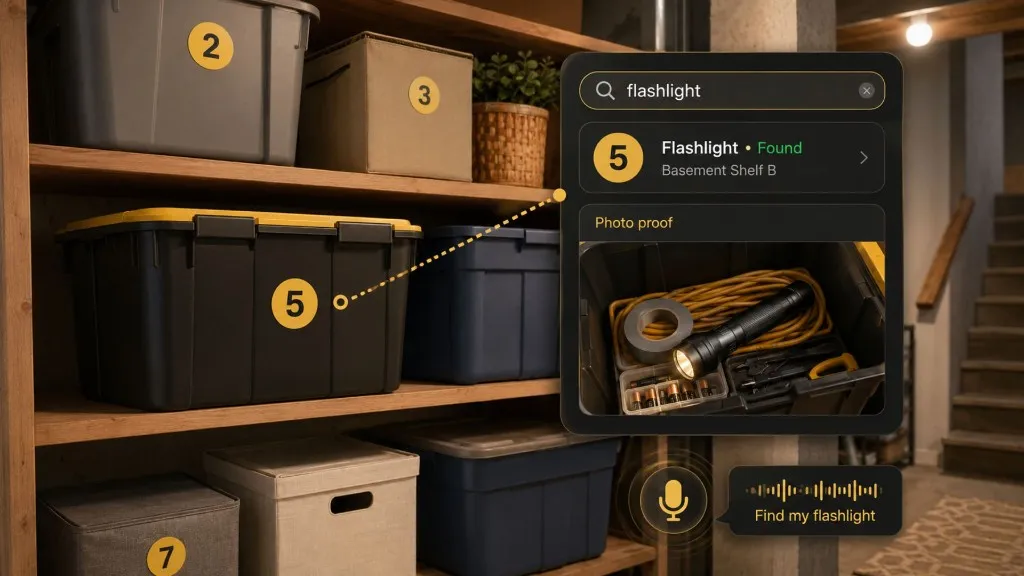
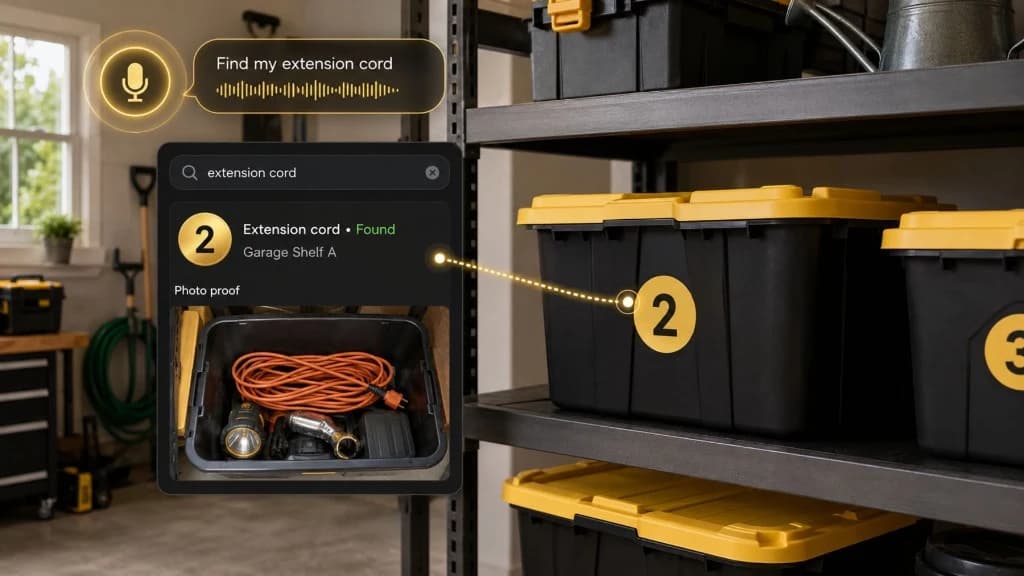
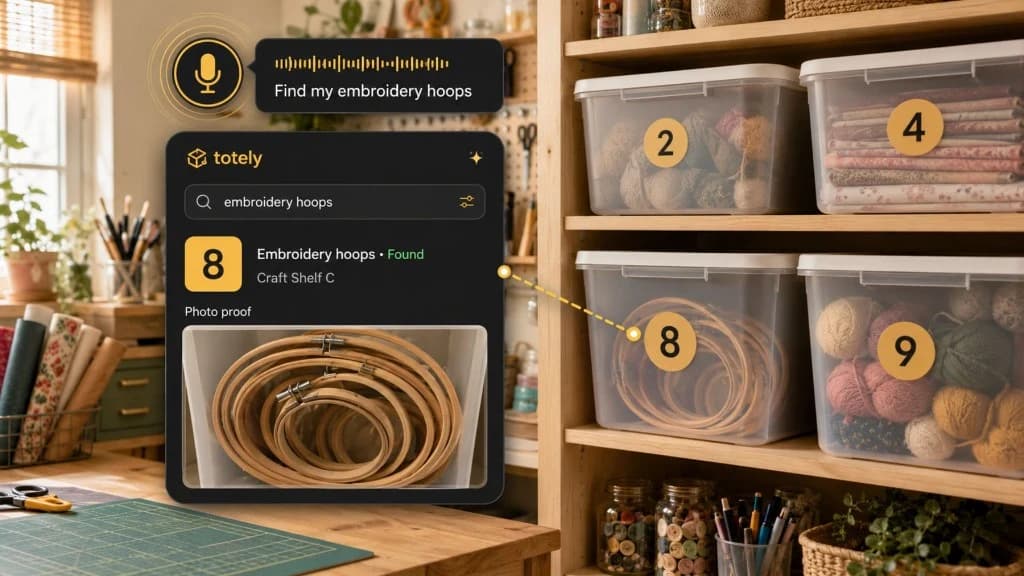
Here is the workflow:
- Number each box, bin, drawer, pouch, shelf, folder, or storage zone with simple visible numbers like
1, 2, 3, 4, 5. - Snap a photo before closing or storing it.
- Let AI build the first item list from what it can see.
- Review or edit the record so it uses the names you would search later.
- Save the exact location, such as “Office Closet Top Shelf” or “Shipping Shelf.”
- Add notes for printer model, cartridge number, tax year, reorder threshold, client folder, warranty, or small-seller backstock.
- Search naturally later for “printer ink,” “label rolls,” “tax documents,” “USB-C cable,” “bubble mailers,” “thank-you cards,” or “shipping scale.”
- Use photo proof before opening every box or reordering supplies you already own.
Totely does not replace accounting software, tax advice, secure document storage, or business inventory tools.
It helps with the home-office reality: the physical supplies, folders, cables, and backstock that are easy to lose once they leave the desk.
Home Office Storage Examples
Example 1: Printer cabinet
Use a small cabinet or shelf near the printer.
Track:
Box 1: printer ink, toner, label rollsBox 2: envelopes, stamps, return labelsShelf 3: printer paper, photo paper, cardstock
Search later for:
- printer ink
- label rolls
- envelopes
- photo paper
Example 2: Cable drawer
Use pouches or small bins inside the drawer.
Track:
Pouch 1: USB-C cables and charging blocksPouch 2: HDMI and monitor cablesPouch 3: camera cables and card readerPouch 4: spare mouse, webcam, microphone adapter
Search later for:
- USB-C cable
- HDMI cable
- card reader
- webcam
Example 3: Small seller shipping shelf
Use a shelf, cart, or closet zone.
Track:
Bin 1: 6x9 mailersBin 2: 10x13 mailersBox 3: thank-you cards and insertsBin 4: label rolls and printer inkBox 5: returns to inspect
Search later for:
- label rolls
- thank-you cards
- 6x9 mailers
- returns
Example 4: Records and tax shelf
Use folders, file boxes, or a locking cabinet when appropriate.
Track:
Folder 1: current year receiptsFolder 2: invoicesFolder 3: equipment purchasesBox 4: older tax foldersFolder 5: warranties and manuals
Search later for:
- desk receipt
- printer invoice
- tax documents
- warranty folder
Home Office Storage FAQs
What are the best home office storage solutions?
The best home office storage solutions separate daily desk tools, printer supplies, records, cables, shipping supplies, and backstock. Use the desk for active work, then move overflow into numbered boxes, bins, drawers, shelves, or folders with a searchable record of what is inside.
How do I organize office supplies at home?
Group supplies by how you use them. Keep daily items near the desk, printer supplies near the printer, shipping supplies in one shelf or cart, records in folders or secure storage, and extra backstock away from the main workspace. Photograph and track closed containers so you can find supplies later.
How should I store tax documents in a home office?
Sort tax documents by year and type, such as receipts, invoices, expense records, equipment purchases, and filed returns. Keep sensitive records in an appropriate secure location, and follow IRS, accountant, or legal guidance for what to keep and how long to keep it.
How do I organize cables in a home office?
Avoid one big cable box. Use small pouches, drawer bins, or numbered containers for USB-C cables, HDMI cables, adapters, power cords, camera cables, and device-specific chargers. Add notes about what each cable works with so you do not have to test every cord later.
How do I store shipping supplies at home?
Group shipping supplies by workflow: current mailers, backup boxes, label rolls, packing tape, thank-you cards, product inserts, bubble wrap, and returns. Keep daily packing tools close and backstock on a shelf, closet, or garage zone with a searchable record.
How can Totely help with home office storage?
Totely helps you number boxes, bins, drawers, folders, pouches, shelves, and office storage zones, photograph what is inside, save the exact location, add notes, and search later for real items like printer ink, label rolls, tax documents, shipping mailers, or USB-C cables.
Stop Reordering What You Already Own
A home office does not need to be perfect.
It needs to work when you are busy.
Start with one zone. Printer supplies. Shipping supplies. Records. Cables. Backstock. Pick the area that wastes the most time right now.
Give each container a simple number. Take a photo. Save the location. Add a few useful notes. Keep active items close and overflow out of the way.
With Totely, the things you put away do not have to disappear.
Your office can stay clean without becoming a collection of mystery boxes.