Moving Box Inventory App: Find the Coffee Maker Before Box 17
Build a moving-box inventory that routes cartons to the right room and helps you find the coffee maker after unloading—without opening every box.
By Steve Watts · Co-Founder, Totely
November 5, 2026 · Updated November 5, 2026 · 13 min read
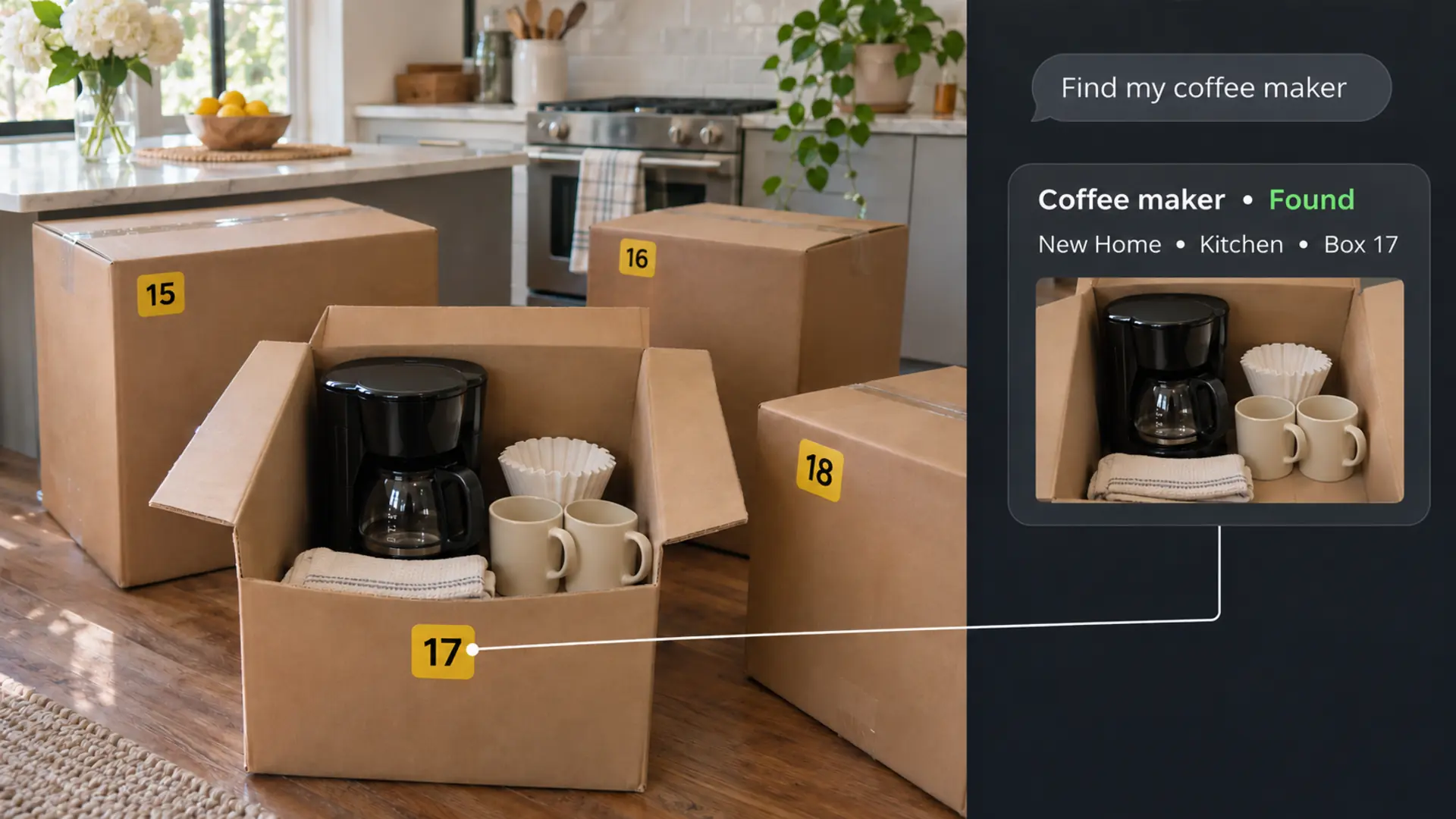
The truck is gone. The kitchen has twelve boxes. Every one says Kitchen.
Somewhere in that wall of cardboard is the coffee maker. The filters may be in the same box—or they may be under the mugs in another one. You remember packing everything. You do not remember which box became Box 17.
The short answer is to build the move in two layers. The outside label routes each box to the right room. The private inventory record helps you retrieve a specific item after unloading. Give every box one visible number, write its destination room and opening priority, photograph the open contents, and save a short reviewed list with the box's current location.
A moving box inventory app can make that record searchable, but the app is not the system by itself. Solve the physical numbering, routing, and open-first plan before you choose a tool.
Quick Links
- Start With the Physical Box System
- Track the Minimum Useful Record
- Build the Record While the Box Is Open
- Separate Routing Labels From Private Detail
- Choose Paper, Spreadsheet, or App
- Run the Coffee-Maker Retrieval Test
- How Totely Helps
- Keep the Inventory Accurate While You Unpack
- Avoid These Moving Inventory Mistakes
- Moving Box Inventory App FAQs
Start With the Physical Box System
Do not begin by downloading three apps or printing a stack of QR codes. Begin with the boxes that people will actually carry.
Every closed carton needs three visible facts:
- A unique box number that never changes.
- A destination room in the new home.
- An opening priority that tells you what happens after delivery.
For example:
Box 17 • Kitchen • Open First
The number identifies the carton. The destination helps movers and helpers place it. The priority protects it from disappearing behind six boxes that can wait.
Put the number and destination on the top and at least one side, where they can still be seen in a stack. Keep the system simple enough that anyone helping can follow it without reading a separate key.
Use one sequence across the whole move rather than restarting at Box 1 in every room. If you have three different Box 4s, a search result for “Box 4” has not solved anything.
The destination should describe where the box is going, not where its contents came from. Coffee supplies packed in an old dining-room cabinet may still belong in New Home / Kitchen. Guest linens from a hallway closet may belong in New Home / Guest Room Closet.
For a full label-writing workflow, use the separate guides to label moving boxes before a big move and decide what to write on each moving-box label. This page stays focused on the inventory record and the tool used to search it.
Track the Minimum Useful Record
An inventory stops being useful when it asks for more work than you can maintain. Track the fields that answer a real retrieval question.
| Field | Example for Box 17 | Why it matters |
|---|---|---|
| Box number | Box 17 | Connects the digital record to one physical carton |
| Destination | New Home / Kitchen | Routes the box during unloading |
| Priority | Open First | Keeps an essential box accessible |
| Key contents | Coffee maker, filters, mugs, kettle | Supports natural search without cataloging every spoon |
| Open-box photo | Coffee maker beside filters and four mugs | Gives visual proof before the box is sealed |
| Current location | Kitchen / East Wall / Box 17 | Finds the carton if it is not yet unpacked |
| Status | Packed, loaded, arrived, or unpacked | Shows whether the record still points to a closed box |
| Notes | Carafe wrapped inside dish towels | Preserves a detail you would otherwise forget |
You do not need to list every item. Record the things you would search for, replace unnecessarily, or need before most of the house is unpacked.
For a kitchen box, that may mean coffee maker, filters, kettle, favorite mug, bottle opener, scissors. It probably does not mean every fork.
For a bedroom box, record sheets, pillowcases, sleepwear, phone charger, night-light rather than every T-shirt. For the first bathroom box, record shower curtain, towels, toiletries, toilet paper.
The goal is a reliable retrieval aid, not a perfect census of the household.
Build the Record While the Box Is Open
The best moment to inventory a moving box is just before you seal it. Everything is visible, the box number is in your hand, and the destination decision is still fresh.
Use this repeatable sequence:
- Pack one logical group. Keep the coffee maker with its obvious companions when size, protection, and mover instructions allow.
- Assign the next number. Put the same number on the top and a side.
- Write the destination and priority. Use the new home's room name.
- Take one clear open-box photo. Make the important items recognizable; do not photograph a pile of packing paper.
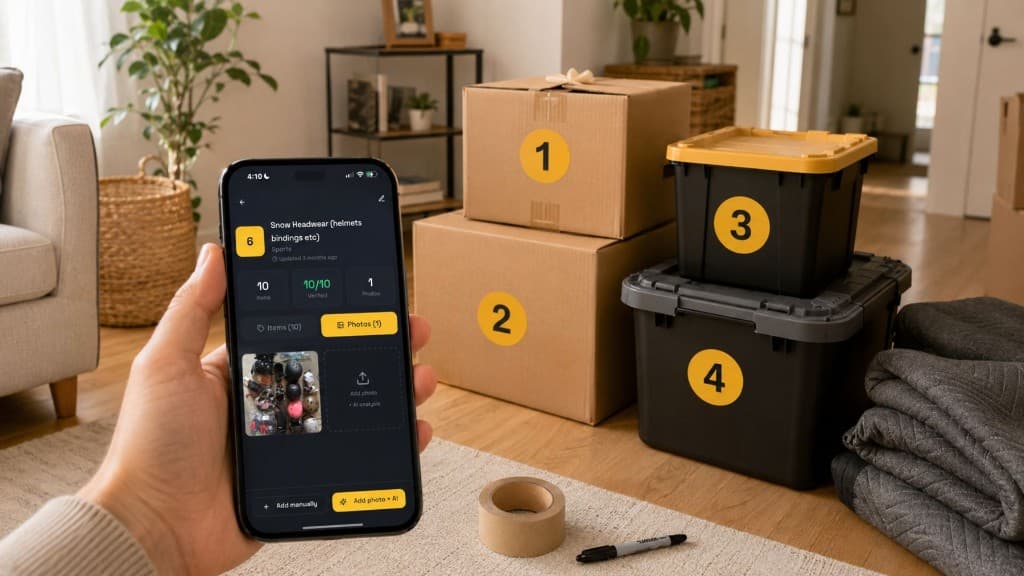
- Create or update the record. Add the box number, key items, destination, and priority.
- Review the item list. Correct vague or incorrect names before sealing.
- Close the box and test the number. The physical label and inventory record must agree.
Number the box
Give the carton one stable physical identity.
Photograph the open contents
Capture the items while they are visible.
Review the item list
Keep useful search terms and correct mistakes.
Save the destination
Record the new home, room, and current staging spot.
Test one search
Search “coffee maker” and confirm the result names Box 17.
Do not postpone all inventory work until the end of packing day. A stack of sealed boxes turns a simple review into a memory exercise.
Separate Routing Labels From Private Detail
The outside and inside layers have different audiences.
The outside label is for movers, friends, family, and your tired future self. Keep it easy to scan:
BOX 17 • KITCHEN • OPEN FIRST
The private record can contain the searchable detail:
Coffee maker, reusable filter, paper filters, four mugs, kettle, scoop • New Home / Kitchen / East Wall • Photo attached
That separation keeps the exterior readable and avoids advertising every valuable or personal item on the carton. It also gives you room to use the words you naturally remember without crowding the tape.
Some things should not be treated like ordinary moving-box inventory. Keep essential personal documents, medication, keys, irreplaceable data, and other items you decide must stay with you in an appropriate carry-with-you plan. Follow the mover's prohibited-items rules and the product's own handling instructions.
For an interstate move, your household box list also does not replace the mover's official shipment inventory, bill of lading, valuation documents, receipts, or other records. FMCSA says the mover must prepare a shipment inventory before or at loading and that the shipper should review the entries and retain a copy. Keep your retrieval system separate from that official paperwork.
Choose Paper, Spreadsheet, or App
The best tool is the simplest one that remains accurate through packing, loading, delivery, and partial unpacking.
| Method | Best when | Strength | Tradeoff |
|---|---|---|---|
| Paper list | The move is small and one person maintains the list | Fast to start; works without a device | Harder to search, update, copy, or connect to photos |
| Spreadsheet | You want rows, filters, and a printable backup | Flexible fields and sorting | Manual entry can grow; photos and natural-language retrieval may be awkward |
| Moving box inventory app | You want box records, photos, locations, and phone search together | Faster retrieval when the record is reviewed and current | Requires setup discipline and a tool you will keep using |
Do not choose an app based only on how many features it lists. Test the workflow that will happen forty times on a real packing day.
Ask:
- Can I create the next box without navigating a complicated project?
- Can I attach an open-box photo?
- Can I use the words I will remember later?
- Can I save the destination room and update the final location?
- Can I search by an item, not only by a box number?
- Can I correct the item list before trusting it?
- Can I tell whether a box is still packed or already unpacked?
- Does it work with plain numbered labels, or does it require a separate label system?
QR codes can be useful in a workflow built around scanning, but they are not the only way to identify a box. A large visible number remains readable from across a room, and it still works when someone else is unloading without the app.
Run the Coffee-Maker Retrieval Test
Do not wait until move-in morning to learn whether your inventory works.
Before the truck arrives, run one complete test:
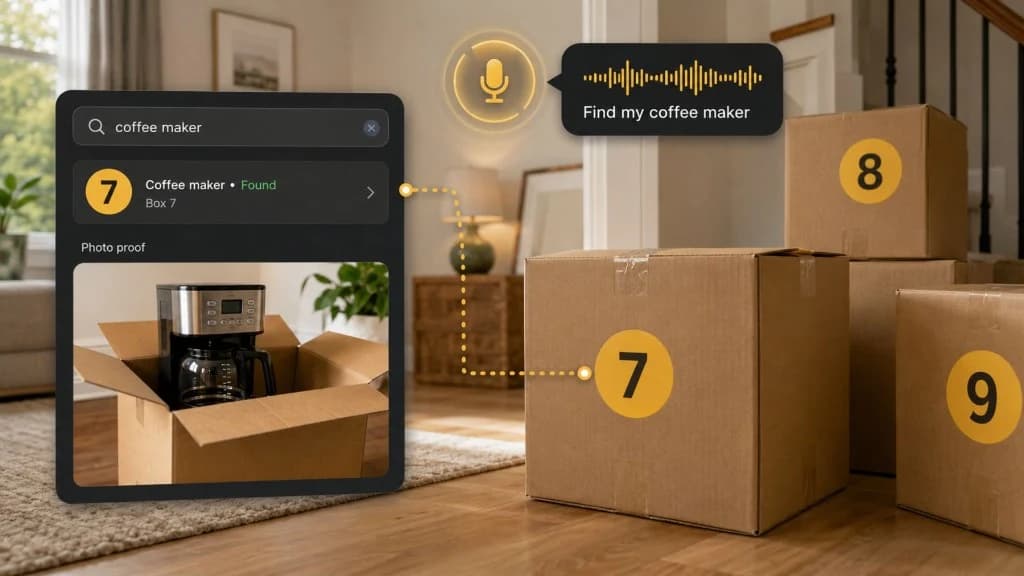
- Search for coffee maker using the wording that comes naturally.
- Confirm that the result says Box 17.
- Check that the photo shows the same coffee maker and companions you packed.
- Confirm the destination is New Home / Kitchen.
- Make sure Box 17's yellow number is visible on the physical carton.
- During unloading, update its current location if it lands somewhere more specific, such as Kitchen / East Wall.
After delivery, the search should still answer two questions:
Which box? Box 17.
Where is it now? Kitchen, east wall, beneath Box 16.
That is the difference between an inventory that documents packing and one that supports retrieval.
If Box 17 goes to the garage staging area by mistake, update the record rather than pretending the planned destination is still true. An exact current location is more useful than a tidy but fictional one.
FMCSA's moving checklist advises people using interstate movers to supervise unloading and note damaged or missing items on the shipment inventory before signing. Your personal box app can help you orient yourself, but follow the official inventory and documentation process for the move itself.
How Totely Helps
Totely fits after the physical box system is clear.
Place one unique number on each box. While the box is open, take a photo of its contents in Totely. Review the proposed item list so the terms are accurate and useful. Save an exact location such as New Home / Kitchen / East Wall / Box 17.
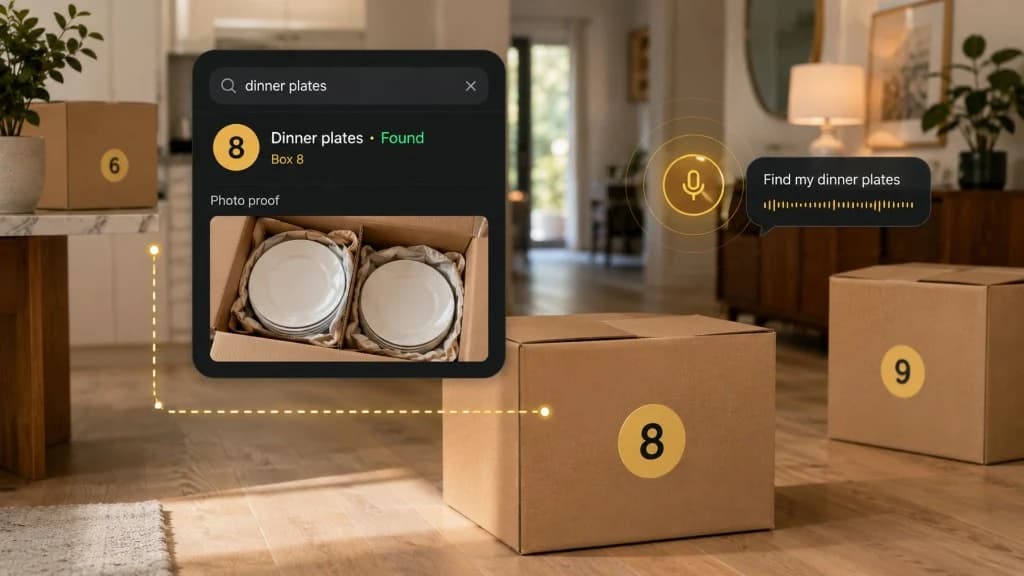
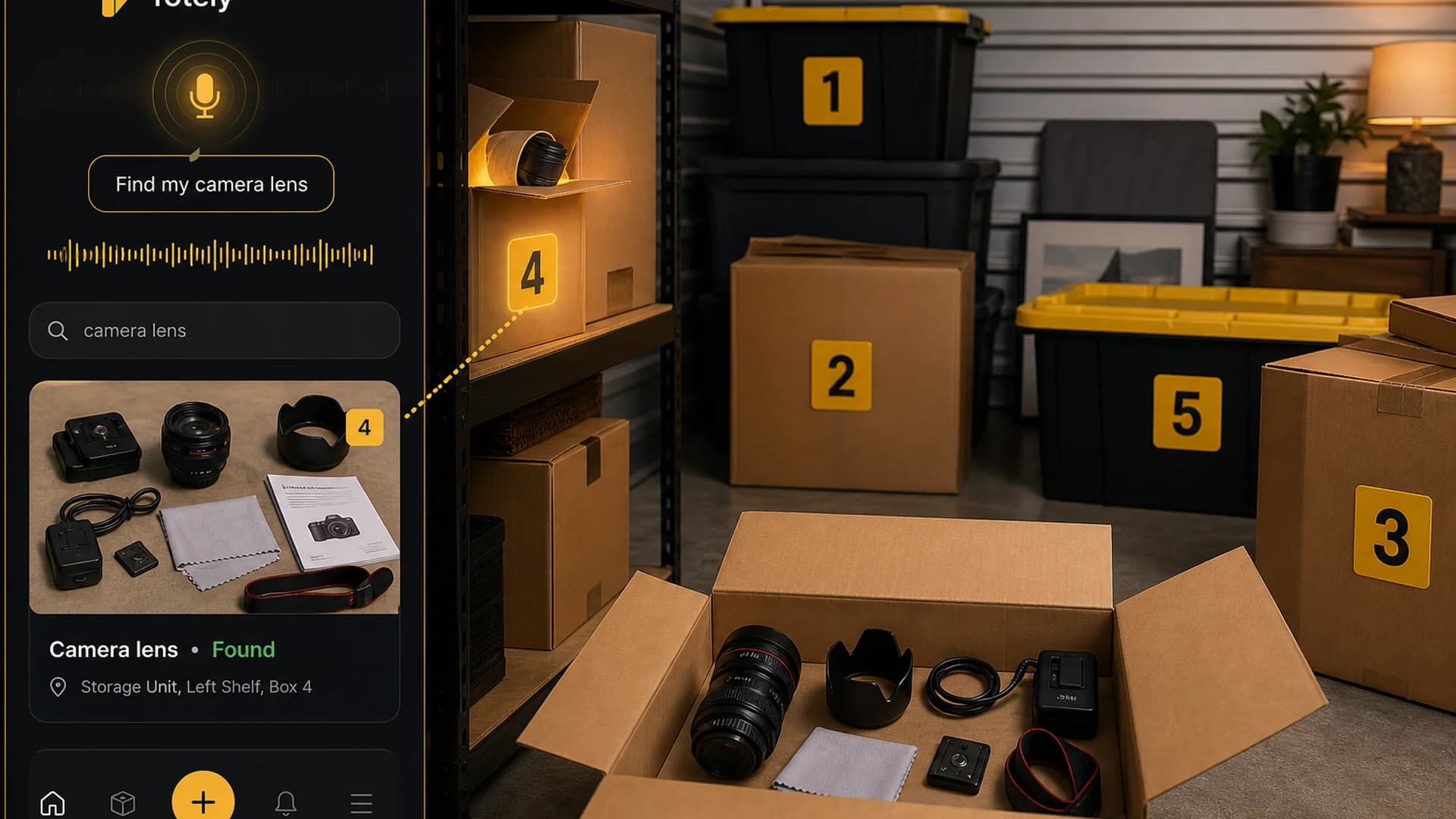
Later, search naturally for coffee maker. The result connects the item to the numbered physical box, its saved location, and the matching photo. That photo gives you a visual check before you cut tape on the carton.
The useful chain is:
Number → photo → reviewed item list → exact location → natural search → photo proof
Totely does not determine whether the box was packed safely, whether every hidden item is present, or whether the mover's official records are complete. You still review the physical box, follow handling guidance, and keep required documents separately.
If you want to try the workflow on a smaller storage problem before packing a whole move, start with the One-Tote Test. For the broader plan across packing and unpacking, use the moving box organization system.
Keep the Inventory Accurate While You Unpack
A moving inventory becomes stale if every record remains “Kitchen / Box 17” after the kitchen is finished.
Use simple status changes:
- Packed: sealed and still at the origin.
- Loaded: handed off or placed on the vehicle.
- Arrived: delivered but still closed.
- Unpacked: contents moved to permanent homes.
- Stored: carton remains in a closet, garage, basement, or storage unit.
When you unpack Box 17, choose what the record should become.
If the coffee maker moves to the counter, update its exact home. If the filters move to the pantry, give them their own location. If the empty box is discarded, retire the box record rather than leaving a result that points to cardboard that no longer exists.
Some boxes will remain packed. Those need a final storage address, not just a destination room. Use a path such as:
Garage / North Wall / Shelf 2 / Box 31
If boxes go into off-site storage, follow the separate storage unit inventory list workflow. It accounts for aisle access, stack position, and retrieval from a unit rather than a new-home room.
Avoid These Moving Inventory Mistakes
Recording only the room
“Kitchen” routes the box but does not retrieve the coffee maker. Add the stable number, key contents, and current location.
Listing everything
Cataloging every spoon makes the workflow too slow. Capture the items you would search for, plus a clear photo for context.
Trusting an unreviewed item list
A proposed list is a draft. Correct vague names, remove items that are not present, and add important items that are hidden or unclear.
Reusing a box number
One number must identify one physical box during the active move. Repeated numbers break search and handoff.
Saving only the planned destination
Boxes land in staging areas and wrong rooms. Update the record to the actual location after unloading.
Hiding the only label on top
Top-only labels disappear in a stack. Repeat the number and destination on at least one side.
Treating the app as official move documentation
Your box finder is for household organization and retrieval. Keep mover inventories, contracts, condition notes, valuation choices, receipts, and other formal records in the process required for your move.
Moving Box Inventory App FAQs
What should a moving box inventory app track?
Track a unique box number, destination room, opening priority, short reviewed contents list, open-box photo, current location, and status. Add notes only when they change how you find, handle, or unpack the box.
Do I need to inventory every item in every moving box?
No. Record the key items you are likely to search for, then use a clear photo for context. A maintainable list of important contents is more useful than an exhaustive list you stop updating.
Is a spreadsheet enough for a moving box inventory?
Yes, for a small move or a workflow you are comfortable maintaining. A spreadsheet can handle box numbers, rooms, priorities, contents, and status. An app becomes more useful when you want photos, exact locations, and item search connected in one phone-friendly record.
Should I use QR codes or numbered moving-box labels?
Either can work. Plain numbers are visible without scanning and are easy for helpers to follow. QR codes can support a scan-based workflow, but they add printing and scanning steps. Choose one stable identity system and test it before packing the whole move.
When should I create each box record?
Create it while the box is open, immediately before sealing. That is when you can verify the number, photograph visible contents, review the item names, and save the destination without relying on memory.
Does a personal moving-box inventory replace the mover's inventory?
No. Use the personal list to organize and retrieve household items. For an interstate move, review and retain the mover's official shipment inventory and other required documents; follow the mover's process and current FMCSA guidance.